4th Generation Maxima (1995-1999) Visit the 4th Generation forum to ask specific questions or find out more about the 4th Generation Maxima.

4th gen photochops/pic editing---56K beware, large pics

Thread Tools
 
Search this Thread
 
Old Mar 27, 2006 | 06:31 PM
  #1  
aih98max's Avatar
Thread Starter
scoobystoned...
iTrader: (3)
 
Joined: Nov 2005
Posts: 1,050
From: SLC, UT
4th gen photochops/pic editing---56K beware, large pics

i dont know if there is a thread for this somewhere else, but i just wanted to get advice on photochoping and editing 4th gen maxima pictures. also, if you have done some of this, post your pictures here. mine are WAY ghetto, i was just screwin around, being bored at work. give me advice on how to actually do this if you know.

here they are:

heres one with a ghetto body kit

Old Mar 27, 2006 | 06:35 PM
  #2  
BigLou93SE's Avatar
Senior Member
iTrader: (10)
 
Joined: Jun 2004
Posts: 2,581
From: Danbury, CT \ Rochester, NY
are you using Microsoft Paint?
Old Mar 27, 2006 | 06:38 PM
  #3  
sunten1
Guest
 
Posts: n/a
If you just dropped your car in MS Paint I give you made props kid...
Old Mar 27, 2006 | 06:40 PM
  #4  
aih98max's Avatar
Thread Starter
scoobystoned...
iTrader: (3)
 
Joined: Nov 2005
Posts: 1,050
From: SLC, UT
lol no i was using a program called photo impression 4.
by the way, im not a KID, im the same age as you sunten1
Old Mar 27, 2006 | 06:45 PM
  #5  
ManualMaxima's Avatar
5th Gen till she dies!
iTrader: (10)
 
Joined: May 2003
Posts: 4,544
photoshop is cool, or you could just lower and get a kit?
Old Mar 27, 2006 | 06:46 PM
  #6  
shavedmax's Avatar
Senior Member
iTrader: (6)
 
Joined: Oct 2001
Posts: 3,093
From: ny
Originally Posted by frodosmaxima
lol no i was using a program called photo impression 4.
by the way, im not a KID, im the same age as you sunten1
i think he meant it as slang, not to label you.

while you're at it kiddo, learn to resize the images cause i cant see a dam thing other than a door at a time
Old Mar 27, 2006 | 06:51 PM
  #7  
BlackMaxdout's Avatar
Senior Member
 
Joined: Jan 2006
Posts: 497
find a copy of photoshop...and use the pattern tool, magic wand tool, and magnetic lasso tool. When you said ghetto body kit, I figured you at LEAST copy and pasted it, lol.
Old Mar 27, 2006 | 06:54 PM
  #8  
aih98max's Avatar
Thread Starter
scoobystoned...
iTrader: (3)
 
Joined: Nov 2005
Posts: 1,050
From: SLC, UT
LOL i know im not sayin there anygood, thannks for the advice thou. its fun to do this.
Old Mar 27, 2006 | 07:01 PM
  #9  
southeast_first's Avatar
Senior Member
iTrader: (3)
 
Joined: Jul 2004
Posts: 495
From: Orlando, FL
Originally Posted by BlackMaxdout
find a copy of photoshop...and use the pattern tool, magic wand tool, and magnetic lasso tool. When you said ghetto body kit, I figured you at LEAST copy and pasted it, lol.

get a copy of photoshop and NEVER use any of those tools. they're practically useless for photoshopping cars. the clone stamp and the polygonal lasso are your friends!
Old Mar 27, 2006 | 07:15 PM
  #10  
BlackMaxdout's Avatar
Senior Member
 
Joined: Jan 2006
Posts: 497
clone stamp works good for textured areas like pavement, so I guess you are right. Magnetic lasso is good for cutting exact lines from depicting color difference. I guess it's all just preference anyway.

Here, I did this in about 15 minutes: bbk, rims

Old Mar 27, 2006 | 07:17 PM
  #11  
jman7777's Avatar
Senior Member
 
Joined: Aug 2005
Posts: 954
From: Massachusetts
even paint would be better than those awful pics. yes, please learn and use photoshop.
Old Mar 27, 2006 | 07:17 PM
  #12  
udienow's Avatar
Senior Member
iTrader: (15)
 
Joined: May 2005
Posts: 868
From: Palatine, IL
Some stuff done by my friend:

Kit + rims


Car was parked.


Lined out
Old Mar 27, 2006 | 07:19 PM
  #13  
sean05's Avatar
Senior Member
iTrader: (13)
 
Joined: Aug 2003
Posts: 2,760
wow you need to brush up on your skills young grasshopper. post up the orginials and ill take a wack at it this weekend.
Old Mar 27, 2006 | 07:20 PM
  #14  
sean05's Avatar
Senior Member
iTrader: (13)
 
Joined: Aug 2003
Posts: 2,760
heres some of my sketching around:


Old Mar 27, 2006 | 07:23 PM
  #15  
Fr33way™'s Avatar
Wild for Width
iTrader: (23)
 
Joined: Jan 2005
Posts: 6,471
From: Atlanta
Do any of you guys go to Maddox's site (best site in the universe)?

I think he would have something witty to say about these masterpieces.

-No offense Frodo, I used to slam my ISH on MS paint all day long.

I'll dig up one I have with IS300 wheels....
Old Mar 27, 2006 | 07:28 PM
  #16  
Fr33way™'s Avatar
Wild for Width
iTrader: (23)
 
Joined: Jan 2005
Posts: 6,471
From: Atlanta

Photobucket screwed this up it looked good, you get the idea.

And the dream circles....

Old Mar 27, 2006 | 07:37 PM
  #17  
El_PrOfE's Avatar
Senior Member
iTrader: (4)
 
Joined: Mar 2006
Posts: 315
From: Miami
somse ill ****
Old Mar 27, 2006 | 07:38 PM
  #18  
southeast_first's Avatar
Senior Member
iTrader: (3)
 
Joined: Jul 2004
Posts: 495
From: Orlando, FL
Originally Posted by BlackMaxdout
Magnetic lasso is good for cutting exact lines from depicting color difference.

good eye + zoom + polygonal lasso (or freehand lasso if you have a nice optical mouse) >>>>>>>>>>>>>>>>>>>> magnetic lasso


quick mask mode + paintbrush >>>>>>>>>>>>>> magnetic lasso


hell,

MAGIC WAND >>>>>>>>>>>>>>>> magnetic lasso


spend some time using those first two methods and you'll see how imprecise and useless the magnetic lasso is.
Old Mar 27, 2006 | 07:41 PM
  #19  
BlackMaxdout's Avatar
Senior Member
 
Joined: Jan 2006
Posts: 497
Originally Posted by southeast_first
good eye + zoom + polygonal lasso (or freehand lasso if you have a nice optical mouse) >>>>>>>>>>>>>>>>>>>> magnetic lasso


quick mask mode + paintbrush >>>>>>>>>>>>>> magnetic lasso


hell,

MAGIC WAND >>>>>>>>>>>>>>>> magnetic lasso


spend some time using those first two methods and you'll see how imprecise and useless the magnetic lasso is.
cool, I'll hafta try it out sometime.
Old Mar 27, 2006 | 07:43 PM
  #20  
sunten1
Guest
 
Posts: n/a
I like the 2 toned body kit...
Old Mar 28, 2006 | 02:17 PM
  #21  
aih98max's Avatar
Thread Starter
scoobystoned...
iTrader: (3)
 
Joined: Nov 2005
Posts: 1,050
From: SLC, UT
im gonna try to do it better today with photoshop.
Old Mar 28, 2006 | 02:44 PM
  #22  
DominanceX's Avatar
Member
 
Joined: Feb 2006
Posts: 61
heres some stuff ive done myself...not my best,but k i guess -still learning it.
Well, u guys can be the judge of that. I used Photoshop CS2.


[saw this car on the org somewhere-was bored]


[This one was done for SMX95]


[not a max but a lil something]


[one of my earliest creationz....from my more noobish days]
Old Mar 28, 2006 | 02:54 PM
  #23  
alphaoenz's Avatar
Senior Member
 
Joined: Dec 2001
Posts: 153
Here's some I've done:


Now that I look at these I'm really embarassed. They look so fake.
Old Mar 28, 2006 | 03:12 PM
  #24  
Lumberg™'s Avatar
on this site too damn much
iTrader: (6)
 
Joined: Jan 2005
Posts: 1,384
From: Illadelphia
^^^ those are pretty good man...the rx8 would look so much nicer if it didn't have those rear doors like you photoshoped

any one want to do something to one of my pictures that are in the link in my profile???
Old Mar 28, 2006 | 03:31 PM
  #25  
X-Vert's Avatar
Senior Member
 
Joined: Apr 2005
Posts: 627
http://photoshopchop.com/ for all your photoCHOPPING needs.
Old Mar 28, 2006 | 03:45 PM
  #26  
aih98max's Avatar
Thread Starter
scoobystoned...
iTrader: (3)
 
Joined: Nov 2005
Posts: 1,050
From: SLC, UT
heres my new one....not too great but a little better on the rims and tint. im still really a beginner thou

Old Mar 28, 2006 | 03:53 PM
  #27  
Digitized's Avatar
Senior Member
iTrader: (9)
 
Joined: Mar 2005
Posts: 1,318
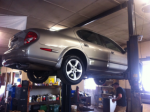
you do realise the carbon hood is reflecting a ceiling? looks like the ceiling of a garage ( the red beam looks like the lift)?

Old Mar 28, 2006 | 03:59 PM
  #28  
DominanceX's Avatar
Member
 
Joined: Feb 2006
Posts: 61
Originally Posted by Digitized
you do realise the carbon hood is reflecting a ceiling? looks like the ceiling of a garage ( the red beam looks like the lift)?

yea i know...lol...i still consider myslef a noob....working on skillz lil by lil
Old Mar 28, 2006 | 04:21 PM
  #29  
GT3's Avatar
GT3
Member
 
Joined: Mar 2006
Posts: 34
yea good stuff, and the hood clips are obvious cut and pastes. I should dig up some of my work and post it..... I havent chopped in a while but I think I can come up with some garbage.
Old Mar 28, 2006 | 05:56 PM
  #30  
BlackMaxdout's Avatar
Senior Member
 
Joined: Jan 2006
Posts: 497
a Z I did a while back:

Old Mar 28, 2006 | 06:08 PM
  #31  
GT3's Avatar
GT3
Member
 
Joined: Mar 2006
Posts: 34

My old computer broke so all my old stuff is either lost or in my freinds computer.... well I was bored so I did this one right now.
Old Mar 28, 2006 | 08:03 PM
  #32  
DominanceX's Avatar
Member
 
Joined: Feb 2006
Posts: 61
Originally Posted by GT3

My old computer broke so all my old stuff is either lost or in my freinds computer.... well I was bored so I did this one right now.
i envy you ...nice
Old Mar 28, 2006 | 08:06 PM
  #33  
aih98max's Avatar
Thread Starter
scoobystoned...
iTrader: (3)
 
Joined: Nov 2005
Posts: 1,050
From: SLC, UT
i really need to learn how to do this better. even thou the pic in my sig isnt that bad. all i did was the rims and the drop, and the tint thou.
Old Mar 28, 2006 | 08:15 PM
  #34  
VQuick's Avatar
Chassis Freak
iTrader: (17)
 
Joined: Apr 2002
Posts: 4,581
From: Portland, Ore.
Originally Posted by DominanceX
heres some stuff ive done myself...not my best,but k i guess -still learning it.
Well, u guys can be the judge of that. I used Photoshop CS2.


[saw this car on the org somewhere-was bored]
I think this looks really good. What Photoshop tools and techniques did you use to get the two tone thing to look so good? I'm very curious.
Old Mar 28, 2006 | 09:08 PM
  #35  
southeast_first's Avatar
Senior Member
iTrader: (3)
 
Joined: Jul 2004
Posts: 495
From: Orlando, FL
Originally Posted by VQuick
I think this looks really good. What Photoshop tools and techniques did you use to get the two tone thing to look so good? I'm very curious.


select the area you want to recolor, then image > adjustments > desaturate.

then, image > adjustments > hue/saturation. adjust until it looks right, or if you can't get it you can use image > adjustments > brightness/contrast in addition.


i agree, that orange max photoshop does look really good.
Old Mar 28, 2006 | 09:29 PM
  #36  
GT3's Avatar
GT3
Member
 
Joined: Mar 2006
Posts: 34
Interesting, I thought he had just overlaid the black on the orange, but I suppose that works too. I think keeping things simple works best.
Old Mar 28, 2006 | 09:30 PM
  #37  
darklegend06's Avatar
Senior Member
iTrader: (11)
 
Joined: Nov 2004
Posts: 1,358
From: Miyazaki, Japan
Some of you guys have some awsome skills even if some of them are newbs. I have photoshop seven and I still don't know how to use it.
Old Mar 28, 2006 | 10:08 PM
  #38  
aih98max's Avatar
Thread Starter
scoobystoned...
iTrader: (3)
 
Joined: Nov 2005
Posts: 1,050
From: SLC, UT
lol i have photoshop CS 2 now and i still cant do it that good. im learnin thou. its fun.
Old Mar 28, 2006 | 11:02 PM
  #39  
GT3's Avatar
GT3
Member
 
Joined: Mar 2006
Posts: 34
it sure is. I think im going to get back into ps, heres another one I just came up with.
Old Mar 29, 2006 | 07:15 PM
  #40  
DominanceX's Avatar
Member
 
Joined: Feb 2006
Posts: 61
Originally Posted by GT3
it sure is. I think im going to get back into ps, heres another one I just came up with.
umm..idk know bout this one...its seems a bit too rushed and sloppy..nice concept behind it though..just clean it up a bit and ur good...

Originally Posted by VQuick
I think this looks really good. What Photoshop tools and techniques did you use to get the two tone thing to look so good? I'm very curious.
actually i just selected the area as southeast_first said and i didnt desaturate it...rather i skipped ahead and i went to hue and saturation and just lowered the brightness and adjusted the saturation and hue...for myself it works out better that way..its seems to look a bit better..to me atleast....and that design was random...just went with wherever i felt like clicking..lol


All times are GMT -7. The time now is 06:12 AM.