


Amp overheating...adding fan..Help


Amp overheating...adding fan..Help
Today my amp turned off as I was listening to the radio. I turned off the radio, then turned it back on, and the amp and sub worked again. I have a feeling the amp went into protection mode and turned off because my trunk was excessively hot. My car had been parked outside for 6 hours in 95 degree weather.
So now, I want to add a computer cooling fan to my trunk. I know that I am supposed point the fan down the long side of the fan so it blow the hot air away from the heat sinks. I need to know how I need to wire the fan to turn on when the radio does. Will wiring the positive of the fan to the remote turn on wire from the HU, and wiring the negative to the chasis be able to power the fan correctly?
Any other ideas on how to keep the amp cooler? I don't really want to put it under my seat, but if the problem persists, then I will be forced to.
So now, I want to add a computer cooling fan to my trunk. I know that I am supposed point the fan down the long side of the fan so it blow the hot air away from the heat sinks. I need to know how I need to wire the fan to turn on when the radio does. Will wiring the positive of the fan to the remote turn on wire from the HU, and wiring the negative to the chasis be able to power the fan correctly?
Any other ideas on how to keep the amp cooler? I don't really want to put it under my seat, but if the problem persists, then I will be forced to.

In my sig you can sorta see the amp mounted on the floor in front of my amp. It has quite a bit of space around it. When I touched it after it turned off it was pretty hot. I'm thinking a fan will help it.
It is possible that this is a lack of power issue, too. I have a cheap battery, stock alternator, and no capacitor. I have two amps in my trunk, both with seperate wiring (no distribution block). Do I need a capacitor or new battery? I was told that I could check the voltage going to the amp with a multimeter.

ahhhhhhh.
Quick little guide.... Turn the gain on the amp all the way down. Then turn the HU volume to about 75% of full volume (have all the bass setting to zero, and no bass boost engaged). Put in a CD with good strong material. Turn up the gain on the amp up until the point where you start hearing some distortion. At this point back the gain down some. Now you should be good to go.
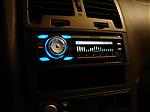
What HU are you using?
Quick little guide.... Turn the gain on the amp all the way down. Then turn the HU volume to about 75% of full volume (have all the bass setting to zero, and no bass boost engaged). Put in a CD with good strong material. Turn up the gain on the amp up until the point where you start hearing some distortion. At this point back the gain down some. Now you should be good to go.
What HU are you using?
Okay, I messed with it. I turned the bass all the way down, and bass boost, and gain. I also turned the high pass filter to 200 so I could hear the music a little. When I started to take the gain up, the music sounded good through the subs till I went past 1/4 of the way up. Then the higher notes seemed almost like a really long note. I couldn't tell if that was distortion or not. I am not exactly sure what distortion would sound like through a sub. I know that if I kept the gain at 1/4 the music from my speakers drowned out the sub, and the sub wasn't hitting hard at all.
IIRC you just use the power supply for your radio on wire and ground it anywhere. I am about to add a fan since I replaced my power supply on my pc.
Suppose I'll set my gain as well. have it at "default" 1/3 with no boost for now since breaking in a new sub. but it's always hot.
Suppose I'll set my gain as well. have it at "default" 1/3 with no boost for now since breaking in a new sub. but it's always hot.
Originally Posted by Hexon
Okay, I messed with it. I turned the bass all the way down, and bass boost, and gain. I also turned the high pass filter to 200 so I could hear the music a little. When I started to take the gain up, the music sounded good through the subs till I went past 1/4 of the way up. Then the higher notes seemed almost like a really long note. I couldn't tell if that was distortion or not. I am not exactly sure what distortion would sound like through a sub. I know that if I kept the gain at 1/4 the music from my speakers drowned out the sub, and the sub wasn't hitting hard at all.
There is no need to change your crossover settings. Leave them as they were. Are you also running an external amp for your main speakers? Distortion sounds like crap. Put the same song on repeat and keep listening to it as you adjust it. When the subs start sounding different, nasty, you have reached the point where you should back the gain down some.
You will have to adjust the gains for both. Would be helpful to turn off the other amp as you adjust each one. Then if one is overpowering the other, bring that one down, do not turn the other gain up.
If you have to have only one set of speaker amped up, you need to amp the front speakers, not the back....
If you have to have only one set of speaker amped up, you need to amp the front speakers, not the back....
The front speakers are still stock. I don't think they could handle being amped. The paper would probably catch fire or blow up. The amp powering the polks in the deck is rather old and does not have a gain setting. It does have a dial to adjust the power however. It is a sony444w amp. I haven't been able to find much info on it. It has 4 channels. 2 of the channels are currently free, for I am using the other 2 on the polk speakers. I have just been turning the power on the amp up until the polks complement the sub's volume.
if you have a multimeter, you can adjust the gains by that. it's pretty easy and i adjusted my gains with this method.
http://www.soundsolutionsaudio.com/f...showtopic=3704
it's basically what Juan suggested. Turn the headunit to 75%, then play some test tones and with the multimeter connected to the amp, adjust the gains until you get your desired voltage. More info is in that link that i provided.
http://www.soundsolutionsaudio.com/f...showtopic=3704
it's basically what Juan suggested. Turn the headunit to 75%, then play some test tones and with the multimeter connected to the amp, adjust the gains until you get your desired voltage. More info is in that link that i provided.
Originally Posted by NismoMax80
well, I tried to connect my fan...
the amp will not run with the fan's power is conencted to the "radio on" input
I swear that's how my old setup was
the amp will not run with the fan's power is conencted to the "radio on" input
I swear that's how my old setup was

Originally Posted by AscendantMax
connect it to the remote wire going to your amp(s). the line will give a 12v whenever your have your stereo on. then just ground the fan somewhere on the car.
Originally Posted by NismoMax80
that's what I did. by "radio on wire" I meant remote wire. maybe b/c I the amp's ground? as soon as I removed the fan from the remote wire, the amp turned on.
you grounded the fan to the amp's ground? that should be fine...
i just tried everything.
mind boggling.
using any ground fan works fine with constant power.
as soon as i try to power the fan with the Remote power, the amp shuts off. remove the fan, amp turns back on instantly.
Only possible cause for a problem is that I'm uses my rear bose amp's remote for my Pioneer's remote
mind boggling.
using any ground fan works fine with constant power.
as soon as i try to power the fan with the Remote power, the amp shuts off. remove the fan, amp turns back on instantly.
Only possible cause for a problem is that I'm uses my rear bose amp's remote for my Pioneer's remote
Originally Posted by NismoMax80
i just tried everything.
mind boggling.
using any ground fan works fine with constant power.
as soon as i try to power the fan with the Remote power, the amp shuts off. remove the fan, amp turns back on instantly.
Only possible cause for a problem is that I'm uses my rear bose amp's remote for my Pioneer's remote
mind boggling.
using any ground fan works fine with constant power.
as soon as i try to power the fan with the Remote power, the amp shuts off. remove the fan, amp turns back on instantly.
Only possible cause for a problem is that I'm uses my rear bose amp's remote for my Pioneer's remote
http://www.bcae1.com/coolfans.htm
i found this, but who wants to do all that damn wiring?
and WTF is the wire from the relay attached to on the amp???
i found this, but who wants to do all that damn wiring?
and WTF is the wire from the relay attached to on the amp???
Originally Posted by AscendantMax
fan probably pulling most of the current, and when the amp sees such a big drop in voltage, it shuts off. how did you connect the fan to the remote wire?
oh and both the fan and the amp will not work when trying to share the remote... but i did not try the remote only for the fan and not the amp... doh!

DAMNIT
whatever Bose uses for a remote will not power the fan even while not connected to my amp.
I managed to wire everything so that only the main power travels up front to the battery. now I need to send something up just for a fan.
Oh and for better cooling, I decided to add spacers between my amp and the box (where it's mounted). think it's worth it to help heat dissipate better?
whatever Bose uses for a remote will not power the fan even while not connected to my amp.
I managed to wire everything so that only the main power travels up front to the battery. now I need to send something up just for a fan.
Oh and for better cooling, I decided to add spacers between my amp and the box (where it's mounted). think it's worth it to help heat dissipate better?
have box in the driver's corner against the seatback, ports firing back.. amp is on the side of the box towards the center.
but my rear deck is just above the box so the fins are close to the floor and the deck. nothing is close to the face of the amp.
this amp does get hot even when hardly pushed. solid stiger 4 aug power and ground wire. ground is about 3ft long.
I've had the box in the center of the trunk, but still got hot.
but my rear deck is just above the box so the fins are close to the floor and the deck. nothing is close to the face of the amp.
this amp does get hot even when hardly pushed. solid stiger 4 aug power and ground wire. ground is about 3ft long.
I've had the box in the center of the trunk, but still got hot.
Originally Posted by NismoMax80
have box in the driver's corner against the seatback, ports firing back.. amp is on the side of the box towards the center.
but my rear deck is just above the box so the fins are close to the floor and the deck. nothing is close to the face of the amp.
this amp does get hot even when hardly pushed. solid stiger 4 aug power and ground wire. ground is about 3ft long.
I've had the box in the center of the trunk, but still got hot.
but my rear deck is just above the box so the fins are close to the floor and the deck. nothing is close to the face of the amp.
this amp does get hot even when hardly pushed. solid stiger 4 aug power and ground wire. ground is about 3ft long.
I've had the box in the center of the trunk, but still got hot.
but if he taps into a hot wire, the fan will always be on.
nismo...how are the gains set on the amp? they're not set too high are they? but it sounds like the amps are getting proper airflow around the heatsinks.
nismo...how are the gains set on the amp? they're not set too high are they? but it sounds like the amps are getting proper airflow around the heatsinks.
it's running fine, just hot to the touch with not much use. gain is at default- 1/3
all connections are secure.
maxgtr2000 is on to something no? couldn't i simply power a relay with the battery and have an input from the remote to engage it?
all connections are secure.
maxgtr2000 is on to something no? couldn't i simply power a relay with the battery and have an input from the remote to engage it?

Originally Posted by NismoMax80
http://www.bcae1.com/coolfans.htm
i found this, but who wants to do all that damn wiring?
and WTF is the wire from the relay attached to on the amp???
i found this, but who wants to do all that damn wiring?
and WTF is the wire from the relay attached to on the amp???
btw, the remote wire is not meant to be used as a 12v source. what you're trying to do is pull the current from your head unit...not a good idea.

i think you're having a hard time understanding relays...head on over to the12volt to learn about relays.
in that diagram from bcae1 (ignore the neon light), it shows a basic spdt automotive relay. here's how i'd wire it...
86 is connected to the remote wire
85 is grounded
87 is connected to the battery or fuse block
30 is connected to the + of the fan (and anything else you'd like to power when the HU is powered on)
87a is not used
85 and 86 are the triggers and are usually interchangeable.
don't forget to ground the negative wire of the fan somewhere.
don't forget to fuse your positive wires.
As has been stated, you do not want to use the remote wire as a power source. I did not follow the link, but I assume the relay is to turn the fan on when the HU is on. You could also just wire a swith to manually turn it on. I would rather go with the relay.

