General Maxima Discussion This a general area for Maxima discussions for all years. For more specific questions, visit one of the generation-specific forums.

AIM BUDDY ICON (maxima)

Old Mar 24, 2005 | 08:05 AM
  #41  
erty67's Avatar
Decal Specialist
iTrader: (104)
 
Joined: Jun 2001
Posts: 6,755
Originally Posted by EZEMaxima
Can you make me one too Erty? Thanks in advance..

I've got a question though, how do you import it from here to AIM after. Anyone?
Yup, I'll make you one later. Alex, you too.

As for importing it into AIM, save it to your computer. Go into your AIM preferences and I think it's under Experssions. You can upload a pic from your computer.


ChinoX, this one is for buddy icons.....NOT SIGS!
Old Mar 24, 2005 | 10:04 AM
  #42  
VIP Maxima
Guest
 
Posts: n/a
thanks a lot erty. you tha best !
Old Mar 24, 2005 | 02:29 PM
  #43  
EZEMaxima's Avatar
Senior Member
 
Joined: Sep 2000
Posts: 1,429
Originally Posted by erty67
Yup, I'll make you one later. Alex, you too.

As for importing it into AIM, save it to your computer. Go into your AIM preferences and I think it's under Experssions. You can upload a pic from your computer.


ChinoX, this one is for buddy icons.....NOT SIGS!
Thanks in advance!!!!
Old Mar 24, 2005 | 04:31 PM
  #44  
erty67's Avatar
Decal Specialist
iTrader: (104)
 
Joined: Jun 2001
Posts: 6,755
Originally Posted by EZEMaxima
Thanks in advance!!!!
Old Mar 24, 2005 | 04:47 PM
  #45  
erty67's Avatar
Decal Specialist
iTrader: (104)
 
Joined: Jun 2001
Posts: 6,755
Originally Posted by PearlWhtMaX2000
Ed........... if u have time u feel like hooking me up w/ an aim icon?
Old Mar 24, 2005 | 05:27 PM
  #46  
VIP Maxima
Guest
 
Posts: n/a
erty do u use photoshop to create these ? i used photoshop and made them all 50x50 and GIF format but i dunno how to turn them info flash. did u use photoshop to turn them into flash as well?

also, how do u reduce them down to 50x50 and still maintain the original proportions. LOL

its good to learn
Old Mar 24, 2005 | 05:41 PM
  #47  
MDeezy's Avatar
Senior Member
iTrader: (27)
 
Joined: Feb 2004
Posts: 33,701
From: Atlanta
image ready will turn them into animated gifs you'll need to use that and create frames and control what is seen in a frame and tween between different pics.
Old Mar 24, 2005 | 05:46 PM
  #48  
VIP Maxima
Guest
 
Posts: n/a
oh man i remember some stuff. i took photoshop class years ago and we worked on mac's. it was like 6 years ago and i remember some stuff about layers and attachin images to each other. too bad i forgot everythin lol
Old Mar 24, 2005 | 07:31 PM
  #49  
Rowan's Avatar
Supporting Maxima.org Member
iTrader: (1)
 
Joined: Nov 2002
Posts: 1,634
Hey erty, is this just a matter of resizing and then lining them up in photoshop's sister program that handles gifs, etc? I forget the name of it.

nice job and damn you have some patience!
Old Mar 24, 2005 | 11:54 PM
  #50  
erty67's Avatar
Decal Specialist
iTrader: (104)
 
Joined: Jun 2001
Posts: 6,755
Ulead GIF Animator, my friends
Old Mar 25, 2005 | 01:40 AM
  #51  
PearlWhtMaX2000's Avatar
Senior Member
iTrader: (5)
 
Joined: Oct 2003
Posts: 3,725
From: Boston!!!
Ed thanx alot!!
Old Mar 25, 2005 | 03:10 AM
  #52  
EZEMaxima's Avatar
Senior Member
 
Joined: Sep 2000
Posts: 1,429
Originally Posted by erty67
Yup, I'll make you one later. Alex, you too.

As for importing it into AIM, save it to your computer. Go into your AIM preferences and I think it's under Experssions. You can upload a pic from your computer.
okay, i just tried to do this but i don't see anyway to upload the pic to AIM under expressions or buddy icons. Am I doing something wrong?
Old Mar 25, 2005 | 04:51 AM
  #53  
nosispower's Avatar
Supporting Maxima.org Member
 
Joined: Nov 2004
Posts: 398
My AIM -> Edit Option -> Edit Preferences -> Buddy Icons -> Browse PC

Okay, my problem. I tried doing this myself but the damn file is always too big! AIM has a limit of 7KB!! I've resized my picture to like....50x50 and it's still too big. Grrr....guess I gotta use just 2 pics.
Old Mar 25, 2005 | 05:41 AM
  #54  
erty67's Avatar
Decal Specialist
iTrader: (104)
 
Joined: Jun 2001
Posts: 6,755
Originally Posted by nosispower
My AIM -> Edit Option -> Edit Preferences -> Buddy Icons -> Browse PC

Okay, my problem. I tried doing this myself but the damn file is always too big! AIM has a limit of 7KB!! I've resized my picture to like....50x50 and it's still too big. Grrr....guess I gotta use just 2 pics.
post it here....I'll see if I can narrow down the file size
Old Mar 25, 2005 | 10:03 AM
  #55  
nosispower's Avatar
Supporting Maxima.org Member
 
Joined: Nov 2004
Posts: 398
Originally Posted by erty67
post it here....I'll see if I can narrow down the file size
Old Mar 25, 2005 | 10:46 AM
  #56  
erty67's Avatar
Decal Specialist
iTrader: (104)
 
Joined: Jun 2001
Posts: 6,755
Originally Posted by nosispower
that's already under 7k
Old Mar 25, 2005 | 07:39 PM
  #57  
nosispower's Avatar
Supporting Maxima.org Member
 
Joined: Nov 2004
Posts: 398
Originally Posted by erty67
that's already under 7k
Oh yeah, I fixed it, but I was wondering how you'd go about shrinking it down even more?
Old Mar 25, 2005 | 10:46 PM
  #58  
erty67's Avatar
Decal Specialist
iTrader: (104)
 
Joined: Jun 2001
Posts: 6,755
Originally Posted by nosispower
Oh yeah, I fixed it, but I was wondering how you'd go about shrinking it down even more?
lower color and dither settings
Old Mar 26, 2005 | 09:58 PM
  #59  
FanaticMadMax's Avatar
Senior Member
 
Joined: Jun 2003
Posts: 2,177
From: NM
Cool that would be really nice, I didn't think AOL let you put your own buddy icon on it.
Old Mar 27, 2005 | 04:02 AM
  #60  
nosispower's Avatar
Supporting Maxima.org Member
 
Joined: Nov 2004
Posts: 398
Originally Posted by erty67
lower color and dither settings
Hehe. Dither. Sounds like a dirty word.

Yeah, I kept lowering resolution, didn't think to touch dither. I'll dither my icon, see if I can lower the size.
Old Mar 27, 2005 | 07:51 AM
  #61  
2 Da Max's Avatar
Senior Member
iTrader: (2)
 
Joined: Feb 2004
Posts: 8,009
dam those are hot
Old Mar 29, 2005 | 09:10 AM
  #62  
Strife's Avatar
Junior Member
 
Joined: Mar 2005
Posts: 28
buddy icons

good job with the icons, they look pretty sweet.
Old Mar 29, 2005 | 11:32 AM
  #63  
erty67's Avatar
Decal Specialist
iTrader: (104)
 
Joined: Jun 2001
Posts: 6,755
Thanks for the compliments
Old Mar 29, 2005 | 12:05 PM
  #64  
VIP Maxima
Guest
 
Posts: n/a
uh huh, somebody capitalized something
Old Mar 29, 2005 | 01:08 PM
  #65  
erty67's Avatar
Decal Specialist
iTrader: (104)
 
Joined: Jun 2001
Posts: 6,755
Originally Posted by 98MikeXimaSE
uh huh, somebody capitalized something
umm....i don't know what you're talking about.
Old Mar 30, 2005 | 06:43 PM
  #66  
Mic360's Avatar
Member
 
Joined: Mar 2005
Posts: 35
those icons are pretty cool
Old Apr 2, 2005 | 09:47 PM
  #67  
1NICEMAX's Avatar
Senior Member
iTrader: (5)
 
Joined: Mar 2003
Posts: 739
can someone please tell me how to make one like those above with 3 flashing pictures??
Old Apr 3, 2005 | 12:09 AM
  #68  
erty67's Avatar
Decal Specialist
iTrader: (104)
 
Joined: Jun 2001
Posts: 6,755
Originally Posted by 1NICEMAX
can someone please tell me how to make one like those above with 3 flashing pictures??
gimme 3 pictures
Old Apr 3, 2005 | 09:14 AM
  #69  
1NICEMAX's Avatar
Senior Member
iTrader: (5)
 
Joined: Mar 2003
Posts: 739
lol can you give me your e-mail? i'll send it to you there, and can you also tell me how to do it myself? thanks
Old Apr 3, 2005 | 09:24 AM
  #70  
erty67's Avatar
Decal Specialist
iTrader: (104)
 
Joined: Jun 2001
Posts: 6,755
Originally Posted by 1NICEMAX
lol can you give me your e-mail? i'll send it to you there, and can you also tell me how to do it myself? thanks
erty67@***.net

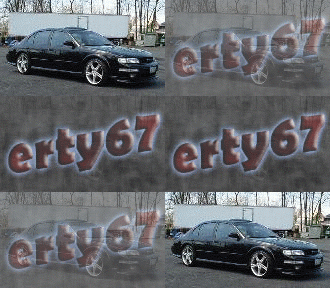
This is how I do it. I take each picture and shrink/crop it down to a 50x50 picture, using photoshop. Then I go into Ulead GIF Animator and put the three of them into a GIF, setting each pic for about 1.2 seconds.

Old Apr 3, 2005 | 09:45 AM
  #71  
2 Da Max's Avatar
Senior Member
iTrader: (2)
 
Joined: Feb 2004
Posts: 8,009
erty is the man!
Old Apr 3, 2005 | 12:13 PM
  #72  
nismo0604's Avatar
Supporting Maxima.org Member
iTrader: (18)
 
Joined: Nov 2004
Posts: 1,570
From: Springfield, MA
can u make me one too erty heh!
Old Apr 3, 2005 | 08:00 PM
  #73  
erty67's Avatar
Decal Specialist
iTrader: (104)
 
Joined: Jun 2001
Posts: 6,755
Originally Posted by nismo0604
can u make me one too erty heh!
Old Apr 3, 2005 | 08:02 PM
  #74  
erty67's Avatar
Decal Specialist
iTrader: (104)
 
Joined: Jun 2001
Posts: 6,755
for those who haven't seen mine...
Old Apr 4, 2005 | 02:24 PM
  #75  
nismo0604's Avatar
Supporting Maxima.org Member
iTrader: (18)
 
Joined: Nov 2004
Posts: 1,570
From: Springfield, MA
erty wen i save it it dusnt save as like a moving picture, how do i get it to move on the buddy icon

Old Apr 4, 2005 | 06:11 PM
  #76  
erty67's Avatar
Decal Specialist
iTrader: (104)
 
Joined: Jun 2001
Posts: 6,755
Originally Posted by nismo0604
erty wen i save it it dusnt save as like a moving picture, how do i get it to move on the buddy icon
save it as a GIF file onto your computer. Then go into Preferences on AIM and "browse from your computer".
Old Apr 4, 2005 | 07:28 PM
  #77  
recardeeps222's Avatar
bad mama jama
iTrader: (2)
 
Joined: Jan 2005
Posts: 286
can you make me one from my cardomain site?

thanks
Ed (my name is Ed too)
Old Apr 5, 2005 | 01:24 PM
  #78  
1NICEMAX's Avatar
Senior Member
iTrader: (5)
 
Joined: Mar 2003
Posts: 739


hey erty, why is this so blurry when put into as a buddy icon?
Old Apr 5, 2005 | 01:48 PM
  #79  
erty67's Avatar
Decal Specialist
iTrader: (104)
 
Joined: Jun 2001
Posts: 6,755
Originally Posted by recardeeps222
can you make me one from my cardomain site?

thanks
Ed (my name is Ed too)
I'll make you one when I get home.

Originally Posted by 1NICEMAX


hey erty, why is this so blurry when put into as a buddy icon?
I dunno man. I just make them. Anyonw else having that problem???
Old Apr 5, 2005 | 08:39 PM
  #80  
erty67's Avatar
Decal Specialist
iTrader: (104)
 
Joined: Jun 2001
Posts: 6,755
Originally Posted by recardeeps222
can you make me one from my cardomain site?

thanks
Ed (my name is Ed too)


Thread Tools
Search this Thread

All times are GMT -7. The time now is 05:14 AM.