


New Owner Misc Questions


Thread Starter
Banned
Joined: Oct 2008
Posts: 124
New Owner Misc Questions
Few questions for you 7th generation Max owners that will help me and perhaps others:
1) What does half-pulling the high beam lever on the left do? There is some running lights that turn on? Can't figure out their purpose.
ANSWERED (read below)
2) Is there a way to interrupt the voice guidance prompts by speaking commands early (before the beeps) with the talk button perhaps?
ANSWERED (read below)
3) Does the seat cool function work for the passenger seat as well?
ANSWERED (read below)
4) When you leave the car, will the doors automatically lock even if you don't hit the switches on the handle or the lock button on the intelli-key? If so, how long before the doors automatically lock?
ANSWERED (read below)
5) Is there a GB size limit on the Compact Flash card you can use?
6) With the premium+tech I have, I lose the compass function on my rear-view mirror, how do you pick that up easily on the navi screen? I don't recall seeing a compass.
ANSWERED (read below)
7) When on a call to an 1800 number and you need to type 1 for a prompt/menu, how do you do that? The keypad portion seems to be greyed out on the touch screen.
1) What does half-pulling the high beam lever on the left do? There is some running lights that turn on? Can't figure out their purpose.
ANSWERED (read below)
2) Is there a way to interrupt the voice guidance prompts by speaking commands early (before the beeps) with the talk button perhaps?
ANSWERED (read below)
3) Does the seat cool function work for the passenger seat as well?
ANSWERED (read below)
4) When you leave the car, will the doors automatically lock even if you don't hit the switches on the handle or the lock button on the intelli-key? If so, how long before the doors automatically lock?
ANSWERED (read below)
5) Is there a GB size limit on the Compact Flash card you can use?
6) With the premium+tech I have, I lose the compass function on my rear-view mirror, how do you pick that up easily on the navi screen? I don't recall seeing a compass.
ANSWERED (read below)
7) When on a call to an 1800 number and you need to type 1 for a prompt/menu, how do you do that? The keypad portion seems to be greyed out on the touch screen.
Last edited by netjack; Dec 29, 2008 at 06:30 AM.
Love my '09

Joined: Aug 2007
Posts: 1,013
From: Tampa, FL
1) What does half-pulling the high beam lever on the left do? There is some running lights that turn on? Can't figure out their purpose.
If I am understanding you, it temporary turns on High beams. AKA flash to pass, flash another driver with high beams, etc.
4) When you leave the car, will the doors automatically lock even if you don't hit the switches on the handle or the lock button on the intelli-key? If so, how long before the doors automatically lock?
No, I've read up on this. If you unlock the car and open the door then close it, it will not auto-relock. If you unlock the door and DO NOT open the door, it will as it assumes it was an accidental unlock.
5) Is there a GB size limit on the Compact Flash card you can use?
UNK. Probably. I've used a 5Gb Microdrive in mine, it's the largest I own.
6) With the premium+tech I have, I lose the compass function on my rear-view mirror, how do you pick that up easily on the navi screen? I don't recall seeing a compass.
On the nav, there is a very tiny compass rose in the lower left of the display. It has a red tip that points N. Tho with nav, a compass isn't all that important any longer. Also, the 4 points of the compass are NOT labelled, so if you don't know how to read an actuall compass, it won't be helpful.
If I am understanding you, it temporary turns on High beams. AKA flash to pass, flash another driver with high beams, etc.
4) When you leave the car, will the doors automatically lock even if you don't hit the switches on the handle or the lock button on the intelli-key? If so, how long before the doors automatically lock?
No, I've read up on this. If you unlock the car and open the door then close it, it will not auto-relock. If you unlock the door and DO NOT open the door, it will as it assumes it was an accidental unlock.
5) Is there a GB size limit on the Compact Flash card you can use?
UNK. Probably. I've used a 5Gb Microdrive in mine, it's the largest I own.
6) With the premium+tech I have, I lose the compass function on my rear-view mirror, how do you pick that up easily on the navi screen? I don't recall seeing a compass.
On the nav, there is a very tiny compass rose in the lower left of the display. It has a red tip that points N. Tho with nav, a compass isn't all that important any longer.
Also, the 4 points of the compass are NOT labelled, so if you don't know how to read an actuall compass, it won't be helpful.
Thread Starter
Banned
Joined: Oct 2008
Posts: 124
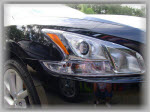
In reference to #1, I know what you mean by the temp flash, that's standard on any car but if you do a half pull, it actually sticks/catches. When I was watching the quick reference DVD it mentioned it but didn't clearly tell me what it did. I went in front of the car and it appears as if the secondary side lights stay on. But I don't understand the purpose of that? How is that different than high beams on?

Love my '09
Joined: Aug 2007
Posts: 1,013
From: Tampa, FL
Netjack.
I think you'll find when you push/pull the lever, your high beam indicator comes on (on the dashboard).
Try and see. Do it in your driveway. Your neighbors probably wont think that you're crazy for playing with the buttons, pushing switches, etc, esp. if its a new car.
(Never hurts to make sure all the lights and stuff work anyway) New doesn't equal perfect.....
I can't tell you anything about the cooled seats. Mine came with heated (Driver/passenger)... I'm in Florida.... Go figure how useful that will be for me....
I think you'll find when you push/pull the lever, your high beam indicator comes on (on the dashboard).
Try and see. Do it in your driveway. Your neighbors probably wont think that you're crazy for playing with the buttons, pushing switches, etc, esp. if its a new car.
(Never hurts to make sure all the lights and stuff work anyway) New doesn't equal perfect.....
I can't tell you anything about the cooled seats. Mine came with heated (Driver/passenger)... I'm in Florida.... Go figure how useful that will be for me....
Love my '09
Joined: Aug 2007
Posts: 1,013
From: Tampa, FL
Ok, now I'm going to have to go out into my driveway and check. I know I usually leave mine switched to Auto and since I do nearly all city type driving, rarely get to use high beams. Anything in the users manual?
I know I usually leave mine switched to Auto and since I do nearly all city type driving, rarely get to use high beams. Anything in the users manual?
Love my '09
Joined: Aug 2007
Posts: 1,013
From: Tampa, FL
Headlight beam select
1 To select the high beam function, push the
lever forward. The high beam lights come on
and the light illuminates.
2 Pull the lever back to select the low beam.
3 Pulling and releasing the lever flashes the
headlight high beams on and off.
From the users manual.
1 To select the high beam function, push the
lever forward. The high beam lights come on
and the light illuminates.
2 Pull the lever back to select the low beam.
3 Pulling and releasing the lever flashes the
headlight high beams on and off.
From the users manual.

Joined: May 2009
Posts: 18
Hi All. Does anyone know where you can get a compact flash cover when the compact flash is IN the unit. I'd like to leave the card in all the time but would prefer to keep it covered. Better looking that way and no dust.
Sorry if this is slightly off-topic but the forum won't let me start a new thread yet!
Thanks.
Rob
Sorry if this is slightly off-topic but the forum won't let me start a new thread yet!
Thanks.
Rob

Newbie - Just Registered
Joined: Jun 2003
Posts: 5
Response to (5)
Regarding your question #5 regarding Compact Flash size limit ...
Page 4-49 of the Owner's Manual gives a limit on the number of files for the CF card, but does not state a GB limit. With Nav the limit is 512 files, and it's 999 files without Nav.
I've seen reports on other forums for vehicles sharing the same audio electronics (Murano, Inifiniti) from drivers using large capacity cards (8 GB) that hit the file limit way before they filled up the card. If you're concerned about overpaying for card capacity you can't use, you could probably check the typical size for your music files and estimate how much space 512 (or 999) of them would require.
-randyjpe
Page 4-49 of the Owner's Manual gives a limit on the number of files for the CF card, but does not state a GB limit. With Nav the limit is 512 files, and it's 999 files without Nav.
I've seen reports on other forums for vehicles sharing the same audio electronics (Murano, Inifiniti) from drivers using large capacity cards (8 GB) that hit the file limit way before they filled up the card. If you're concerned about overpaying for card capacity you can't use, you could probably check the typical size for your music files and estimate how much space 512 (or 999) of them would require.
-randyjpe


Senior Member
Joined: Jun 2003
Posts: 8,143
From: a meadow south of Atlanta
We have been using the driver's seat cooling system off-and-on since the first hot day in April, and I would advise you use the 'low' setting. When set to 'medium', your fanny tends to get too cold, and you end up turning it on and off and on and off. When set to 'high', it makes your fanny tingle like it is sitting on a big block of dry ice.

Newbie - Just Registered
Joined: Jun 2009
Posts: 1
Mind if another new user posts a question? The settings or other menu in the manual says you can check tire pressure on the Nav but there is no option to do that.
Also, my phone is paired but everytime I get in the car, the car thinks I'm dialing... but I'm not. it thinks the phone is off hook so it won't take a call unless I press answer on my phone. It doesn't ring in the car. The only way to reset it is to call and hang up from the phone. then it will work properly.
Any thoughts?
Also, my phone is paired but everytime I get in the car, the car thinks I'm dialing... but I'm not. it thinks the phone is off hook so it won't take a call unless I press answer on my phone. It doesn't ring in the car. The only way to reset it is to call and hang up from the phone. then it will work properly.
Any thoughts?


Senior Member
Joined: Sep 2008
Posts: 1,192
From: CT
No it wont conflict with the Pus Button Start to my Knowledge. But in order for the Remote Start feature to work if you plan on getting that with the viper remote I believe that it requires a special bypass module.
Senior Member
Joined: Jun 2003
Posts: 8,143
From: a meadow south of Atlanta
Mind if another new user posts a question? The settings or other menu in the manual says you can check tire pressure on the Nav but there is no option to do that.
Also, my phone is paired but everytime I get in the car, the car thinks I'm dialing... but I'm not. it thinks the phone is off hook so it won't take a call unless I press answer on my phone. It doesn't ring in the car. The only way to reset it is to call and hang up from the phone. then it will work properly.
Any thoughts?
Also, my phone is paired but everytime I get in the car, the car thinks I'm dialing... but I'm not. it thinks the phone is off hook so it won't take a call unless I press answer on my phone. It doesn't ring in the car. The only way to reset it is to call and hang up from the phone. then it will work properly.
Any thoughts?
I know nothing about phones, but I do believe the 'tire pressure check' thingie is just one more example of Nissan using the same manual for several vehicles, resulting in incorrect info. I do not think we have anything more in the '09 Maxima than a little light that lights up on the dash (with maybe a warning on the alarm display box?) whenever the TPMS system detects a tire that has dropped below 28 psi. We have no way of knowing which tire is low.
That has been a disappointment for me. I not only would love to be able to read the psi of each tire right on the nav screen; I would like to also be able to read the psi of the SPARE TIRE on the screen. I have a cumbersome cargo system in my trunk that requires 15 minutes of rather strenuous unloading and removing bulky things to even have access to reach the spare to check the psi. Then all that stuff has to be reinstalled and reloaded, taking another 15 minutes. As a result, I very seldom check the psi of my spare.


Member
Joined: May 2009
Posts: 284
From: NY
Not sure why. I think the are a great safety feature. There's probably some simple way to get DTRL on the US version - Nissan isn't likely to have made the difference between US and Canadian models that great.
I know nothing about phones, but I do believe the 'tire pressure check' thingie is just one more example of Nissan using the same manual for several vehicles, resulting in incorrect info. I do not think we have anything more in the '09 Maxima than a little light that lights up on the dash (with maybe a warning on the alarm display box?) whenever the TPMS system detects a tire that has dropped below 28 psi. We have no way of knowing which tire is low.
That has been a disappointment for me. I not only would love to be able to read the psi of each tire right on the nav screen; I would like to also be able to read the psi of the SPARE TIRE on the screen. I have a cumbersome cargo system in my trunk that requires 15 minutes of rather strenuous unloading and removing bulky things to even have access to reach the spare to check the psi. Then all that stuff has to be rei
installed and reloaded, taking another 15 minutes. As a result, I very seldom check the psi of my spare.
That has been a disappointment for me. I not only would love to be able to read the psi of each tire right on the nav screen; I would like to also be able to read the psi of the SPARE TIRE on the screen. I have a cumbersome cargo system in my trunk that requires 15 minutes of rather strenuous unloading and removing bulky things to even have access to reach the spare to check the psi. Then all that stuff has to be rei
installed and reloaded, taking another 15 minutes. As a result, I very seldom check the psi of my spare.
 So much for safety that 30 minutes is such a waste of time.

ANyone having an issues with the LCD and controls? For example. Sometimes when I enter the car, the audio is not how I left it. It will be off instead of on sat or ipod. Sometimes it is where i left it. Also today I had an issue where the heat section at the bottom of the screen would not popup when i adjusted the climate settings. Only way to view it was to go to status. Next time I started up the car, they were working again.

Senior Member
Joined: Feb 2009
Posts: 1,847
From: Central Florida
If you are going to use the screen or keypad on the Maxima...you have to be at a stop...it greys out if you are moving. To use a keypad while in motion, unfortunately, you must use the phone's keypad.
Member
Joined: May 2009
Posts: 284
From: NY
I think there is also a way to do this using voice commands. I think the voice system has to be set to the "advanced" mode, however.
Senior Member
Joined: Feb 2009
Posts: 1,847
From: Central Florida
)
Senior Member
Joined: Feb 2009
Posts: 1,847
From: Central Florida
I stand corrected....yes you can use voice commands (both in standard and in alternate modes) while driving. To enter digits after connection...just press the voice command button...speak your digits (including # or *) and hit enter. A little cumbersome perhaps, but it does indeed work!!!

Banned
Joined: Feb 2003
Posts: 27
#2 - I just drove a SV-Premium and tried the voice commands. When nav is speaking, you can push the talk button again and a beep will sound. You can then use voice commands without having to wait for her to finish speaking and won’t get the paused line.
There may be an update for the nav system, but I’m not holding my breath,
Scott
There may be an update for the nav system, but I’m not holding my breath,
Scott

Senior Member
Joined: May 2009
Posts: 583
From: Shenadoah Valley, Virginia
#2 - I just drove a SV-Premium and tried the voice commands. When nav is speaking, you can push the talk button again and a beep will sound. You can then use voice commands without having to wait for her to finish speaking and won’t get the paused line.
There may be an update for the nav system, but I’m not holding my breath,
Scott
There may be an update for the nav system, but I’m not holding my breath,
Scott

Senior Member
Joined: Apr 2009
Posts: 910
From: Alberta, Canada
You should hear the hands free system in the Versa. My girlfriend bought one (after I suggested we should be a Nissan couple, cheezy I know). When voice dialing a number she has to enter the area code, wait for that to be confirmed, enter three digits after area code, wait for that to be confirmed, then enter the last four digits and then confirm that as well. Excuse my language but after using my hands free system in my Max I think that is kind of F*cked.
Member
Joined: May 2009
Posts: 284
From: NY
You should hear the hands free system in the Versa. My girlfriend bought one (after I suggested we should be a Nissan couple, cheezy I know). When voice dialing a number she has to enter the area code, wait for that to be confirmed, enter three digits after area code, wait for that to be confirmed, then enter the last four digits and then confirm that as well. Excuse my language but after using my hands free system in my Max I think that is kind of F*cked.
Senior Member
Joined: Apr 2009
Posts: 910
From: Alberta, Canada

Newbie - Just Registered
Joined: Jul 2009
Posts: 4
From: Longisland Ny
know anyboby who has installed this y pipe
http://racinglineperformance.com/sho...&idcategory=22
what t beef up the car i feel its still needs a little more power what do you suggest
Love my '09
Joined: Aug 2007
Posts: 1,013
From: Tampa, FL
http://racinglineperformance.com/sho...&idcategory=22
what t beef up the car i feel its still needs a little more power what do you suggest
what t beef up the car i feel its still needs a little more power what do you suggest
This thread is more about standard equipment and questions.

Senior Member
Joined: Oct 2008
Posts: 431
From: San Antonio TX
VIPER INSTALLED
I have the VIPER 5901 installed, and it has a fully functional remote start installed and completely operational!!! I can't live without this function and put in all of my vehicles. YES you will need an additional bypass module and some very skilled installers that are knowledgable enough to handle this kind of installation.

Thread
Thread Starter
Forum
Replies
Last Post
hez8813
5th Generation Maxima (2000-2003)
11
Mar 12, 2020 12:06 AM
hntwhttail
4th Generation Maxima (1995-1999)
0
Sep 12, 2015 03:43 PM