


iPod Discussion


Thread Starter
Member
Joined: Feb 2009
Posts: 74
From: Vancouver, BC, Canada
 iPod Discussion
I've ordered, but have yet to take possesion of, my new Maxima. It will have the technology package, and therefore I went out and bought myself a 160GB iPod before I couldn't find one.
With that could someone answer me a few questions?
1) Does the connector that comes with the Technology package allow for video throughput to the system with out having to connect the iPod through the AUX connectors.
2) Is there a way to turn off (through the software) cable charging to the device so that it's not constantly being charged by the car.
Also a comment to be made (as I couldn't find this anywhere either), the iPod 6G even though not listed in the manual does work with the system in the Nissan Maxima, so if you want a 160GB before they aren't around ... feel free to spend the cash!
Thanks in advance,
With that could someone answer me a few questions?
1) Does the connector that comes with the Technology package allow for video throughput to the system with out having to connect the iPod through the AUX connectors.
2) Is there a way to turn off (through the software) cable charging to the device so that it's not constantly being charged by the car.
Also a comment to be made (as I couldn't find this anywhere either), the iPod 6G even though not listed in the manual does work with the system in the Nissan Maxima, so if you want a 160GB before they aren't around ... feel free to spend the cash!
Thanks in advance,

Member
Joined: Feb 2009
Posts: 70
1) no. I believe they have it set so the video from the AV will only work with the car in park as well.
2) no. However you might be able to convert the pins on the cable to make it not charge. For instance I had to buy a converter to allow the charge function to work on my iPhone 3G.
Also as far as #2 goes there may be a way with software but I haven't looked really hard.
2) no. However you might be able to convert the pins on the cable to make it not charge. For instance I had to buy a converter to allow the charge function to work on my iPhone 3G.
Also as far as #2 goes there may be a way with software but I haven't looked really hard.
Thread Starter
Member
Joined: Feb 2009
Posts: 74
From: Vancouver, BC, Canada
1) no. I believe they have it set so the video from the AV will only work with the car in park as well.
2) no. However you might be able to convert the pins on the cable to make it not charge. For instance I had to buy a converter to allow the charge function to work on my iPhone 3G.
Also as far as #2 goes there may be a way with software but I haven't looked really hard.
2) no. However you might be able to convert the pins on the cable to make it not charge. For instance I had to buy a converter to allow the charge function to work on my iPhone 3G.
Also as far as #2 goes there may be a way with software but I haven't looked really hard.
Thread Starter
Member
Joined: Feb 2009
Posts: 74
From: Vancouver, BC, Canada

Thread Starter
Member
Joined: Feb 2009
Posts: 74
From: Vancouver, BC, Canada
but it does allow for video input through the AUX input next to the iPod interface. Has anyone tried output of the iPod from this connector using Apple output cables?

Junior Member
Joined: Mar 2009
Posts: 20
Member
Joined: Feb 2009
Posts: 70
This is where I bought mine from, just got it yesterday and it works great
I still get the weird error message saying it doesn't work with the phone, but the car can still play through the iPod on the phone, I can still use blue tooth, and it charges. So I'm ok with having to say OK to that stupid message.
http://www.chargeconverter.com/shop/...m?connipod.htm

Senior Member
Joined: Aug 2001
Posts: 98
http://forums.maxima.org/7th-generat...-not-work.html
Last edited by JHOVAMAX; Mar 8, 2009 at 06:20 PM.
Junior Member
Joined: Mar 2009
Posts: 20
You can also buy them at the Apple Store now.....If you look in the previous thread on the Iphone 3G there are a few places where people have gotten them....
http://forums.maxima.org/7th-generat...-not-work.html
http://forums.maxima.org/7th-generat...-not-work.html
Thread Starter
Member
Joined: Feb 2009
Posts: 74
From: Vancouver, BC, Canada
Personally I don't have a iPhone, I have a Windows Mobile device. all though I can control everything through bluetooth I wanted to seperate the two; hence the 160GB iPod.
My original question wasn't really answered, so I'll pose it quickly again: Does the connector for the iPod interface carry video? There is mention of it in the manual but only that the screen will go blank. It doesn't definitively say.
I also noticed a setting on my iPod for video out .. you have to enable it...
My original question wasn't really answered, so I'll pose it quickly again: Does the connector for the iPod interface carry video? There is mention of it in the manual but only that the screen will go blank. It doesn't definitively say.
I also noticed a setting on my iPod for video out .. you have to enable it...

Junior Member
Joined: Aug 2003
Posts: 44
From: Deep in the heart of Texas
http://www.bestbuy.com/site/olspage....=1188561003671
That is the only way I have been able to play video on the Navigation screen using the AUX input. I can't even navigate to the videos using the standard iPod interface cable that came with the car. Hope this helps!


Newbie - Just Registered
Joined: Dec 2009
Posts: 1
Just took delivery of my 2010 Maxima SV/Premium... Love it! However...
I have an iPod Classic 3rd Gen 20GB. When I plug in to USB it says 'Check Connected Device'. I've tried restoring the iPod and I've made sure it has the latest software. The manual says this iPod is compatible. Has anyone seen this? Is this an iPod issue or an issue with the controller?
Thanks,
Tim
I have an iPod Classic 3rd Gen 20GB. When I plug in to USB it says 'Check Connected Device'. I've tried restoring the iPod and I've made sure it has the latest software. The manual says this iPod is compatible. Has anyone seen this? Is this an iPod issue or an issue with the controller?
Thanks,
Tim

Junior Member
Joined: Aug 2009
Posts: 88
From: Baltimore, MD.
I've ordered, but have yet to take possesion of, my new Maxima. It will have the technology package, and therefore I went out and bought myself a 160GB iPod before I couldn't find one.
With that could someone answer me a few questions?
1) Does the connector that comes with the Technology package allow for video throughput to the system with out having to connect the iPod through the AUX connectors.
2) Is there a way to turn off (through the software) cable charging to the device so that it's not constantly being charged by the car.
Also a comment to be made (as I couldn't find this anywhere either), the iPod 6G even though not listed in the manual does work with the system in the Nissan Maxima, so if you want a 160GB before they aren't around ... feel free to spend the cash!
Thanks in advance,
With that could someone answer me a few questions?
1) Does the connector that comes with the Technology package allow for video throughput to the system with out having to connect the iPod through the AUX connectors.
2) Is there a way to turn off (through the software) cable charging to the device so that it's not constantly being charged by the car.
Also a comment to be made (as I couldn't find this anywhere either), the iPod 6G even though not listed in the manual does work with the system in the Nissan Maxima, so if you want a 160GB before they aren't around ... feel free to spend the cash!
Thanks in advance,
No video through the native plug. You have to buy the AUX cable, displayed above. As far as the charging is concerned, I have yet to see that capability anywhere. I have dug quite a bit in the Navi, and haven't seen anything like that. Sry mate!
-Cheers!

Newbie - Just Registered
Joined: Jul 2003
Posts: 10
Is the 2010 supposed to come with a USB to Ipod cable?
I picked up my new Maxima last night, and asked for the cable and was initially told the 10's were Bluetooth only, which I of course knew was nonsense
My 160 gig classic plays / displays perfectly but I'm using the standard Apple white cable and wanted to be sure Nissan wasn't supposed to supply one
Eddie
I picked up my new Maxima last night, and asked for the cable and was initially told the 10's were Bluetooth only, which I of course knew was nonsense
My 160 gig classic plays / displays perfectly but I'm using the standard Apple white cable and wanted to be sure Nissan wasn't supposed to supply one
Eddie

Newbie - Just Registered
Joined: Jul 2003
Posts: 10
I spent some time in the Maxima yesterday and the Ipod interface works much better than the one on my G37
Don't know whether it is because of the fact it's a USB interface vs the older proprietary one but far less "buggy"
Much smoother browsing, quicker response - major upgrade
Eddie

Member
Joined: Mar 2010
Posts: 118
From: MD, USA
OK, I just got my 2010 SV w/Prem & Tech Pkgs.
No cable is supplied, so I used the Apple-supplied USB cable that I got with one of my iPods. It works to charge both my regular 4g Nano, 5g 30gb w/Video iPod, and my 3G-S iPhone. All 3 play through the system properly.
If you look on eBay, you can get a headphone-to-RCA cable for about $6, including shipping. This works great, as you can plug the dock connector USB cable into the iPod and car, allowing control through the audio system, and then plug the headphone-to-RCA cable from the headphone jack on the iPod to the RCA plugs. I will test this out, but it *should* work.
Just as an aside, did anyone else have trouble getting their iPhone's phone book imported to the Max? The first time I did it, it transferred gobbledy-gook, so I deleted the bluetooth connection and re-did it. Now everything works fine.
The iPod integration on this car rivals Ford's SYNC system (which I had on my Lincoln), and I really like it so far!
-John
-John
No cable is supplied, so I used the Apple-supplied USB cable that I got with one of my iPods. It works to charge both my regular 4g Nano, 5g 30gb w/Video iPod, and my 3G-S iPhone. All 3 play through the system properly.
If you look on eBay, you can get a headphone-to-RCA cable for about $6, including shipping. This works great, as you can plug the dock connector USB cable into the iPod and car, allowing control through the audio system, and then plug the headphone-to-RCA cable from the headphone jack on the iPod to the RCA plugs. I will test this out, but it *should* work.
Just as an aside, did anyone else have trouble getting their iPhone's phone book imported to the Max? The first time I did it, it transferred gobbledy-gook, so I deleted the bluetooth connection and re-did it. Now everything works fine.
The iPod integration on this car rivals Ford's SYNC system (which I had on my Lincoln), and I really like it so far!
-John
-John


If you look on eBay, you can get a headphone-to-RCA cable for about $6, including shipping. This works great, as you can plug the dock connector USB cable into the iPod and car, allowing control through the audio system, and then plug the headphone-to-RCA cable from the headphone jack on the iPod to the RCA plugs. I will test this out, but it *should* work.
Member
Joined: Mar 2010
Posts: 118
From: MD, USA


Junior Member
Joined: Apr 2010
Posts: 82
I just purchase a 2009 with Spt & Tec. I have a ZuneHD but it looks like it will only work via the Aux inputs. I'm looking to purchase a new mp3 player like the Ipod Classic 160gb 7th gen, but the manual states the following:
●
Will it still work fine?
Compatibility
The following models are available:
●
Third generation iPod(Firmware version
2.3 or later) (Audiobook and Podcast are not
available)
●
Fourth generation iPod(Firmware version
3.1.1 or later)
●
Fifth generation iPod(Firmware version
1.1.2 or later)
●
iPodmini (Firmware version 1.41 or later)
●
iPodphoto (Firmware version 1.2.1 or
later)
● iPodnano (Firmware version 1.2 or later
Last edited by EndoT800; Apr 9, 2010 at 02:19 PM.

Newbie - Just Registered
Joined: Apr 2010
Posts: 1
Guys i need some help in a major way. i bought my 2009 maxima new in january of 2009 and everything was fantastic until around june of last year. All of a sudden my ipod stopped displaying anything on the ipod interface screen and i noticed that on the actual ipod screen it used to say "nissan audio" when i would connect and now it only says "ready to disconnect" and nothing from the ipod would play from then on. It still charged the ipod so it was getting power as normal. ive had it in the shop on 3 seperate occasions trying to get a resolution. they replaced the ipod interface (or so they told me) and then the entire nav/sound system. Still nothing...today the service dept told me to call the nissan customer care line and file a report with them, which i did...however still no solution whatsoever. i have tried a few different ipods and still nothing. Does anyone have any suggestions or ideas. i have a 5th edition ipod with 1.1.2 firmware and am running it with itunes 9.1. I am extremely frustrated with this issue and the lack of resolution i have been getting from nissan. I love the car but not the support with this issue. please help!

Newbie - Just Registered
Joined: May 2010
Posts: 1
ipod quit working
I've had my 2009 Maxima (with deluxe sound package) for about year. The ipod hookup has worked great until a week ago. I hooked my ipod into the hookup, but instead of coming up with the little "nissan" logo on the ipod, it just started charging it and my home screen showed on the ipod like it was in a docking station or something.
I then toggled to the ipod interface on my dash and it said "Ipod not connected" yet it was charging in my car. I tried my wife's ipod and it worked.
Has anyone had this problem or may know how to fix it?
I then toggled to the ipod interface on my dash and it said "Ipod not connected" yet it was charging in my car. I tried my wife's ipod and it worked.
Has anyone had this problem or may know how to fix it?

Member
Joined: Mar 2010
Posts: 297
From: CT
I've had my 2009 Maxima (with deluxe sound package) for about year. The ipod hookup has worked great until a week ago. I hooked my ipod into the hookup, but instead of coming up with the little "nissan" logo on the ipod, it just started charging it and my home screen showed on the ipod like it was in a docking station or something.
I then toggled to the ipod interface on my dash and it said "Ipod not connected" yet it was charging in my car. I tried my wife's ipod and it worked.
Has anyone had this problem or may know how to fix it?
I then toggled to the ipod interface on my dash and it said "Ipod not connected" yet it was charging in my car. I tried my wife's ipod and it worked.
Has anyone had this problem or may know how to fix it?

Newbie - Just Registered
Joined: May 2010
Posts: 1
Hi, I am new to this forum. I do have an iPod question on my 2009 Maxima. Does anyone know how to display iPod songs titled in forum language such as Japanese? My ipod can show the song title correctly. But when I plug it into the car ipod interface, the song title simply disappear. I am pretty sure that this has something to do with some kind of character set. But I am not sure if there is a way to update any firmware of the Navi/audio system in the car to show multi-byte languages.
Anyone has any idea will be greatly appreciated. Thanks in advance...
Anyone has any idea will be greatly appreciated. Thanks in advance...

Junior Member
Joined: May 2010
Posts: 16
From: High Point, NC
I just purchased an '10 with Sport Pkg and Sport Tech Pkg. I have an Ipod Mini 1st Gen and I get the same error code "check usb memory or ipod" when I plug it or my Blackberry in the usb slot. The owners manual states that it should be compatible. Is it worth taking into the shop?!
Junior Member
Joined: May 2010
Posts: 16
From: High Point, NC
Dear 7th Gen Maxima Owners
Just bought a 2010 Max w/ Sport Pkg, Tech Pkg, and Monitor Pkg. When I plug my iPod mini(1.41 firmware) or Blackberry Tour in via the USB port the display reads "Check USB memory or iPod". I took it to the service dept today and they said it was a known issue without a fix yet. Supposedly it's gonna take a new Clarion head unit that will cost $5000. I was asked by the service mgr to take back to original dealership of purchase because repair was gonna be so expensive. Has anyone had this issue or is it just me?! The service dept says there are 49 other people on the waiting list as well. This isn't a really big issue but if you pay near $40k for something you expect it to work right. Thanks!
Just bought a 2010 Max w/ Sport Pkg, Tech Pkg, and Monitor Pkg. When I plug my iPod mini(1.41 firmware) or Blackberry Tour in via the USB port the display reads "Check USB memory or iPod". I took it to the service dept today and they said it was a known issue without a fix yet. Supposedly it's gonna take a new Clarion head unit that will cost $5000. I was asked by the service mgr to take back to original dealership of purchase because repair was gonna be so expensive. Has anyone had this issue or is it just me?! The service dept says there are 49 other people on the waiting list as well. This isn't a really big issue but if you pay near $40k for something you expect it to work right. Thanks!
Junior Member
Joined: May 2010
Posts: 16
From: High Point, NC
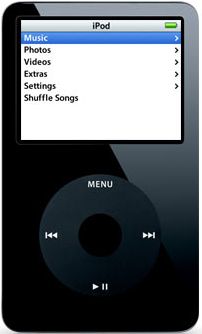
Junior Member
Joined: May 2010
Posts: 16
From: High Point, NC
Are you able to view video on the monitor/screen as well?! Did you purchase your iPod new or used? You did say it was a 5th Gen...right?! What does the display on the Max say when you plug your BB Tour into it?
Thanks!

Nope, the video doesn't work through the iPod USB connector. If you want video, you will have to get a composite video adapter to plug into the headphone jack on the iPod and connect that to the A/V jacks in the car. I have one 5th Gen iPod that I bought new in 2006 and one that I bought used in 2009. The one that stays in the car is the used one. I get the same result as you do with the Tour, "Check usb memory or iPod".
Junior Member
Joined: May 2010
Posts: 16
From: High Point, NC
Nope, the video doesn't work through the iPod USB connector. If you want video, you will have to get a composite video adapter to plug into the headphone jack on the iPod and connect that to the A/V jacks in the car. I have one 5th Gen iPod that I bought new in 2006 and one that I bought used in 2009. The one that stays in the car is the used one. I get the same result as you do with the Tour, "Check usb memory or iPod".
Oh, by the way, is there any other way to store music in the Music Box than doing it song by song with the CD player?! I hate listening to the whole song or CD just to put music in the Music Box. Thanks!!!!
Last edited by OceanGray2010; May 29, 2010 at 06:37 PM.

