


Change pics on Nav on Start Up


Senior Member
Joined: Jun 2003
Posts: 8,143
From: a meadow south of Atlanta
I'm not sure exactly what you are asking.
When I start the car, if I go straight to reverse, the rear view camera overrides everything, and you can't change that. But if you are in neutral or anything but reverse, I think what is on the screen may be tied to what was on the screen when you turned off the car. With me, it is usually the music box. Unless I had the navi map up, in which case there is a big warning screen about using the navi while driving, which I immediately clear by touching the middle button ('ENTER'?) on the round set of control buttons just under the center of the screen.
To bring up the map, I simply push the 'MAP' button. To bring up the radio, I push the AM/FM button. To bring up the music box, I push the DISC-AUX botton.
I'm thinking I am not understanding exactly what you are asking?
When I start the car, if I go straight to reverse, the rear view camera overrides everything, and you can't change that. But if you are in neutral or anything but reverse, I think what is on the screen may be tied to what was on the screen when you turned off the car. With me, it is usually the music box. Unless I had the navi map up, in which case there is a big warning screen about using the navi while driving, which I immediately clear by touching the middle button ('ENTER'?) on the round set of control buttons just under the center of the screen.
To bring up the map, I simply push the 'MAP' button. To bring up the radio, I push the AM/FM button. To bring up the music box, I push the DISC-AUX botton.
I'm thinking I am not understanding exactly what you are asking?

Senior Member
Joined: Dec 2008
Posts: 372
From: Washington D.C.
I'm not sure exactly what you are asking.
When I start the car, if I go straight to reverse, the rear view camera overrides everything, and you can't change that. But if you are in neutral or anything but reverse, I think what is on the screen may be tied to what was on the screen when you turned off the car. With me, it is usually the music box. Unless I had the navi map up, in which case there is a big warning screen about using the navi while driving, which I immediately clear by touching the middle button ('ENTER'?) on the round set of control buttons just under the center of the screen.
To bring up the map, I simply push the 'MAP' button. To bring up the radio, I push the AM/FM button. To bring up the music box, I push the DISC-AUX botton.
I'm thinking I am not understanding exactly what you are asking?
When I start the car, if I go straight to reverse, the rear view camera overrides everything, and you can't change that. But if you are in neutral or anything but reverse, I think what is on the screen may be tied to what was on the screen when you turned off the car. With me, it is usually the music box. Unless I had the navi map up, in which case there is a big warning screen about using the navi while driving, which I immediately clear by touching the middle button ('ENTER'?) on the round set of control buttons just under the center of the screen.
To bring up the map, I simply push the 'MAP' button. To bring up the radio, I push the AM/FM button. To bring up the music box, I push the DISC-AUX botton.
I'm thinking I am not understanding exactly what you are asking?
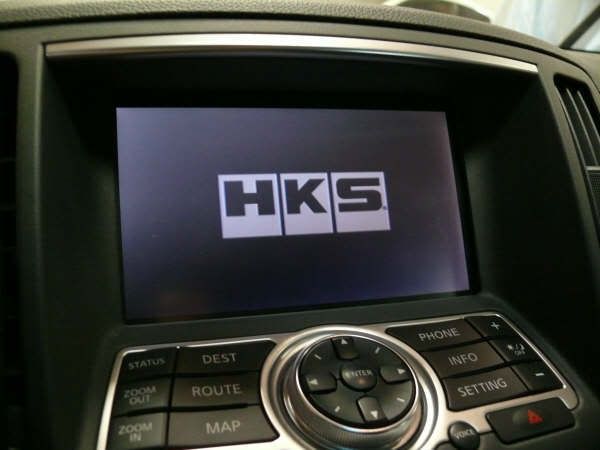
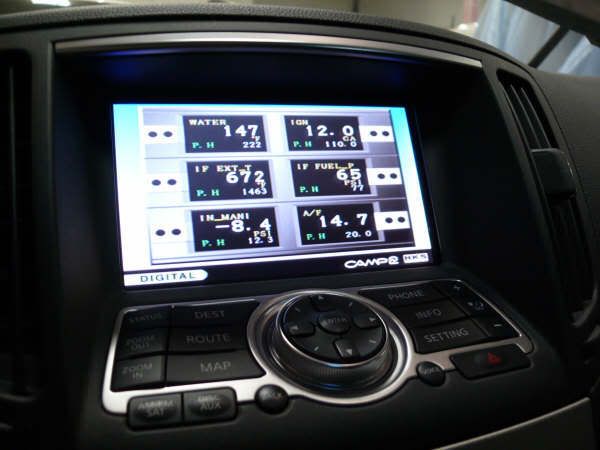
Light, he is asking if he can change the "Nissan" word that comes on when the car starts, for models with the Navigation System. I think that you can easily do it, as I am easily able to change the Apple picture that shows up when my iPod touch.


Senior Member
Joined: Jun 2003
Posts: 8,143
From: a meadow south of Atlanta
Thanks dauntless. I suspected he was not asking anything as basic as I was thinking, but we have everything from noobs to Nissan designers on here, and I usually don't know one from another. When he repeated his question at the same time you made your post, it was clear I was 'out in left field', and far off the topic.
I am definitely not the one knowledgable enough to answer his question. But somebody here will probably be able to.



Junior Member
Joined: May 2008
Posts: 64
From: Southern CA
 Yet so far, lol. Thanks for the quick reply!

Thread
Thread Starter
Forum
Replies
Last Post
kjlouis
4th Generation Maxima (1995-1999)
11
Nov 24, 2018 06:09 AM
conansriver
5th Generation Maxima (2000-2003)
13
Sep 3, 2015 06:38 AM
MaximaDrvr
7th Generation Maxima (2009-2015)
16
Aug 19, 2015 08:20 PM
MikesChevelle
5th Generation Maxima (2000-2003)
4
Aug 6, 2015 11:36 AM
RealityCheck
4th Generation Maxima (1995-1999)
2
Aug 5, 2015 06:18 AM