


CarPC is done!


CarPC is done!
Thought you guys may appreciate this over here rather than the A/V forum which is rarely visited... but yeah if you have any questions - fire away!
OMFG was it a pain!
First off one of the screws holding the center console decided to go AWOL; thank God my dad keeps lots of random screws and one fit in...
Next - ****ing lilliput ****ed up their wiring; they labeled the 12V line as ground, and ground as 12V. So when we connected the screen as per instructions; the cap in the power filter burst; we quickly found the shens, redid the wires and amazingly enough the filter worked and all is well. I am freakin stoked - I still need to reconfigure the sound since it sounds sorta iffy for me; but some initial tinkering seemed to make it work fine. GPS works; OBD2 needs to be set up properly - but most importantly - everything is working!!!!
Pix:
Crappy wiring... yeah....

Distribution block in action!

Everything tucked in and arranged!

How the center console looked before:

Vents and shifter **** off! Was easy to take off:

OMFG was it a pain!
First off one of the screws holding the center console decided to go AWOL; thank God my dad keeps lots of random screws and one fit in...
Next - ****ing lilliput ****ed up their wiring; they labeled the 12V line as ground, and ground as 12V. So when we connected the screen as per instructions; the cap in the power filter burst; we quickly found the shens, redid the wires and amazingly enough the filter worked and all is well. I am freakin stoked - I still need to reconfigure the sound since it sounds sorta iffy for me; but some initial tinkering seemed to make it work fine. GPS works; OBD2 needs to be set up properly - but most importantly - everything is working!!!!
Pix:
Crappy wiring... yeah....
Distribution block in action!
Everything tucked in and arranged!
How the center console looked before:
Vents and shifter **** off! Was easy to take off:


Nice job. I wanted to do a Carputer as well but lack the funding. I like the Front End you use and it's giving me some ideas. Have you taken a peek at mp3car.com ? They do a bunch of stuff like this. Also, is the Lilliput a touchscreen?
Good job!
Good job!

what kind of in dash is that, and does it do all those features like that gps and whats with that OBDII? Does it check for codes on the spot(with a click) or does it post as they happen to pop up?
edit: nevermind I got the name; centrafuse
edit: nevermind I got the name; centrafuse

Sexy... willing to give a brief write up?
does the PC power up once the car is started, or did you wire up a switch up from to turn the comptuer on?
I assume your running XP on the computer with quick boot enabled.
does the PC power up once the car is started, or did you wire up a switch up from to turn the comptuer on?
I assume your running XP on the computer with quick boot enabled.

Wow - thanks for all the positive feedback guys 
Hehe okay responses to questions:
1. How much did this cost?
About ~800 bucks all together. Took me a while to plan it out, purchase the parts and make sure the build is operational.
2. Is the screen a touchscreen?
Yes it is - thats the main thing that I was looking for, otherwise changing songs would be a pain in the butt.
3. Did I go to mp3car.com
That's where I got the idea
4. What is that front end?
The front end is called Centrafuse; it is still under development so it is bound to have a few bugs here and there but in general it is, IMHO, the best looking front end. Roadrunner is the next in store, but it involves WAY to much modification - stuff I dont want to deal with. This particular front-end comes with a built in OBD2 plugin which shows everything you want it to show. Speed, RPM, air and coolant temp, intake pressure, ignition timings... etc etc. It also has the code reading option and I am not too sure whether it pops up; but you can reset your SES as you wish. The GPS navigation is not built in; I am using a third party application that is called iGuidance. It is quite popular among the centrafuse community so people actually created a plug in to make it embedded.
5. Does the PC start when the car is started?
No. That's the beauty of this. The PC has a remote-on like a regular amplifier does. I need to have the deck in there in order for the PC to start. Otherwise, if I need to drive real quick for 5 minutes - I can just not plug in my deck and voila, PC doesn't need to be started. However, if the PC is on and I take the deck out - it would not shut the PC down; moreover, if I turn the car off, the PC would not shut immediately either. The PSU that I bought - Mini-atx.com M2-ATX, is a smart PSU that is set by jumpers. I currently have a 5 second / 2 hour lead into it; what that means is that the PSU would cut the power to the comp regardless within 2 hours after ignition is off and the PC is on battery power OR it will shut it down if battery voltage drops below 11 volts. I essentially can set the PC to hibernate as I arrive my destination, turn the ignition off and walk out of the car AND the PC would still be on finishing hibernation cycle.
6. Does the PC run WinXP with quick boot?
Naw - just good ol' XP works fine for me
Hehe okay responses to questions:
1. How much did this cost?
About ~800 bucks all together. Took me a while to plan it out, purchase the parts and make sure the build is operational.
2. Is the screen a touchscreen?
Yes it is - thats the main thing that I was looking for, otherwise changing songs would be a pain in the butt.
3. Did I go to mp3car.com
That's where I got the idea
4. What is that front end?
The front end is called Centrafuse; it is still under development so it is bound to have a few bugs here and there but in general it is, IMHO, the best looking front end. Roadrunner is the next in store, but it involves WAY to much modification - stuff I dont want to deal with. This particular front-end comes with a built in OBD2 plugin which shows everything you want it to show. Speed, RPM, air and coolant temp, intake pressure, ignition timings... etc etc. It also has the code reading option and I am not too sure whether it pops up; but you can reset your SES as you wish. The GPS navigation is not built in; I am using a third party application that is called iGuidance. It is quite popular among the centrafuse community so people actually created a plug in to make it embedded.
5. Does the PC start when the car is started?
No. That's the beauty of this. The PC has a remote-on like a regular amplifier does. I need to have the deck in there in order for the PC to start. Otherwise, if I need to drive real quick for 5 minutes - I can just not plug in my deck and voila, PC doesn't need to be started. However, if the PC is on and I take the deck out - it would not shut the PC down; moreover, if I turn the car off, the PC would not shut immediately either. The PSU that I bought - Mini-atx.com M2-ATX, is a smart PSU that is set by jumpers. I currently have a 5 second / 2 hour lead into it; what that means is that the PSU would cut the power to the comp regardless within 2 hours after ignition is off and the PC is on battery power OR it will shut it down if battery voltage drops below 11 volts. I essentially can set the PC to hibernate as I arrive my destination, turn the ignition off and walk out of the car AND the PC would still be on finishing hibernation cycle.
6. Does the PC run WinXP with quick boot?
Naw - just good ol' XP
works fine for me

what happens if you put subs back there =[.
thats what is currently stopping me. or the front passenger loses alot of footroom...
looks nice. have you seen the nismo skin?
http://www.mp3car.com/vbulletin/showthread.php?t=60190
hotness it's what i would use. go well with a gunmetal dask kit...
thats what is currently stopping me. or the front passenger loses alot of footroom...
looks nice. have you seen the nismo skin?
http://www.mp3car.com/vbulletin/showthread.php?t=60190
hotness it's what i would use. go well with a gunmetal dask kit...
I decided to put the write up in its own post in case someone up there decides to make it into a sticky write up, or add it somewhere.
A CarPC is NOT an easy project to undertake; nor is it exactly a cheap one. If you think "HAY - I CAN DO IT LAWLS" like I did, prepare to shell about 800 bucks, and possibly more for the "holy **** I am a moron" moments which I guarantee you will happen.
Planning:
The first thing you want to do is visit www.mp3car.com and visit their forums. They have a WEALTH of information about hardware, software, integration, builds etc. Chances are someone who has the same car as you (in this case Maxima, but not only those) has done a CarPC of a sort and you can get ideas or get in touch with that person for tips and tricks.
As far as the "brains" go, you want a low power unit, preferably an embedded solution. I have been eying the Via Epia solutions for quite a while and kept waiting for a good deal. While surfing and searching I stumbled www.short-circuit.com (SC for short for the purpose of this thread). Those guys have an excellent service, and great prices. I highly recommend you check them out for all your needs.
I ended up ordering a kit from SC for a total of 275 which included the VoomPC blue anodized case (which acts like big giant heatsink), the M2-ATX 160 smart PSU, and the Via Epia MII 12000 embedded motherboard with a 1.2 GHz CPU. I also added my own 512 MB PC2100 RAM, 40 gig HD, USB bluetooth, USB GPS receiver, PCMCIA 54G card, a wireless keyboard and a portable HD. My girlfriend bought me a bluetooth OBD2 scanner so that's cool too . Note that the motherboard comes with only 2 USB ports, but it also comes with a USB header for 2 more ports.
It is ABSOLUTELY necessary for the case that you buy to have mounting screws for the HD. If you can get some memory foam for the screw to go through and basically brace the HD - that'd be even better as it would protect your HDs from shock and crashing. Just ask Nadir_S - he'd tell you all about his adventures .
.
The monitor part is a bit trickier. There are many monitors you can choose, but specifically for 4th gens, you want the Lilliput 619 GL70NP - you can find one for a very good price here - http://www.digitalww.com/store/prodd...prod=619GL70NP. The reason why you want this specific monitor for 4th gens is because it requires NO fabrication in order to get it like I have. If you are doing this for any other car, be aware that you may need to do fabrications (dremmeling, bondoing, filling - etc) - this is why you want a Maxima
Building the system:
Building can be fun, but it can also be a long and tedious procedure. Remember - this is a pretty small and slow system so make sure you have a full day to do this. It took me 14 hours non stop to get this up and running... during which I fried one ATA cable (special laptop to 3.5" IDE cable) - but thankfully SC swapped it for me since it was a cable short. Make sure that everything fits in the case and all is well. You DO NOT want to do the initial build in your car. These motherboards come with a regular ATX 20 pin connector so I suggest you do it on a desk of sorts. This system really doesn't need that much; put WinXP on it, put the front end, install some codecs, some basic software... I even put an auto-defragger so my HD would be all happy and cheery. Make sure that all is well, connect the wiring harness to the PSU and dont touch the computer.
Installation in the car:
This is the hard part for some of us; those who have already taken apart their cars would then consider this as the easy part. My particular combo from SC came with a two part wiring harness. The first part went into the PSU and had a 12v in, 12v-ground and amp-on line. The PSU is also directly connected to the motherboards ON button to auto start it. The internal wiring harness has the above mentioned connectors, and an 8 pin molex connector that goes nicely in to the back of the case (the case and the PSU are manufactured by the same company). The second part of the wiring harness has a male 8 pin molex connector and a bunch of wires with leads. You want to connect one to a 12 volt source in your car, a ground source and the amp on lines which you can usually find going into your speaker/sub amplifier. The way I did it was to wire it into a distribution block to make it all nice; share the ground with the other devices and steal the amp on from the speaker amp. I HIGHLY suggest you get to love your soldering iron and solder these rather than crimp those - the connections are MUCH more solid and you can always use heatwraps to make it nice and tidy (also make sure you are not a moron and burn yourself 5 times like I did...). Also, I suggest you use 16 gauge wiring for connecting the harness to the power sources; a regular 16 gauge speaker wire would do the trick. Make sure you get at least 30 feet as thats how much total wiring you would need (with some leftovers) to run the wires nicely. I tucked mine behind the rear seat on the right side if you look at the car from the front. The wire then goes through a little hole in the panel and flops down to the trunk where it is now hidden under the carpeting. If you take a look at your rear seats, you would notice that you can nicely tuck all the wires in the space between the seat and the body of the car; you'd have to live with the little bit of wire that will be visible between the seat and the carpeting... but hey it works... or if you wanna hide it - be my guest.
The PSU also comes with anti-thump jumper; anti-thump is supposed to keep the amps off while the pc turns on to avoid the "thump" from the amps. Not sure why it is bad, but I didn't bother with it since my amps turn on from the deck first, then the PC. But in the event you would want to enable it; the 2nd part of the wiring harness has those wires which you would have to solder onto the wire that leads to the amp-on wire; otherwise you can leave them crimped; they wont bother anyone.
Next, connect to two harnesses and turn your ignition on - you should hear your comp turn on (and see the LED). Wait for the beep - if you hear it - life is good! Disconnect the power from the PC to shut it off and avoid it getting into boot mode for now.
Installation of the screen:
This is actually fairly easy. You would need to take the dash apart just like when you had to install your headunit. For those of you who have no idea wtf i am talking about - read this PDF - http://www.installdr.com/InstallDocs...PDF/647021.pdf - it has all the instructions you would need. Once you got the whole thing out; take the storage cubbies out and replace the deck to the lowest cubby. Notice that the metal brace is connected to the plastic using 4 screws. Unscrew these screws and the brace would detach itself. Take your LCD, make sure you connected the 12 volt Car adapter line to it and then put it in and put the brace back in but dont tighten the bolts. Allign the LCD as you wish and then tighten the bolts. This foo' aint going anywhere! The next thing in line is the wiring which can be a bit complicated if you are a n00b so make sure you have a buddy with you who knows their car electronics. If you notice, the car cigarette adapter comes with an "egg" shaped plastic cylinder (on most monitors at least) that is labeled power filter. If you wire your car incorrectly - you are risking popping the cap inside so make sure you do not mess your polarities. An easy way of figuring out which wire is live and which is ground is as follows:
Snip the adapter from the rest of the assembly; you wont need it anyway. Strip the wires to expose the leads. Go to another car and plug the adapter in. Use a voltmeter to figure out which one is live and which one is ground and mark them. In my case for the lilliput screen I have, the wire with the writing on it was the ground and the one with the dash on it was the live (i actually thought it was the other way around).
The next thing you want to do is locate the plug that goes into the cigarette lighter in the shifter trim. You are going to snip it and are going to solder the leads from the monitor onto it, and then solder the connector back to regain functionality of the cigarette lighter. I HIGHLY advise you to also add a 12 volt computer case fan to the assembly to cool the LCD monitor; if you decide to do that, simply add the 12 volt from the fan and the ground from the fan into the wiring of the LCD to the cigarette lighter power source. I would suggest using velcro to secure the fan to the deck so that way it blows air onto the LCD. Make sure your soldering is nice and strong to avoid wires from getting snipped because you cheaped out on the soldering tin. Do NOT forget to run the VGA and USB cable from the monitor to wherever your computer is at (mine is under the passenger seat) before you put the whole assembly back together. Also, make sure you get a 3.5 mm aux cable for your deck to plug into the computer as it has a regular sound card.
After all is said and done, connect everything as it was and connect all your computer accessories - if you did everything properly - your monitor would be powered and your comp as well
If you have any specific questions - feel free to ask
A CarPC is NOT an easy project to undertake; nor is it exactly a cheap one. If you think "HAY - I CAN DO IT LAWLS" like I did, prepare to shell about 800 bucks, and possibly more for the "holy **** I am a moron" moments which I guarantee you will happen.
Planning:
The first thing you want to do is visit www.mp3car.com and visit their forums. They have a WEALTH of information about hardware, software, integration, builds etc. Chances are someone who has the same car as you (in this case Maxima, but not only those) has done a CarPC of a sort and you can get ideas or get in touch with that person for tips and tricks.
As far as the "brains" go, you want a low power unit, preferably an embedded solution. I have been eying the Via Epia solutions for quite a while and kept waiting for a good deal. While surfing and searching I stumbled www.short-circuit.com (SC for short for the purpose of this thread). Those guys have an excellent service, and great prices. I highly recommend you check them out for all your needs.
I ended up ordering a kit from SC for a total of 275 which included the VoomPC blue anodized case (which acts like big giant heatsink), the M2-ATX 160 smart PSU, and the Via Epia MII 12000 embedded motherboard with a 1.2 GHz CPU. I also added my own 512 MB PC2100 RAM, 40 gig HD, USB bluetooth, USB GPS receiver, PCMCIA 54G card, a wireless keyboard and a portable HD. My girlfriend bought me a bluetooth OBD2 scanner so that's cool too
. Note that the motherboard comes with only 2 USB ports, but it also comes with a USB header for 2 more ports. It is ABSOLUTELY necessary for the case that you buy to have mounting screws for the HD. If you can get some memory foam for the screw to go through and basically brace the HD - that'd be even better as it would protect your HDs from shock and crashing. Just ask Nadir_S - he'd tell you all about his adventures
.The monitor part is a bit trickier. There are many monitors you can choose, but specifically for 4th gens, you want the Lilliput 619 GL70NP - you can find one for a very good price here - http://www.digitalww.com/store/prodd...prod=619GL70NP. The reason why you want this specific monitor for 4th gens is because it requires NO fabrication in order to get it like I have. If you are doing this for any other car, be aware that you may need to do fabrications (dremmeling, bondoing, filling - etc) - this is why you want a Maxima
Building the system:
Building can be fun, but it can also be a long and tedious procedure. Remember - this is a pretty small and slow system so make sure you have a full day to do this. It took me 14 hours non stop to get this up and running... during which I fried one ATA cable (special laptop to 3.5" IDE cable) - but thankfully SC swapped it for me since it was a cable short. Make sure that everything fits in the case and all is well. You DO NOT want to do the initial build in your car. These motherboards come with a regular ATX 20 pin connector so I suggest you do it on a desk of sorts. This system really doesn't need that much; put WinXP on it, put the front end, install some codecs, some basic software... I even put an auto-defragger so my HD would be all happy and cheery. Make sure that all is well, connect the wiring harness to the PSU and dont touch the computer.
Installation in the car:
This is the hard part for some of us; those who have already taken apart their cars would then consider this as the easy part. My particular combo from SC came with a two part wiring harness. The first part went into the PSU and had a 12v in, 12v-ground and amp-on line. The PSU is also directly connected to the motherboards ON button to auto start it. The internal wiring harness has the above mentioned connectors, and an 8 pin molex connector that goes nicely in to the back of the case (the case and the PSU are manufactured by the same company). The second part of the wiring harness has a male 8 pin molex connector and a bunch of wires with leads. You want to connect one to a 12 volt source in your car, a ground source and the amp on lines which you can usually find going into your speaker/sub amplifier. The way I did it was to wire it into a distribution block to make it all nice; share the ground with the other devices and steal the amp on from the speaker amp. I HIGHLY suggest you get to love your soldering iron and solder these rather than crimp those - the connections are MUCH more solid and you can always use heatwraps to make it nice and tidy (also make sure you are not a moron and burn yourself 5 times like I did...). Also, I suggest you use 16 gauge wiring for connecting the harness to the power sources; a regular 16 gauge speaker wire would do the trick. Make sure you get at least 30 feet as thats how much total wiring you would need (with some leftovers) to run the wires nicely. I tucked mine behind the rear seat on the right side if you look at the car from the front. The wire then goes through a little hole in the panel and flops down to the trunk where it is now hidden under the carpeting. If you take a look at your rear seats, you would notice that you can nicely tuck all the wires in the space between the seat and the body of the car; you'd have to live with the little bit of wire that will be visible between the seat and the carpeting... but hey it works... or if you wanna hide it - be my guest.
The PSU also comes with anti-thump jumper; anti-thump is supposed to keep the amps off while the pc turns on to avoid the "thump" from the amps. Not sure why it is bad, but I didn't bother with it since my amps turn on from the deck first, then the PC. But in the event you would want to enable it; the 2nd part of the wiring harness has those wires which you would have to solder onto the wire that leads to the amp-on wire; otherwise you can leave them crimped; they wont bother anyone.
Next, connect to two harnesses and turn your ignition on - you should hear your comp turn on (and see the LED). Wait for the beep - if you hear it - life is good! Disconnect the power from the PC to shut it off and avoid it getting into boot mode for now.
Installation of the screen:
This is actually fairly easy. You would need to take the dash apart just like when you had to install your headunit. For those of you who have no idea wtf i am talking about - read this PDF - http://www.installdr.com/InstallDocs...PDF/647021.pdf - it has all the instructions you would need. Once you got the whole thing out; take the storage cubbies out and replace the deck to the lowest cubby. Notice that the metal brace is connected to the plastic using 4 screws. Unscrew these screws and the brace would detach itself. Take your LCD, make sure you connected the 12 volt Car adapter line to it and then put it in and put the brace back in but dont tighten the bolts. Allign the LCD as you wish and then tighten the bolts. This foo' aint going anywhere! The next thing in line is the wiring which can be a bit complicated if you are a n00b so make sure you have a buddy with you who knows their car electronics. If you notice, the car cigarette adapter comes with an "egg" shaped plastic cylinder (on most monitors at least) that is labeled power filter. If you wire your car incorrectly - you are risking popping the cap inside so make sure you do not mess your polarities. An easy way of figuring out which wire is live and which is ground is as follows:
Snip the adapter from the rest of the assembly; you wont need it anyway. Strip the wires to expose the leads. Go to another car and plug the adapter in. Use a voltmeter to figure out which one is live and which one is ground and mark them. In my case for the lilliput screen I have, the wire with the writing on it was the ground and the one with the dash on it was the live (i actually thought it was the other way around).
The next thing you want to do is locate the plug that goes into the cigarette lighter in the shifter trim. You are going to snip it and are going to solder the leads from the monitor onto it, and then solder the connector back to regain functionality of the cigarette lighter. I HIGHLY advise you to also add a 12 volt computer case fan to the assembly to cool the LCD monitor; if you decide to do that, simply add the 12 volt from the fan and the ground from the fan into the wiring of the LCD to the cigarette lighter power source. I would suggest using velcro to secure the fan to the deck so that way it blows air onto the LCD. Make sure your soldering is nice and strong to avoid wires from getting snipped because you cheaped out on the soldering tin. Do NOT forget to run the VGA and USB cable from the monitor to wherever your computer is at (mine is under the passenger seat) before you put the whole assembly back together. Also, make sure you get a 3.5 mm aux cable for your deck to plug into the computer as it has a regular sound card.
After all is said and done, connect everything as it was and connect all your computer accessories - if you did everything properly - your monitor would be powered and your comp as well
If you have any specific questions - feel free to ask
Originally Posted by Torgus
what happens if you put subs back there =[.
thats what is currently stopping me. or the front passenger loses alot of footroom...
looks nice. have you seen the nismo skin?
http://www.mp3car.com/vbulletin/showthread.php?t=60190
hotness it's what i would use. go well with a gunmetal dask kit...
thats what is currently stopping me. or the front passenger loses alot of footroom...
looks nice. have you seen the nismo skin?
http://www.mp3car.com/vbulletin/showthread.php?t=60190
hotness it's what i would use. go well with a gunmetal dask kit...
can you give me a link to it? and give some pics of it installed? i personally need a micro atx box for me and the smallest i could find is still large even the slim ones...but i really want to stay at that form factor for the MB which i know is limiting me...
i was thinking of buil;idng my own box out of sheet metal and what not but i still worry about clearance issues...
these are going to be getting cheaper and faster in the next years. in 3 years instead of a headunit i'll spend 6-700 on one of those i bet. throw that right in my dask and bamn! obviously a little bit more work but
i was thinking of buil;idng my own box out of sheet metal and what not but i still worry about clearance issues...
these are going to be getting cheaper and faster in the next years. in 3 years instead of a headunit i'll spend 6-700 on one of those i bet. throw that right in my dask and bamn! obviously a little bit more work but
Originally Posted by Torgus
can you give me a link to it? and give some pics of it installed? i personally need a micro atx box for me and the smallest i could find is still large even the slim ones...but i really want to stay at that form factor for the MB which i know is limiting me...
i was thinking of buil;idng my own box out of sheet metal and what not but i still worry about clearance issues...
these are going to be getting cheaper and faster in the next years. in 3 years instead of a headunit i'll spend 6-700 on one of those i bet. throw that right in my dask and bamn! obviously a little bit more work but
i was thinking of buil;idng my own box out of sheet metal and what not but i still worry about clearance issues...
these are going to be getting cheaper and faster in the next years. in 3 years instead of a headunit i'll spend 6-700 on one of those i bet. throw that right in my dask and bamn! obviously a little bit more work but
This is the case I got
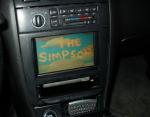
I built one of those too (see my avatar), but I took out my HU and wired a Creative X-Fi card directly to my amps for 4.1 surround (center is split between fronts for movies using AC3Filter). My trunk doesn't look as pretty as ComradeJew's... yet. It's nice having 40 gigs of mp3s, a bunch of movies, and GPS with Streets & Trips all in one place.
I originally was looking into an mp3-ready HU with USB input and decided that a CarPC built from parts I had laying around would cost about the same and be way better. Of course I ended up spending a lot more than I had planned, but in the end it's so very cool.
I originally was looking into an mp3-ready HU with USB input and decided that a CarPC built from parts I had laying around would cost about the same and be way better. Of course I ended up spending a lot more than I had planned, but in the end it's so very cool.
Originally Posted by Crooper_Hedder
I built one of those too (see my avatar), but I took out my HU and wired a Creative X-Fi card directly to my amps for 4.1 surround (center is split between fronts for movies using AC3Filter). My trunk doesn't look as pretty as ComradeJew's... yet. It's nice having 40 gigs of mp3s, a bunch of movies, and GPS with Streets & Trips all in one place.
I originally was looking into an mp3-ready HU with USB input and decided that a CarPC built from parts I had laying around would cost about the same and be way better. Of course I ended up spending a lot more than I had planned, but in the end it's so very cool.
I originally was looking into an mp3-ready HU with USB input and decided that a CarPC built from parts I had laying around would cost about the same and be way better. Of course I ended up spending a lot more than I had planned, but in the end it's so very cool.


Originally Posted by Supermax95
if you go into your CMOS settings you can enable "quickboot"...thats what he meant, its not a special xp.
You don't even need to enter CMOS:
1. Right-click My Computer, and then click Properties.
-or-
Click Start, click Run, type sysdm.cpl, and then click OK.
2. On the Advanced tab, click Settings under Startup and Recovery.
3. Under System Startup, click Edit.
Just make sure the last line of the boot.ini file that opens says this:
"Microsoft Windows XP Professional" /noexecute=optin /fastdetect

Originally Posted by SDB318
any pics during the day???
Moderator note: Thread edited by phenryiv1 to remove comments.
It is great to pay him compliments, but in order for this thread to be a resource for future attempts, I will be editing out the comments. Your compliments are welcome, but I will remove them periodically to keep the thread on track.

Supporting Maxima.org Member

Joined: Dec 2004
Posts: 1,183
From: Atlanta, GA
The best idea out there for keyboard solutions is to forget about traditional wireless keyboards and mice and purchase bluetooth keyboards that are intended for PDA usage. You can fold them up and throw them right in the center console. The Dell Axim keyboard rocks.
Originally Posted by scrhale
The best idea out there for keyboard solutions is to forget about traditional wireless keyboards and mice and purchase bluetooth keyboards that are intended for PDA usage. You can fold them up and throw them right in the center console. The Dell Axim keyboard rocks.
Here's the problem with that, however - some BT adapters cannot handle multiple devices at one - the one that I am using can't seem to do it as far as it seems (as I can't sync my phone's Serial Port capabilities with the CarPC when I am using my BT scantool). Besides, the KB I have has a built in mouse and I just stuff it under the driver's seat where it doesn't budge much
Originally Posted by ComradeJew
Can you post pix of your wiring the audio card? That's quite a nice idea...

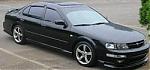
Looks good, I may have to switch to Centerfuge cause Roadrunner has me puzzeled. I'm still in the building stages since last year (so many projects, so little time). I went the hard route and started molding a lilliput bezel into the 4th gen radio trim piece. I wish i would have went with the screen you got for time's sake. Looks good.

wow, for $800 and a lot of hardwork, you can this stuff that includes dvd player, navigation, and a whole bunch of other things? that's amazing.
maybe i missed it in the pics, but where is the actual pc mounted? so if you want to play a dvd where do you put it? and the navigation is functional right? i'm guessing the usb GPS is a requirement if you want navigation to work?
thanks and great info and project!
maybe i missed it in the pics, but where is the actual pc mounted? so if you want to play a dvd where do you put it? and the navigation is functional right? i'm guessing the usb GPS is a requirement if you want navigation to work?
thanks and great info and project!
My CarPC is in my trunk. I have a slim laptop DVD drive in my flip-down dash pocket, connected via usb (it's gray, see in my avatar pic). I don't use it very often though, as I have divx movies on my hard drive. I also have an extra usb port in my armrest to connect to a flash drive, mouse, etc.
Yup a few hundred bucks and LOTS of hard work is right. :-) It's never really "done".
Yup a few hundred bucks and LOTS of hard work is right. :-) It's never really "done".


Very nice. I have been planning one for a couple of months. Hope to install it this up coming summer. Do you have any drawings of the wooden supports you have the amps mounted on.
-Mooney
-Mooney



Thread
Thread Starter
Forum
Replies
Last Post
BourneJ
Members Rides
28
Aug 7, 2009 09:55 AM