


What Else I need with this CD Player?


Thread Starter
Junior Member
Joined: Jul 2010
Posts: 30
What Else I need with this CD Player?
I will be purchasing this cd player to replace the stock radio and this is my first time installing one. What else would I need to complete this install for my 98 Max? If you could assist me by linking me to the item (preferably amazon) that would be helpful. Thanks!
ETA: for whatever reason I can not post links but the cd player i'll be purchasing is a Kenwood KDC155U
ETA: for whatever reason I can not post links but the cd player i'll be purchasing is a Kenwood KDC155U
Last edited by Boule; Oct 23, 2013 at 05:38 PM.

Senior Member
Joined: Oct 2011
Posts: 1,524
From: Maine
Your link didn't work for me, but typically this is what you'll need...
And MAYBE this but I can't remember if I used one or not

And MAYBE this but I can't remember if I used one or not
Senior Member
Joined: Oct 2011
Posts: 1,524
From: Maine
I think the maxima has a funky antenna end which will not plug into an aftermarket radio. Like I said, I can't 100% remember...once you pull your stock radio out and unplug the antenna, you'll see what you need. Also, I think you can buy the dash kit and the wire kit at walmart.
Actually, here is a pic of the stock maxima antenna wire...see it has 2 prongs on it....well the aftermarket radio will only have 1 hole so you'll need a 2 to 1 adapter for the antenna
http://forums.maxima.org/8833452-post1.html
Heres another link for the antenna adapter I just found
http://www.metraonline.com/part/40-NI21
Actually, here is a pic of the stock maxima antenna wire...see it has 2 prongs on it....well the aftermarket radio will only have 1 hole so you'll need a 2 to 1 adapter for the antenna
http://forums.maxima.org/8833452-post1.html
Heres another link for the antenna adapter I just found
http://www.metraonline.com/part/40-NI21
Senior Member
Joined: Oct 2011
Posts: 1,524
From: Maine
It's pretty straight forward...for the wire harness, the adapter you buy will connect to the factory stereo harness that is in the car (the plastic male/female ends just plug into each other) then you will splice the other end (the wire end) of the adapter you bought to the wire harness that comes off of your new stereo. They are all color coded and each color will connect to it's corresponding color. The stereo should also come with install instructions. Also, on these cars I can't remember if you need to wire the constant wire or the accessory wire to another place. Basically, the constant wire is what keeps your preset stations and other settings from going away when you shut the car off. The accessory wire is the one that makes the stereo turn on when you turn the key. So, if you get everything hooked up and you notice your presets go away after you turn the car off, you'll need to run the constant wire that comes off the stereo to a fuse that always has power going to it when the car is off. If the stereo does not turn on, then you need to look at the accessory wiring.
Also, there is a Audio and Electronics section at this link here on the .org that should answer your questions. http://forums.maxima.org/audio-electronics-21/
It's really not a hard job to do if you are just simply putting in the head unit but if you're not comfortable, just pay a shop to do it so you don't take the chance of frying anything. I don't know if you plan on running any subs at any point, but if that is something you may do down the road, I would suggest running your RCA cables into the back of your new head unit before you put it in...that way, you won't need to take it back out to run those cables later on should you decide you want subs.
For the dash kit, I did not buy one and instead fabricated my own ghetto rig to take up the open gap that is left because the new head unit it smaller than the factory radio. Basically, you only use one small section of that dash kit which gives you another little storage area just below your head unit. Your new head unit will screw right into the factory bracket that now currently holds your factory radio.
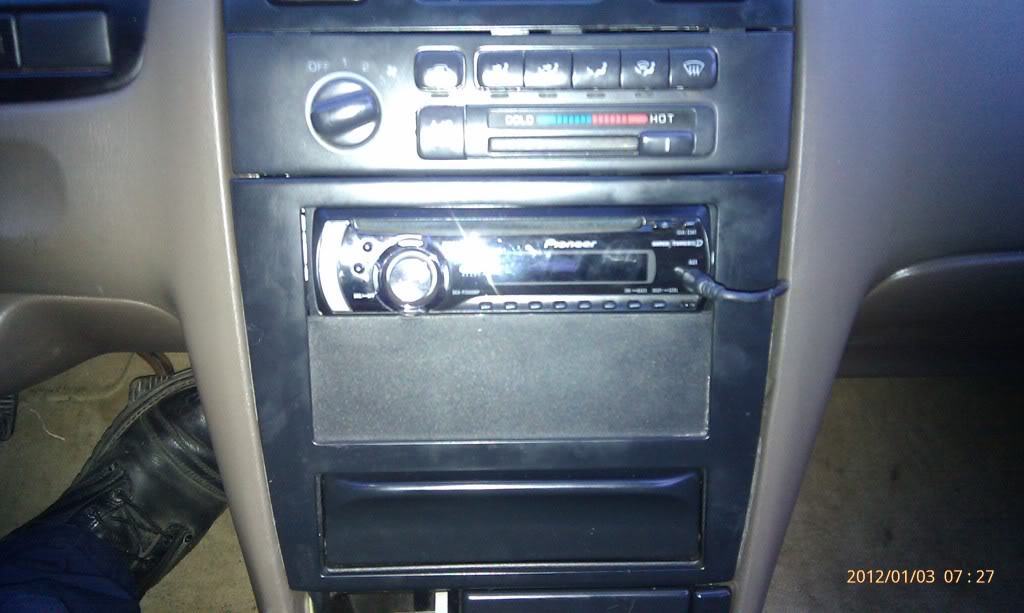
This is what my ghetto rig looks like...just below the stereo. I cut off the back of a matte black DVD case, then made a wooden bracket to hold it in place and glued the plastic to the wood.
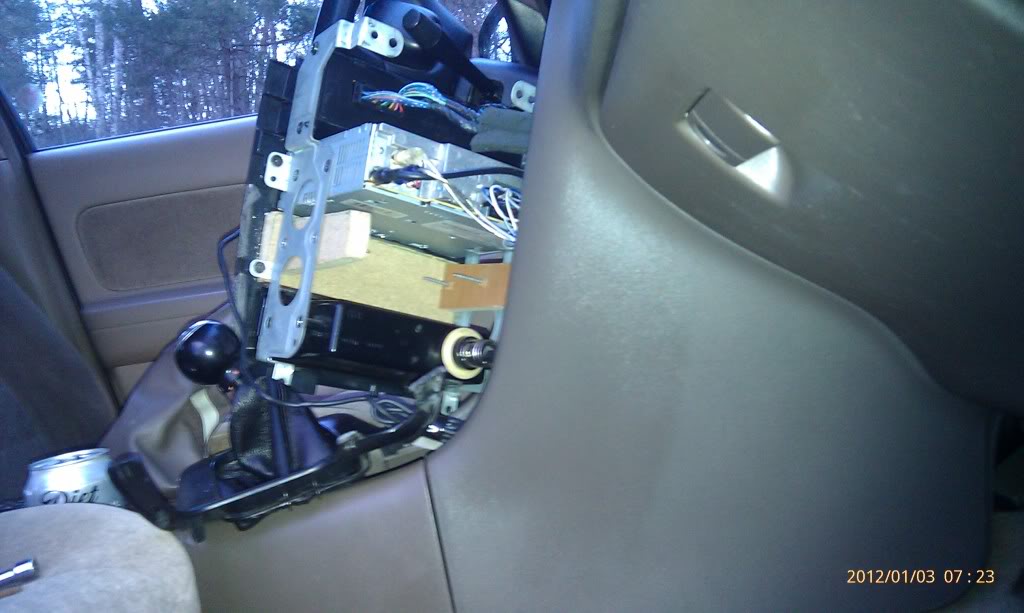
Here is a pic of the back of it...see the wooden piece just below the stereo, I glued the black plastic piece onto the front of that. The back aint pretty, but no one sees it anyway.
Also, there is a Audio and Electronics section at this link here on the .org that should answer your questions. http://forums.maxima.org/audio-electronics-21/
It's really not a hard job to do if you are just simply putting in the head unit but if you're not comfortable, just pay a shop to do it so you don't take the chance of frying anything. I don't know if you plan on running any subs at any point, but if that is something you may do down the road, I would suggest running your RCA cables into the back of your new head unit before you put it in...that way, you won't need to take it back out to run those cables later on should you decide you want subs.
For the dash kit, I did not buy one and instead fabricated my own ghetto rig to take up the open gap that is left because the new head unit it smaller than the factory radio. Basically, you only use one small section of that dash kit which gives you another little storage area just below your head unit. Your new head unit will screw right into the factory bracket that now currently holds your factory radio.
This is what my ghetto rig looks like...just below the stereo. I cut off the back of a matte black DVD case, then made a wooden bracket to hold it in place and glued the plastic to the wood.

Here is a pic of the back of it...see the wooden piece just below the stereo, I glued the black plastic piece onto the front of that. The back aint pretty, but no one sees it anyway.

Last edited by 2brosgixxer; Oct 24, 2013 at 03:38 AM.





Junior Member
Joined: May 2012
Posts: 83
From: Illinois
I have a pioneer double din in mine and it looks awesome. I recommend anyone here go double din if you're able to...its well worth it and and you'll never go back. I think what I like most is the fact it can take SD cards. I'll post pics if anyone requests...
Last edited by Chrono; Oct 25, 2013 at 07:42 PM.


i have a avhp 3200 dd pioneer touch screen too. i recently dropped my s3 and the only way i can make calls is with the bt that"s built into the hu. thank god i bought the hu with the bt!!! 
^^ Amen brother!


Junior Member
Joined: May 2012
Posts: 83
From: Illinois
Looks great, I also like the blue clock and defrost light 
I'll take some pics of my head unit setup today. I also discovered a 'surprise' alternate functionality in the 4th gen interior that I have not seen mentioned here
This alternate functionality has proved to be very useful to me, and I think you guys will dig it too if you have a smart phone. Will take a pic of this too. Stay tuned
I'll take some pics of my head unit setup today. I also discovered a 'surprise' alternate functionality in the 4th gen interior that I have not seen mentioned here
This alternate functionality has proved to be very useful to me, and I think you guys will dig it too if you have a smart phone. Will take a pic of this too. Stay tuned
Last edited by Chrono; Oct 26, 2013 at 03:42 AM.
amerikaner's just showing off his "led's" to you guys. and um, the radio looks cool but, no touch screen fail..... here's my pioneer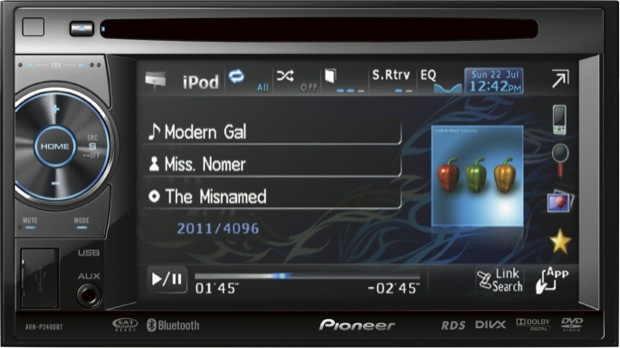

here's my pioneer 

Last edited by max ride 41; Oct 26, 2013 at 04:50 AM.
Thread Starter
Junior Member
Joined: Jul 2010
Posts: 30
A double din is definitely in the future but this single din will hold me over til I get it. I want one now cause my cd player rip on me. Then I listened to the radio but hate the crap on it so much I'd rather go w/o tunes at all. It's been a year since the cd player rip on me and 3 months since i listened to the radio, that's more than long enough for a music fiend like myself to go w/o tunes. cd player and the needed equipment will run $100, not bad. I already have a double din in mind.


Thread
Thread Starter
Forum
Replies
Last Post
Labcoatguy
3rd Generation Maxima (1989-1994)
7
Dec 19, 2000 11:12 PM
Labcoatguy
Audio and Electronics
1
Dec 19, 2000 08:55 PM