


HELP with Pioneer Amp!!!



HELP with Pioneer Amp!!!
I am tring to bridge a sub on two of the four channels on a pioneer gm-x554 amp.
I have the channel A going to the front componets and want to bridge the power on channel B for the sub.
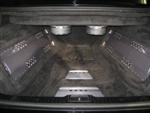
I can't figure out how to wire the sub here's a pic---v

Disregard the wires in there now, I was tring a few configurations.
My biggest problem is how the diagram shows how to bridge A-B together but not how to bridge the L and R on channel B.
I was under the impression that the + Left goes with the - Right, I tried this but it didn't work
I tried looking on Pioneer's web site for the manual but couldn't find any. The specs on the amp says its 4/3/2 channels so I dunno.
Robert
I have the channel A going to the front componets and want to bridge the power on channel B for the sub.
I can't figure out how to wire the sub here's a pic---v
Disregard the wires in there now, I was tring a few configurations.
My biggest problem is how the diagram shows how to bridge A-B together but not how to bridge the L and R on channel B.
I was under the impression that the + Left goes with the - Right, I tried this but it didn't work
I tried looking on Pioneer's web site for the manual but couldn't find any. The specs on the amp says its 4/3/2 channels so I dunno.
Robert

Don that's what I thought however if you use L + and L - then you are bridging A and B together. Which makes it a 2ch amp, I tried wiring it like that but then where do I put the other speaker? Am I missing something?
Robert
Robert
Couldn't you do it like this? Use the top row (chanA) for the fronts (L&R) and then on the bottom row, the left negative and the right positive out to your sub? Have you tried this? 
Free bump anyway...
drew
Free bump anyway...
drew
drew- that's actually how it was setup in the picture, minus channel A's right - speaker. I removed the right - because the right speaker lost all the highs and sounded really weird, when it was powered like that. BTW everything sounds fine in 4 ch mode, except the sub is not that loud.
Robert
Robert


Thread
Thread Starter
Forum
Replies
Last Post
worldwiderecognized
6th Generation Maxima (2004-2008)
0
Sep 30, 2015 01:16 PM