


Back Up Camera for 2013 SV without NAV ?


Thread Starter
Member
Joined: Dec 2013
Posts: 218
From: SW Ontario
Back Up Camera for 2013 SV without NAV ?
I did some research here, but I wanted to know if the technology has improved to allow a nice, plug'n'play rear-view camera to be added to a 2013 SV that does not have factory navigation? My dealer says that Nissan Parts has nothing to offer owners like me 
I've got the video inputs in the center console, but if I understand correctly this can only be used if the car is in park with the parking brake applied?
And no, I have no interest in getting Navigation installed...I've always preferred the Garmins to the factory systems for ease of updates and given that most of my driving is in areas that I don't need navigation.
Thanks in advance for any assistance,
I've got the video inputs in the center console, but if I understand correctly this can only be used if the car is in park with the parking brake applied?
And no, I have no interest in getting Navigation installed...I've always preferred the Garmins to the factory systems for ease of updates and given that most of my driving is in areas that I don't need navigation.
Thanks in advance for any assistance,

Senior Member
Joined: May 2014
Posts: 302
From: Houston, TX
You can do a navigation/DVD bypass that allows you to utilize the RCA ports when not in park. The dealer is not permitted to do this as it is illegal, but any outside stereo shop should be able to do it. There are YouTube videos online as well. Maybe you can possibly find a camera that taps into that?

Junior Member
Joined: Apr 2015
Posts: 69
From: New York
I was wondering if some place like crutchfield would have an adpater - doesn't look like they offer anything for our car.
However (this isn't exactly what you were looking for) there are some pretty decent back up camera/rear view mirror combos out there. Some have a wireless link as long as you run power to the camera on your rear lic plate and power to the new rear view mirror. Or you could hard wire one in - but you would have to change out the rear view mirror.
Not quite as nice as using the screen already in your dash, but wouldn't be too bad.
Or if you go the RCA route like Daaavid said you could get search rca back up camera. Maybe something like this would work:
However (this isn't exactly what you were looking for) there are some pretty decent back up camera/rear view mirror combos out there. Some have a wireless link as long as you run power to the camera on your rear lic plate and power to the new rear view mirror. Or you could hard wire one in - but you would have to change out the rear view mirror.
Not quite as nice as using the screen already in your dash, but wouldn't be too bad.
Or if you go the RCA route like Daaavid said you could get search rca back up camera. Maybe something like this would work:

Last edited by LWilspeed; May 22, 2015 at 01:28 PM.

Senior Member
Joined: Mar 2013
Posts: 802
I did some research here, but I wanted to know if the technology has improved to allow a nice, plug'n'play rear-view camera to be added to a 2013 SV that does not have factory navigation? My dealer says that Nissan Parts has nothing to offer owners like me
I've got the video inputs in the center console, but if I understand correctly this can only be used if the car is in park with the parking brake applied?
And no, I have no interest in getting Navigation installed...I've always preferred the Garmins to the factory systems for ease of updates and given that most of my driving is in areas that I don't need navigation.
Thanks in advance for any assistance,
I've got the video inputs in the center console, but if I understand correctly this can only be used if the car is in park with the parking brake applied?
And no, I have no interest in getting Navigation installed...I've always preferred the Garmins to the factory systems for ease of updates and given that most of my driving is in areas that I don't need navigation.
Thanks in advance for any assistance,


Senior Member
Joined: Feb 2013
Posts: 355
From: Huntsville, AL
My 2012 also has the back up camera and no NAV. Makes no sense you can't get it from Nissan http://parts.nissanusa.com/nissanpar...partcode=28442
This is what I found and there is a part number for it.
http://parts.nissanusa.com/nissanpar...partcode=28442This is what I found and there is a part number for it.
Last edited by dmcmahan12; Jun 2, 2015 at 09:46 AM.

Senior Member
Joined: Jun 2011
Posts: 1,690
Another alternative to explore. I have an RV with backup camera and it does not require the vehicle to be in reverse to operate. The screen is built into the sun visor and the on/off switch is on the screen. The only requirement to make it work is the ignition has to be in the on position.
There has to be backup camera kits out there where they can be installed anywhere in the car and no connection to the reverse required. All they need is a power source.
There has to be backup camera kits out there where they can be installed anywhere in the car and no connection to the reverse required. All they need is a power source.

Member
Joined: Apr 2015
Posts: 250
Kinda kills the convenience though does it not, I mean yes retrofit available (universal systems) but something that would tap into the current wiring would be most ideal.
But if it was super easy I'm sure there would already be a DIY, dont have a service book handy to compare the wiring.
But if it was super easy I'm sure there would already be a DIY, dont have a service book handy to compare the wiring.


Member
Joined: Apr 2015
Posts: 250
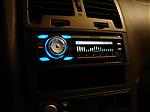
Upon furthur inspection, they say in the manual for that system:
***FOR CAMERA INSTALLATION ONLY** Locate VI -2 cable in box and connect it to BACK of
Prodigy One at Video in connection point (3.5 mm jack) Yellow RCA is for rear camera input.
Could VI-2 be the 'R' cable we are looking for?
***FOR CAMERA INSTALLATION ONLY** Locate VI -2 cable in box and connect it to BACK of
Prodigy One at Video in connection point (3.5 mm jack) Yellow RCA is for rear camera input.
Could VI-2 be the 'R' cable we are looking for?
Member
Joined: Apr 2015
Posts: 250
Or you could even connect it to your reverse lights:
But on the 2012 maxima - the purple wire is the reverse wire:
https://maxima.org/forums/7th-genera...ire-color.html
But on the 2012 maxima - the purple wire is the reverse wire:
https://maxima.org/forums/7th-genera...ire-color.html

Thread
Thread Starter
Forum
Replies
Last Post
sctludwig
3rd Generation Maxima (1989-1994)
8
Sep 1, 2022 01:32 PM
Maxima30
5th Generation Maxima (2000-2003)
2
Sep 7, 2015 06:13 PM
Justin Kroll
5th Generation Maxima (2000-2003)
7
Sep 2, 2015 11:06 AM