When you click on links to various merchants on this site and make a purchase, this can result in this site earning a commission. Affiliate programs and affiliations include, but are not limited to, the eBay Partner Network.
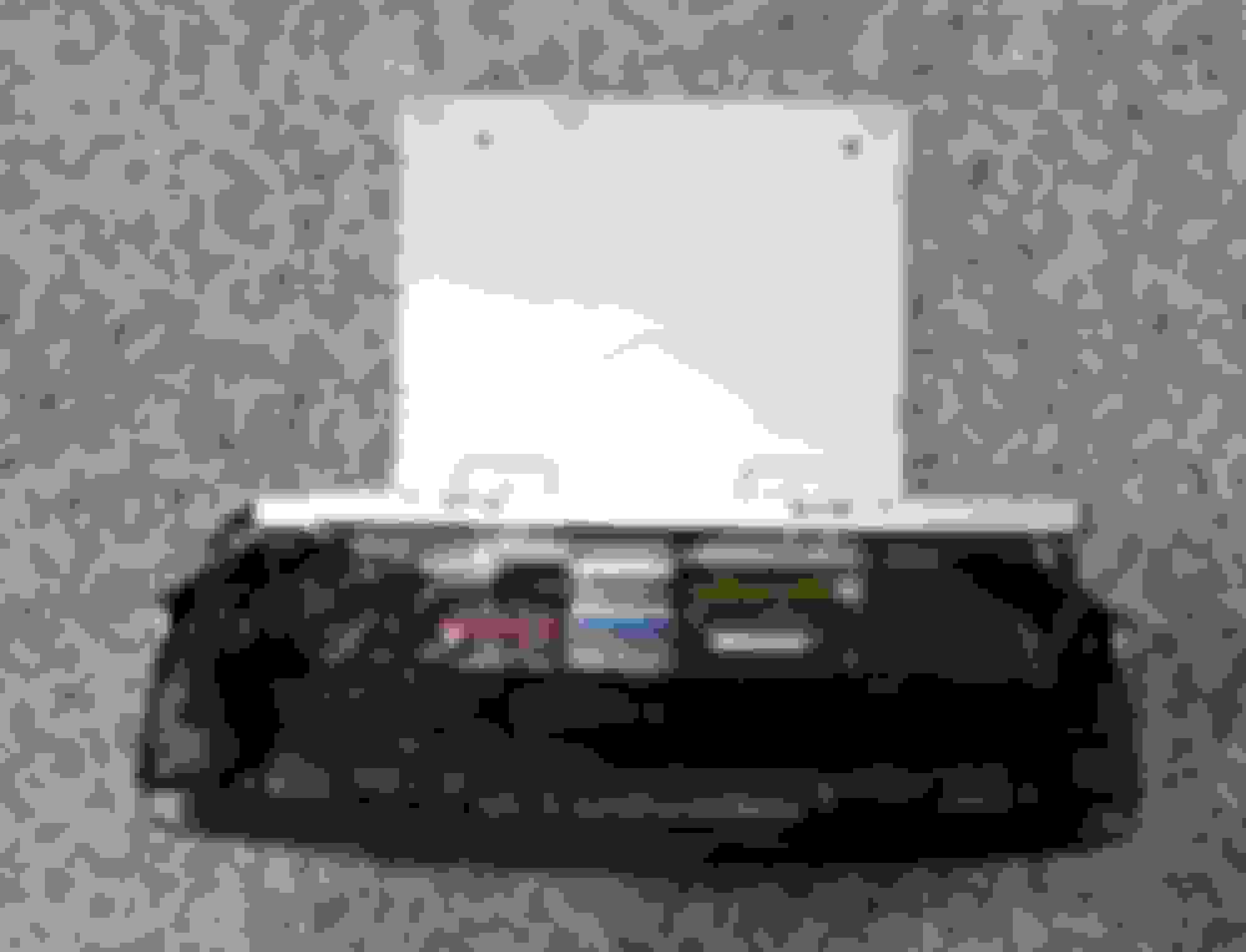
I swapped the head unit in my car a while back with no issues. We have a second 16 Maxima, so I kept looking for another unit locally. I tried ordering online once but the unit arrived dead I think the shipping was too much for it. Finally found one in good condition from a 17 with CarPlay. I didn’t realize the white plastic box with large connector on the bottom wasn’t included when I picked it up. Figured it’s worth giving it a try, I swapped over the old Clarion board even though it was the old model 4RA1A and not the 9Dx1x for real newer unit. All functions still worked properly, so whatever that component is, it’s not associated with CarPlay. I can only assume it’s the Nissan GPS receiver. So CarPlay is either physical in the unit or just the software on the hard drive. Figured I’d share if you run into the same thing.
Hi Guys,
Finally i found head unit from savage yard from Maxima Platinum version with bose system, my car is SV version with bose unit so it worked all the option except camera, when i try reverse gear the camera is not detected... i found a link where solution was to go to hidden settings and change camera settings, but i tried to go to hidden settings but it was not responding... can someone help me... i might not be doing it right so please share a video how to enable the hidden settings... thnx in advance.
Hey all, hopefully someone that swapped is still kicking around on this thread. I’m planning on doing the swap in my Maxima Platinum and I was curious about the SD Card situation. If I don’t plan on using maps off on the stereo itself will I still need the SD Card or is that not what it’s used for? I’m not sure if the head unit I’m looking at comes with a SD Card
Hey all, hopefully someone that swapped is still kicking around on this thread. I’m planning on doing the swap in my Maxima Platinum and I was curious about the SD Card situation. If I don’t plan on using maps off on the stereo itself will I still need the SD Card or is that not what it’s used for? I’m not sure if the head unit I’m looking at comes with a SD Card
The SD card is tied to many features including Bluetooth, voice commands, compass, etc. if I recall correctly. Best advice is to purchase a unit with the card included to avoid potential issues. No guarantees you will be able to make it work without it, even if you try to put a new card in it from the dealer. You would need the VIN from the original vehicle the unit is from to program a new card and it’s not a reliable upgrade process.
You need the matching SD card for the radio to work properly. Also get the Bose head unit if your Maxima is so equipped. Otherwise, steer clear if the SD card is gone.
Have you considered looking for a 2019, 2020, or 2021 head unit? They got rid of the need for an SD card. Having said that, I do not know if it is a plug and play situation though. Keep us posted.
You need the matching SD card for the radio to work properly. Also get the Bose head unit if your Maxima is so equipped. Otherwise, steer clear if the SD card is gone.
Have you considered looking for a 2019, 2020, or 2021 head unit? They got rid of the need for an SD card. Having said that, I do not know if it is a plug and play situation though. Keep us posted.
I was worried about going too new and it not being plug and play. I did find a 2018 head unit with the Sd Card so I went with that one since it has CarPlay AND Android Auto. I just ordered today so I will get it late this week early next. Hopefully everything goes smoothly.
I was worried about going too new and it not being plug and play. I did find a 2018 head unit with the Sd Card so I went with that one since it has CarPlay AND Android Auto. I just ordered today so I will get it late this week early next. Hopefully everything goes smoothly.
Everything did NOT go smoothly. I purchased a 18 head unit and while I get sound there is no response from the screen. I can control everything through the wheel and the climate control works but no screen. Sending it back and I guess I will get a 17 head unit this time. This one did come with the SD card by the way. Kind of bummed out. Not sure if I got a bad unit or the 18 head unit doesn’t connect to my car. They are both Bose units. Not sure what the issue is here.
Everything did NOT go smoothly. I purchased a 18 head unit and while I get sound there is no response from the screen. I can control everything through the wheel and the climate control works but no screen. Sending it back and I guess I will get a 17 head unit this time. This one did come with the SD card by the way. Kind of bummed out. Not sure if I got a bad unit or the 18 head unit doesn’t connect to my car. They are both Bose units. Not sure what the issue is here.
Sorry to hear this. Was the SD card was Nissan matched to your unit? A dealer could help determine this hopefully without a huge cost. I still wonder if the non SD 2019 plus Bose unit would work here.
Last edited by robtroxel; Jan 29, 2022 at 06:48 AM.
Thank you for asking this question! I was wondering if it would work...
My car is maxima 2017 American spec and iam living in Arabian Gulf, my smartphone is Samsung,so my car is supporting Apple car play and I bought car play box but it doesn't work and showing me this message 😑 😐
Hi. About an hour ago, I finished a head unit swap in my 2016 Maxima Platinum. I swapped in a unit from a 2017 SR. The swap was easy, and now I have Apple Car Play. Unfortunately, my backup camera settings are incorrect and I'm struggling to access the hidden menu. Can anyone provide instructions for accessing that menu? I've searched this forum, and the youtube video I've seen referenced by others is no longer active.
Hi. About an hour ago, I finished a head unit swap in my 2016 Maxima Platinum. I swapped in a unit from a 2017 SR. The swap was easy, and now I have Apple Car Play. Unfortunately, my backup camera settings are incorrect and I'm struggling to access the hidden menu. Can anyone provide instructions for accessing that menu? I've searched this forum, and the youtube video I've seen referenced by others is no longer active.
Any help would be much appreciated.
Press the home and turn volume or power button turn left right and left.. which will give u access to hidden features where u can change settings for ur camera
Thanks to kilowhisky's guide, I replaced my 2017 head unit with a 2018 to get android auto. While the 2018 head unit from ebay was in ok shape, my faceplate was in better condition. Turns out a faceplate swap is a relatively quick job, and the head unit breaks down into the magic box and the faceplate/display/switchgear easily. Disassembly:
Remove the side trim pieces and climate controls (yellow, climate controls not pictured). Climate controls removal is needed for reassembly.
Remove the two shiny screws below the magic box and four black screws around the sides and top (red).
Use a spudger to release the clips around the outside of the metal backing while applying gentle pressure to tilt the magic box (blue).
Reach between the magic box and faceplate and flip the tab holding the ribbon cable up to release.
Marvel at how exactly the same they are, swap, and reassemble.
The ribbon cable is too stiff to manipulate with tweezers, and the metal backing is too large for pliars. Plus the exposed PCB is a little too fragile for most tools. The easiest way I figured out was to look at the faceplate and magic box from the bottom and maneuver the box to seat the ribbon cable. The cable is stiff enough to completely seat with a little wiggling.
Reach in and flip the tab down to lock the cable in place. Give it a gentle tug to make sure it has seated properly.
Seat the magic box on the faceplate and reassemble.
I can upload some pictures if requested.
EDIT: Sorry for the poor quality.
Hey man, I just tdid a faceplate swap with 2 units. But after I did the swap, neither of them will power on. Any suggestions ? please help
Fun fact about the 2016 and 2017 radio. They appear to be the exact same model, with minor modifications to the software (the base OS is the same, but Nissan adds a wrapper on top that runs it's infotainment system). Bonus fun fact: It is a unit built by Clarion that actually runs Windows Embedded Automotive. So the radio runs Microsoft Windows and supports Apple Carplay, which I find interesting given the level of Apple integration required from a Windows system.
I am working on seeing if I can break or download the firmware for another modification (basically I want to make the cross traffic and FEB notifications more obnoxious). If I can, I'll see if I can image the Carplay version firmware and make it available for 2016 users. The good thing about automotive computing is that the security is generally very weak, so it shouldn't be incredibly difficult if I can access the Base OS.
That all being said, if anyone has a 2016 radio they want to donate as a test article, feel free to PM me (I would need the radio, and your VIN so I can spoof it to fool the radio to thinking its installed in the original vehicle).
I recently swapped in a used ‘17 Max Platinum radio head unit with Bose and NAV
(25915-9DD1E) into my ‘16 Max SL. Took a couple tries to make sure all connections were good, made sure Siri was enabled on my iPhone, and now have CarPlay! Got into the hidden menu to get my backup camera back working. It can be done. Much thanks to this forum discussion threads and info, with my successful transplant!
I recently swapped in a used ‘17 Max Platinum radio head unit with Bose and NAV
(25915-9DD1E) into my ‘16 Max SL. Took a couple tries to make sure all connections were good, made sure Siri was enabled on my iPhone, and now have CarPlay! Got into the hidden menu to get my backup camera back working. It can be done. Much thanks to this forum discussion threads and info, with my successful transplant!
Congratulations Joe! Thanks for reporting back on this effort. Would you offer us a step by step pointing out the mistakes made before success? Interested in the backup camera activation process too.. Well done!
From robtroxel request,
While I'd be glad to attempt do a step by step, there are several thread posts with photos in this forum that pretty much do the step by step I went through. What I'd prefer to try here, is to share some suggestions and/or hiccups I encountered during the swap process that may be of help to others wanting to try this...
The following is for a '16 SL (with Bose & Nav, 25915-4RA1B)) swapping in a '17 Platinum radio head unit (with Bose, Nav, CarPlay, 25915-9DD1E):
Donor radio unit:
- Make sure the radio unit you purchase has a stock Nav SD card for that unit (or get one from eBay or nissan.navigation.com). For the '17 unit I got mine was 25920- 9DD0E. The cheapest donor radio source for me was patience and eBay (I paid $287=tax). Seller was "lkqonline".
- If the donor radio does not come with mounting brackets or white box\unit that attaches to the bottom of the donor radio, that's ok. You will transplant the mounting bracket and white box from your stock unit.
Prep, Unit Removal and Donor Unit Install:
- Disconnected the negative battery terminal.
- Take apart the console and dash and remove the stock unit (as outlined in this forum by others). A youtube video I found was marginally helpful at best. Just be patient and don't just expect to yank the connnections off. There is not a lot of room or slack to get a close look at some connectors you are having trouble getting off. Some connections are simply a pain to disconnect and each has a tab to slightly press down on, and then they can be pulled off without brute force.
- While this install can be done without completely removing part of the console and vent\flasher piece above the radio, and attempt to hang them out of the way, there is not much wire slack. I recommend not doing this. Give yourself room to work. Disconnect these pieces. OH, and I took my console piece out over the shifter stem without messing up or tearing the leather boot. It was very tight to do. You may not want to take that chance. I struggled with shifting back from Park to have more room to get over the shifter boot (probably cause I disconnected the battery?!).
- Use your cellphone and take photos if need be before disconnecting wires or at different stages. The radio unit connectors are all color coded. Just make sure they "click" in when installing the donor unit.
- After installing the radio unit, I reconnected vent\flasher wire and console wires and loosely positioned those pieces, before reconnecting the negative battery cable and testing the donor radio.
Power on, testing radio and heater controls:
- Test your climate control buttons, switches and the flasher button. Backup Camera won't work (fix listed at the end of this reply).
- Power the radio on. I declined on the Nissan Connect screen message (since I have '16 and don't use that stuff).
- Reset your clock time.
- Pair your phone via bluetooth to the donor radio.
- Connect your iPhone to USB-1 (the left most USB in the front console door tray for me).
- From the radio Main Menu, you should now see (and it was completely greyed out for me) an Apple CarPlay selection. For me it will always be grayed out every time you start the car until you go in and make a menu Settings change (mentioned below).
Note: I had USB\Lightning cable connecting hurdles at one point. Use an Apple certified USB/Lightning cable if you do and that should resolve that. I also decided to enable Siri on my iPhone (didn't use it previously), as an FAQ online suggested to, if having CarPlay to iPhone connecting troubles.
So, dummy me installed the donor radio and took it out and reconnected it a second time to make sure my connections were good because...Every time you start your car the CarPlay menu selection is 'grayed out'! Because it was grayed out I thought, this isn't going to work. After my re-install and the CarPlay menu selection was still grayed out, a heavy sigh and swearing resulted. Why would anyone want to press a grayed out menu button. Well I decided to press that selection anyways and got a screen message to (paraphrasing) "connect your iPhone to USB1". So I disconnected the USB/Lightning wire from USB1 and reconnected. I then get the message 'Apple CarPlay starting'! Shear disbelief! I wanted to understand why, but then quickly dropped that idea, cause... it was working!
A message that you need to connect your iPhone to USB-1 will appear. If already connected you'll have to disconnect and reconnect it. You should then see "Starting Apple CarPlay". To AVOID THIS, once you get CarPlay to connect, from the radio Main Menu go to Settings, and then select CarPlay, then CarPlay Settings. Press 'Turn on CarPlay when the car starts' (making sure the green light is on next to 'On' for that selection, as my dumb *** thought it was On initially when I was in that menu and it wasn't).
If the Apple CarPlay Setting selection is on, the iPhone is connected before starting the car, CarPlay should come up automatically each time you start your car.
Lastly the Backup Camera...
Didn't work for me after the swap. Reason: '17 Camera is multi-view, and the '16 is not. Now you have to get into the Hidden Systems Diagnostic Menu. Good Luck.
- Make sure your car is running versus just 'On'.
- Depending on the year Maxima I found more than a few methods to do find the hidden menu and only one worked for me on a '16 SL.
- Make sure your radio proper is off after start up.
- Press and hold the display Menu button (upper left) and turn the Volume **** to the left several clicks, then back to the right several clicks, then as you turn the **** back to the left, the System Diagnostic Menu should appear. (It always takes me several tries to get this to display but should work eventually.
- Select Confirmation/Adjustment, then select Camera.
- Select Camera Syst Type, and choose 'Rear Camera'.
- Back out of the menu after that. If your screen goes blank\black, like mine did in testing for this post, just turn your car off then start your car again and the display should work normally during start up.
Well, that's my share. I hope it helps someone. It's a little wordy with some digression.
Good luck to those contemplating this install/swap attempt!
Wow, you knocked it out of the park! This is a great how-to that will really help folks out. Allowing time between the steps and reminding us of the not-so-logical "gotchas" that can be show stoppers.
Thanks again for sharing this.
I joined this forum I bought my used 2016 Platinum. It was a surprise/huge letdown that there was no Android Auto but I hadn't even thought about it before buying the car. Oops.
Thankfully, you all have been thrashing this issue over for several years now! Lol.
Just wanted to say thanks for those who contributed.
With the right info in recent couple pages of this thread including proper part numbers, totally plug and play! 🤘
can you help me please
i have a maxima 2016 what should i do to have a apple carplay
I recently swapped in a used ‘17 Max Platinum radio head unit with Bose and NAV
(25915-9DD1E) into my ‘16 Max SL. Took a couple tries to make sure all connections were good, made sure Siri was enabled on my iPhone, and now have CarPlay! Got into the hidden menu to get my backup camera back working. It can be done. Much thanks to this forum discussion threads and info, with my successful transplant!
How do we get to secret menu?? I got a good price on 2018 unit, gonna put it in my wife's 2016. Thanks
From my post above...
- Depending on the year Maxima I found more than a few methods to do find the hidden menu and only one worked for me on a '16 SL. - Make sure your radio proper is off after start up. - Press and hold the display Menu button (upper left) and turn the Volume **** to the left several clicks, then back to the right several clicks, then as you turn the **** back to the left, the System Diagnostic Menu should appear. (It always takes me several tries to get this to display but should work eventually.
i have a maxima 2016 what should i do to have a apple carplay
the only option is to replace the current headunit with Apple Car play headunit which you can find in Ebay, i have 1 headunit with Apple car Play US specs Bose Unit Compatible.
From my post above...
- Depending on the year Maxima I found more than a few methods to do find the hidden menu and only one worked for me on a '16 SL. - Make sure your radio proper is off after start up. - Press and hold the display Menu button (upper left) and turn the Volume **** to the left several clicks, then back to the right several clicks, then as you turn the **** back to the left, the System Diagnostic Menu should appear. (It always takes me several tries to get this to display but should work eventually.
Thanks.Im a dipsht, completely missed your full writeup. Will be doing the swap this weekend. My wife will be thrilled. I'm going to try a wireless adapter from Amazon too.
Nvm. Found the plugs. Crazy that they are both white, and the plug is EXACTLY the same. I was in a panic. Car started, and wouldn't shut off with chassis failure. Guess that white box under the radio is the chassis control box. Took me 10mins to figure out how to shut car off. Disconnect battery did not work. Found the fuel pump fuse. Scary 10mins there. Well all is working, just have to get in hidden settings, and setup backup cam. A big score. Paid $140!!!
If anyone is interested, I just removed my headunit from my 2017.5 Max and it has AppleCar play along the most recent Maps update (version 13). Everything worked perfectly at time of removal. I am open to any offers.
For those out there that don't want to rip and replace to get carplay and android auto, you can do it via software update. I did it today on my 2017 sv that had carplay but not android auto.
guy overseas sells the software you write to an SD card. It flashes the head unit and generates a small file on the card you send back to him. He generates another file you put on the card and then place it back in the head unit.
maps got updated as well but only to 18-19 year. Doesn't matter too much since I'll use Google maps for my 1200 mile drive to Florida in a couple of weeks.
For those out there that don't want to rip and replace to get carplay and android auto, you can do it via software update. I did it today on my 2017 sv that had carplay but not android auto.
guy overseas sells the software you write to an SD card. It flashes the head unit and generates a small file on the card you send back to him. He generates another file you put on the card and then place it back in the head unit.
maps got updated as well but only to 18-19 year. Doesn't matter too much since I'll use Google maps for my 1200 mile drive to Florida in a couple of weeks.
This is great news,1st that it works, and that the code has been cracked! Well done!
cost?
I got it for 200usd. Found out about it on YouTube video some guy did about doing the same thing to his murano.
I also noticed someone on this forum wrote about it in the android auto thread recently.
The update nukes all of your presets and other settings so it is like starting all over again.
I chose this route since I already had a siriusxm subscription and didn't want to update that with a new SN. I also didn't feel comfortable ripping out the head unit but that's just my lack of confidence in most things automotive. Im more if an electronic/computer kind of guy.
What really should have been a one or two day thing turned into five. Yes, there is a seven or eight hr time change involved but still, the response time was poor and i had to chase more than I would have liked. At the end of the day it is done and does work.
Annoying as fck Nissan didn't flash older units for aa and carplay. What a sham!
I hear your pain though this practice is the norm. BMW wanted 500 bucks just to get these features in the 1st place for a new car a couple of years ago.
Look at it as if you bought a computer and now years later you expect the vendor to update it to the most current model. Nice idea but no one is doing this business model. matter in fact some manufacturers want to unbundle standard features like heated seats and make you pay as an add-on for a few years. Then when car is sold the new owner has to repay to get the feature. My own opinion is to hell with that.
I got it for 200usd. Found out about it on YouTube video some guy did about doing the same thing to his murano.
I also noticed someone on this forum wrote about it in the android auto thread recently.
The update nukes all of your presets and other settings so it is like starting all over again.
I chose this route since I already had a siriusxm subscription and didn't want to update that with a new SN. I also didn't feel comfortable ripping out the head unit but that's just my lack of confidence in most things automotive. Im more if an electronic/computer kind of guy.
What really should have been a one or two day thing turned into five. Yes, there is a seven or eight hr time change involved but still, the response time was poor and i had to chase more than I would have liked. At the end of the day it is done and does work.
I got it for 200usd. Found out about it on YouTube video some guy did about doing the same thing to his murano.
I also noticed someone on this forum wrote about it in the android auto thread recently.
The update nukes all of your presets and other settings so it is like starting all over again.
I chose this route since I already had a siriusxm subscription and didn't want to update that with a new SN. I also didn't feel comfortable ripping out the head unit but that's just my lack of confidence in most things automotive. Im more if an electronic/computer kind of guy.
What really should have been a one or two day thing turned into five. Yes, there is a seven or eight hr time change involved but still, the response time was poor and i had to chase more than I would have liked. At the end of the day it is done and does work.
i already contact him before and update my maxima 2018 screen and now i have apple car play 😍
you just need a new SD and his update file … its worth to pay 200USD rather than change the whole screen
For those out there that don't want to rip and replace to get carplay and android auto, you can do it via software update. I did it today on my 2017 sv that had carplay but not android auto.
guy overseas sells the software you write to an SD card. It flashes the head unit and generates a small file on the card you send back to him. He generates another file you put on the card and then place it back in the head unit.
maps got updated as well but only to 18-19 year. Doesn't matter too much since I'll use Google maps for my 1200 mile drive to Florida in a couple of weeks.
Can you send me the contact info for the flash also?
Thanks!
So have done a bit more digging in the hopes this will help others. If you have '16 Max and you're looking for a '17 radio on ebay or otherwise, keep the following in mind.
For S or SV models:
- Look for radios with part number 25915-9DD0B
For SL, SR or Platinum:
- Look for radios with part number 25915-9DD1B
Note the last letter (B) in either scenario can vary and not matter for this application. So instead of 9DD1B, it could be 9DD1A (I've seen both).
For reference our '16 models are 25915-4RA0B and 4RA1B respectively.
Everything else about the units is identical as you can see. The plugs between '16 and '17 models are identical - apart from that 3rd plug/port which appears to be tied to the Bose system some how.
i searched scrapshop today and i found 25915-9DD0C for my 2016 SV.
i swapped the radio and i have apple carplay.
i bought it for 50$.
i functions very well without any errors.
i had few issues after installation.
1- Bluetooth was not working at all and it was not responding when i was trying to connect new phone
2- Apple car play was very slow
i went to hidden diagnosis page and i reset cache data and reset it to factory setting and all issues solved!
I have swapped the stereo out of my 2016 SR with Bose to a 25915-9DE1A. Everything seems to be working fine other than I am noticing a possible electrical noise when changing temperature on the AC controls. The head unit came with the ac controls and I used the new ones that came with it. Any ideas on why it would be making a noise I don’t remember it doing it before.
Were you able to get the 2018 unit working? I’m currently looking at a 25915-9DE1B/A for my 2016 SR
It works brother I jus did mine for my 2016 maxima platinum with A 2018 head unit, 25915-9DE1C.
I JUS HAD TO CHANGE THE CAMERA SETTINGS TO AVM IN THE HIDDEN MENU.
I recently swapped in a used ‘17 Max Platinum radio head unit with Bose and NAV
(25915-9DD1E) into my ‘16 Max SL. Took a couple tries to make sure all connections were good, made sure Siri was enabled on my iPhone, and now have CarPlay! Got into the hidden menu to get my backup camera back working. It can be done. Much thanks to this forum discussion threads and info, with my successful transplant!
Got absolutely same situation as you, same NAV#. Didn't even have to adjust the camera. Plug&Play. Thanks everybody for sharing your experience, it helped a lot!