When you click on links to various merchants on this site and make a purchase, this can result in this site earning a commission. Affiliate programs and affiliations include, but are not limited to, the eBay Partner Network.
Bought a 17' radio from Ebay
Ordered the 16-17 Maps from here.com
Installed the radio
Installed the map update
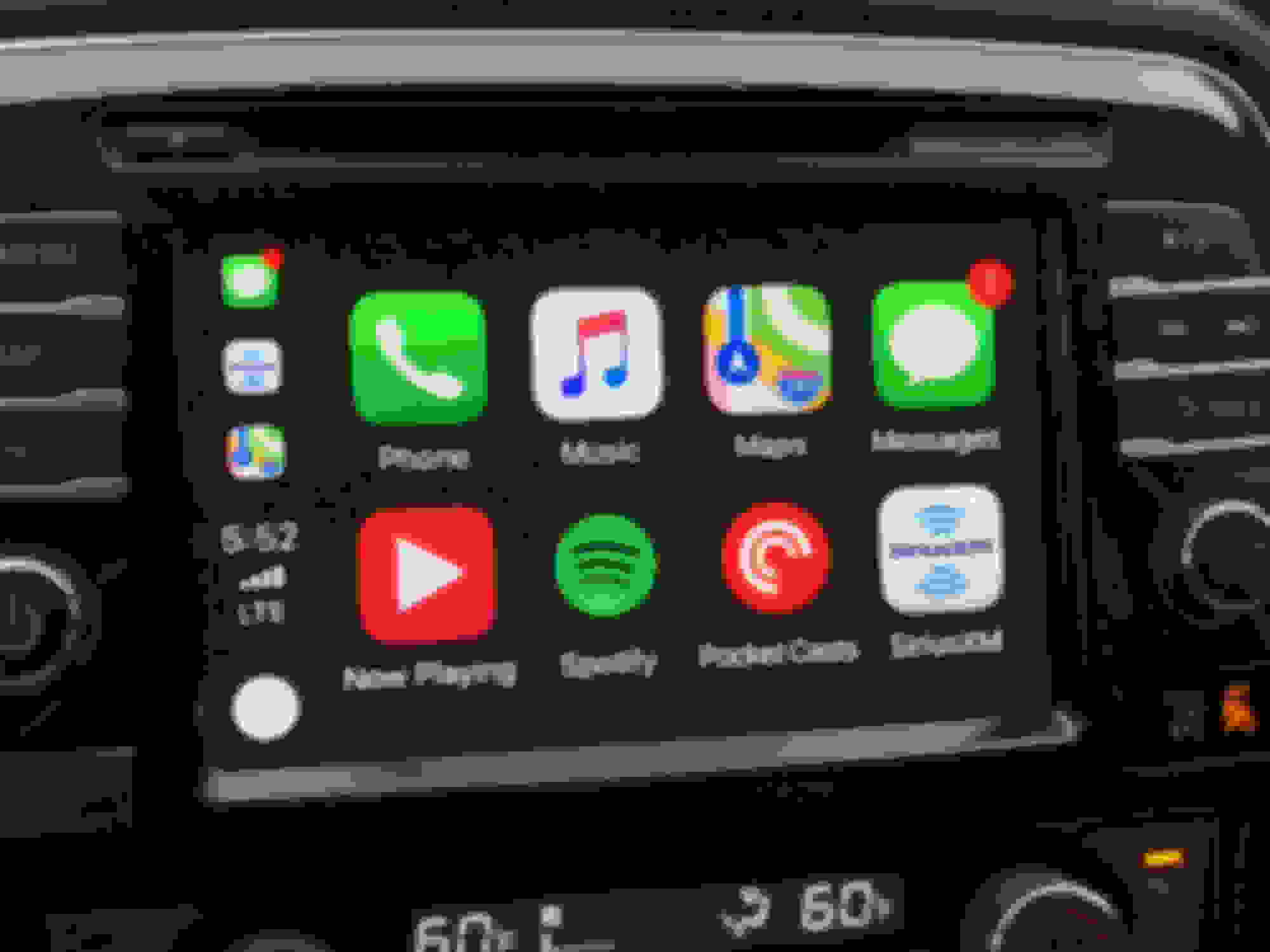
Everything matches up identical to my old 16 radio. After having both, this definitely seems like Nissan could push the apple CarPlay through via a software update.
Is the faceplate on this easily removable? Im finding a few head units online but the faceplates are all scuffed. I'd rather use my original one.
Is the faceplate on this easily removable? Im finding a few head units online but the faceplates are all scuffed. I'd rather use my original one.
From what i can tell looking at it the faceplate is definitely removable, though it will take a bit more unscrewing / using clips to get it undone.
I just completed my installation of the DD0E version that i got off car-parts.com for $275 shipped! All i did was look up the "navigation system" and start calling people until someone read off the part number i needed. Mine came all the way from New York to San Diego!
First impressions? CarPlay is slick as hell but the way it integrates into the regular system is clunky as hell. Particularly flipping between FM and CarPlay is frustrating.
Anyways here are my instructions! It took about 1 hour to do going quite slowly and double checking my work agains't the shop manual. I not new to cars or car electronics so maybe it might take a novice a bit longer. If you don't want to read it here check out the Imgur album: https://imgur.com/a/xjEItJj
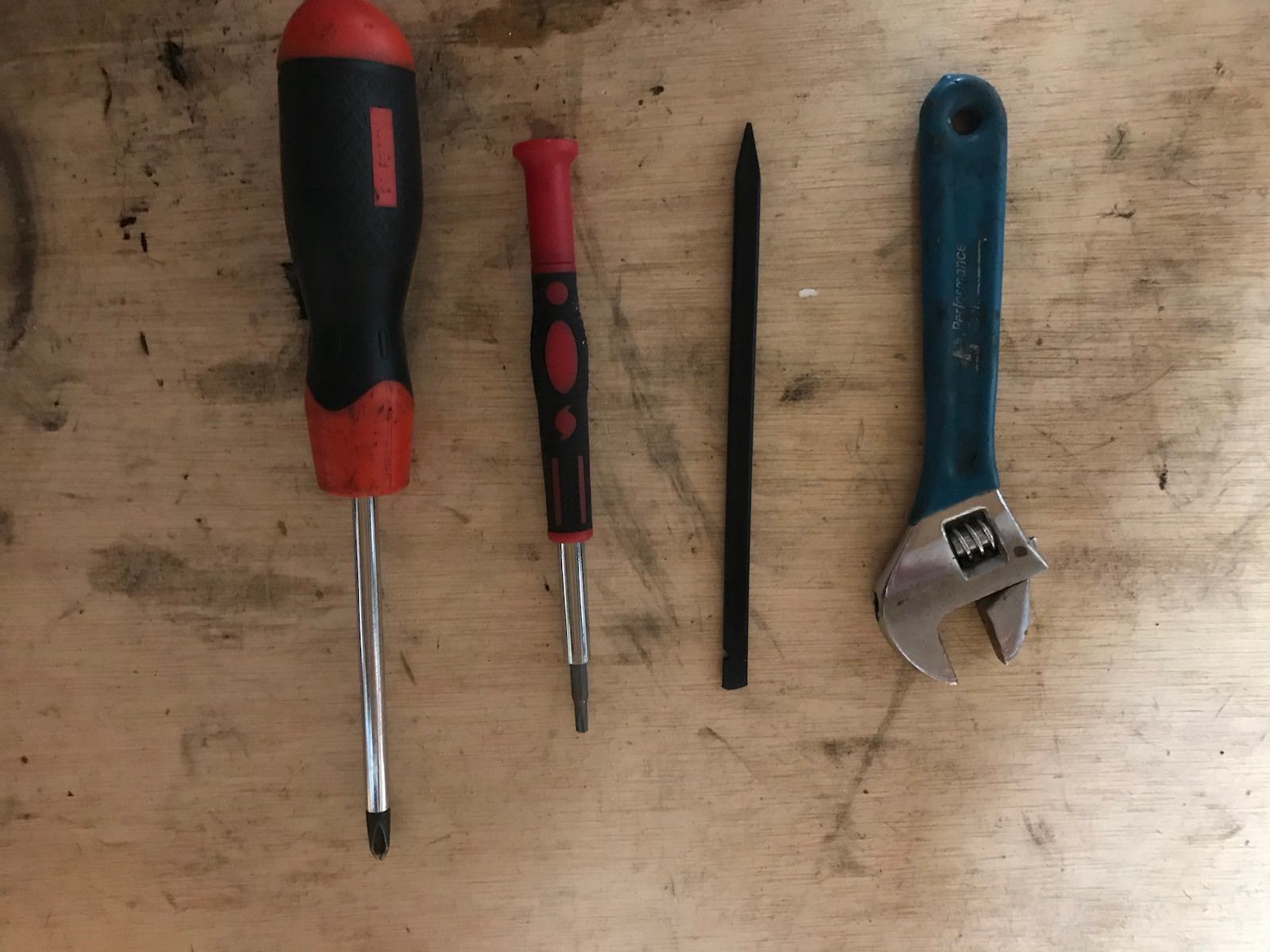
First off get the following tools to help you on your quest. The two most important tools are the plastic pry tool and the start driver.
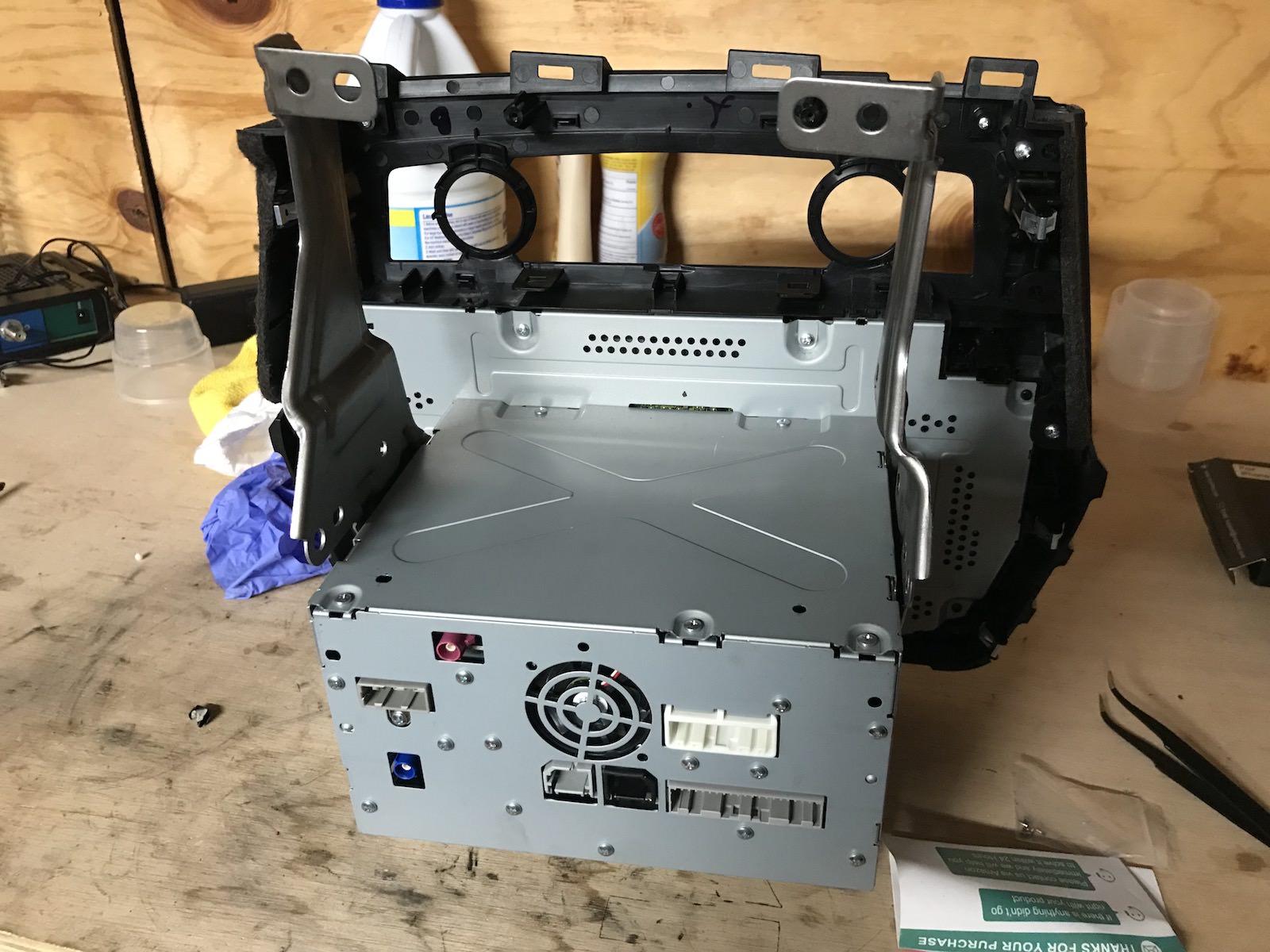
Here is the deck i purchased
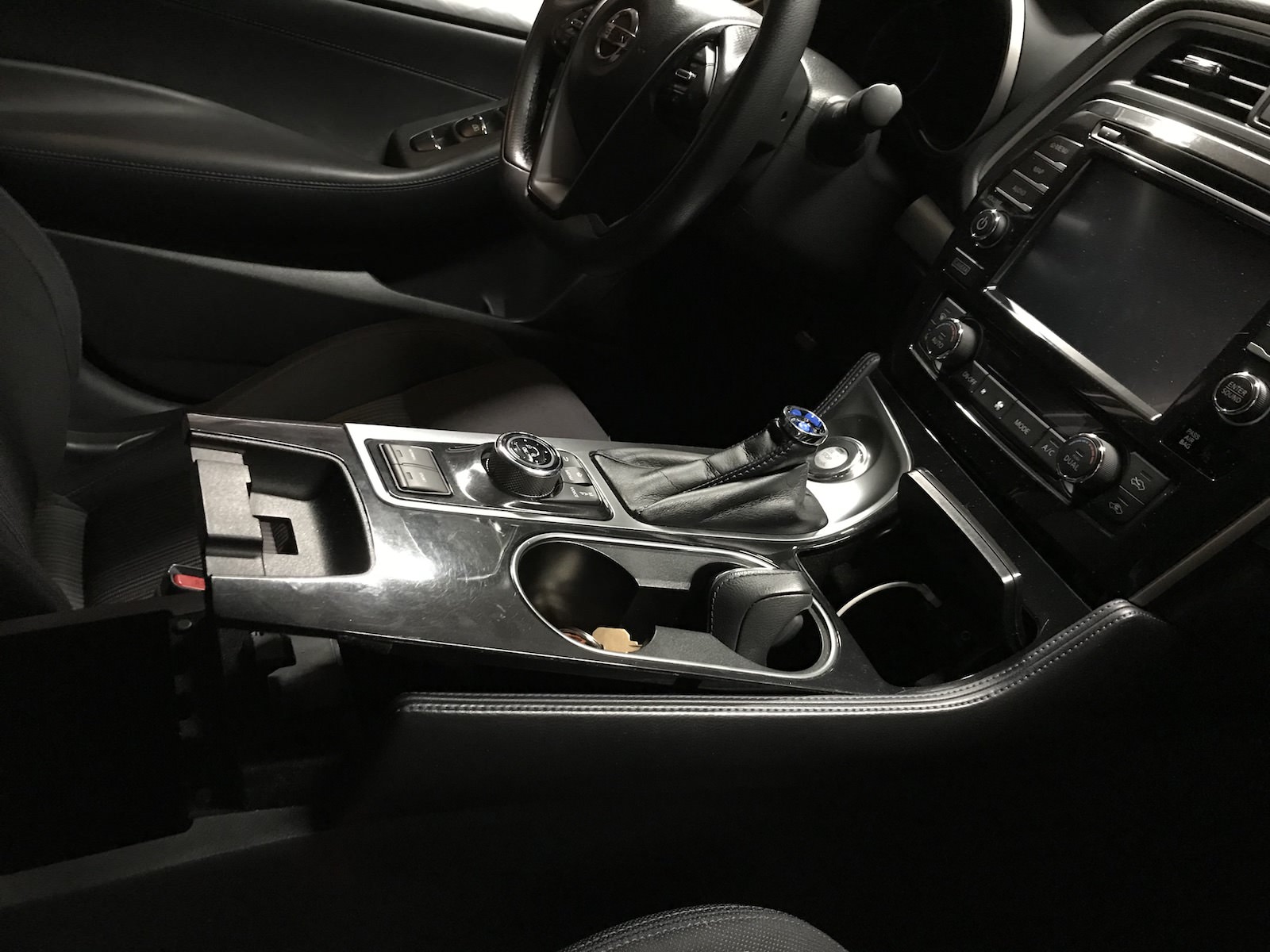
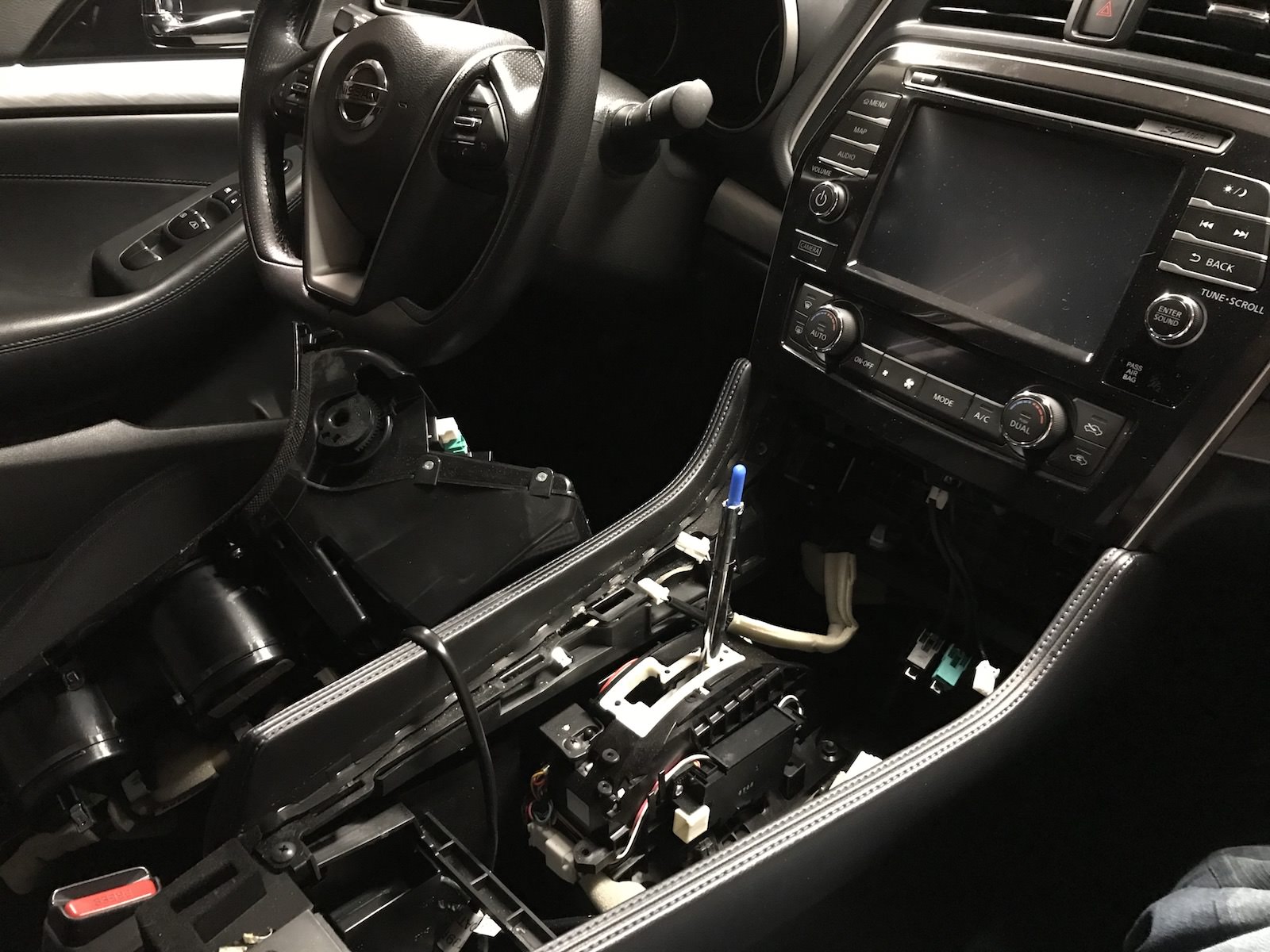
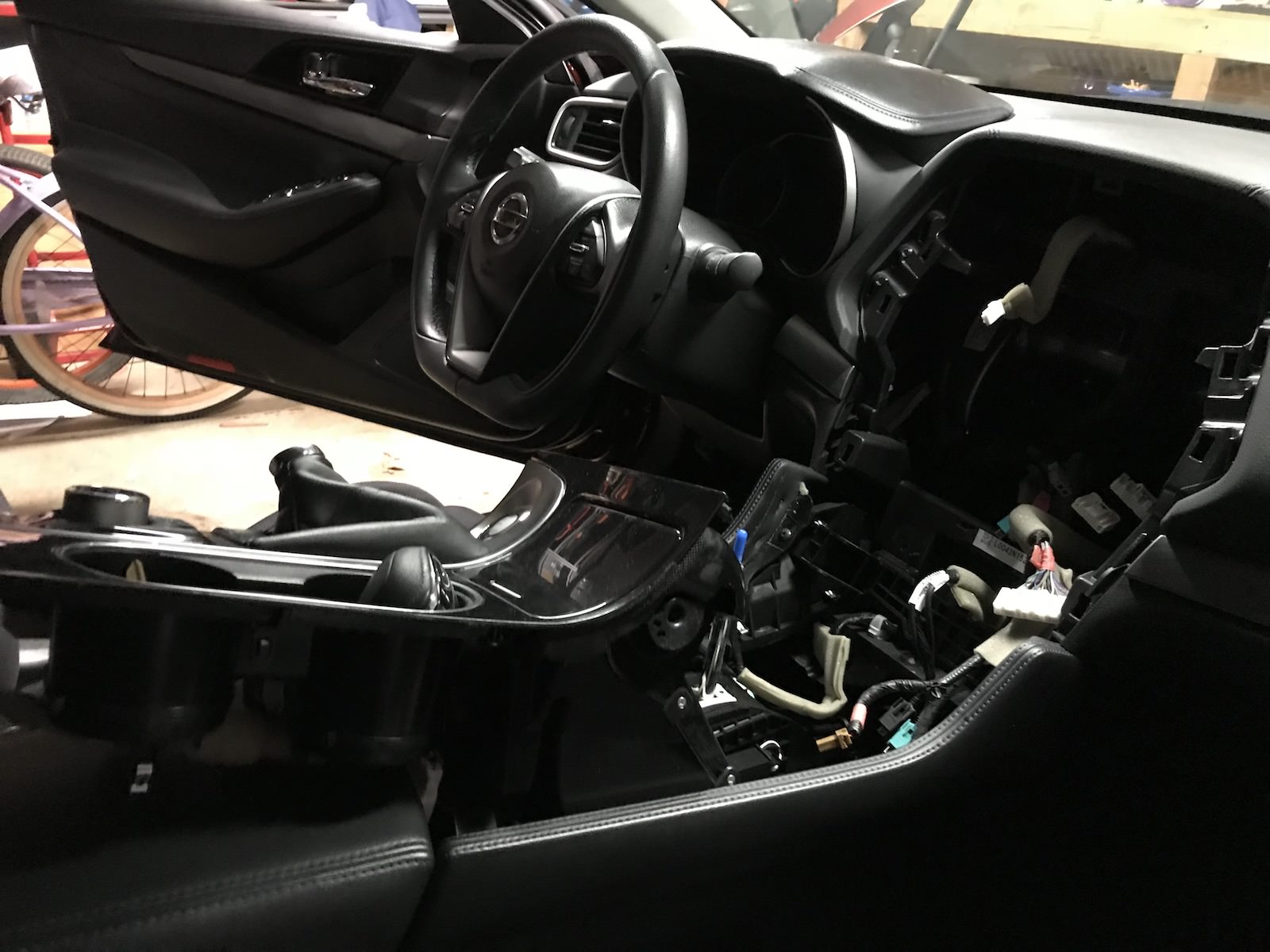
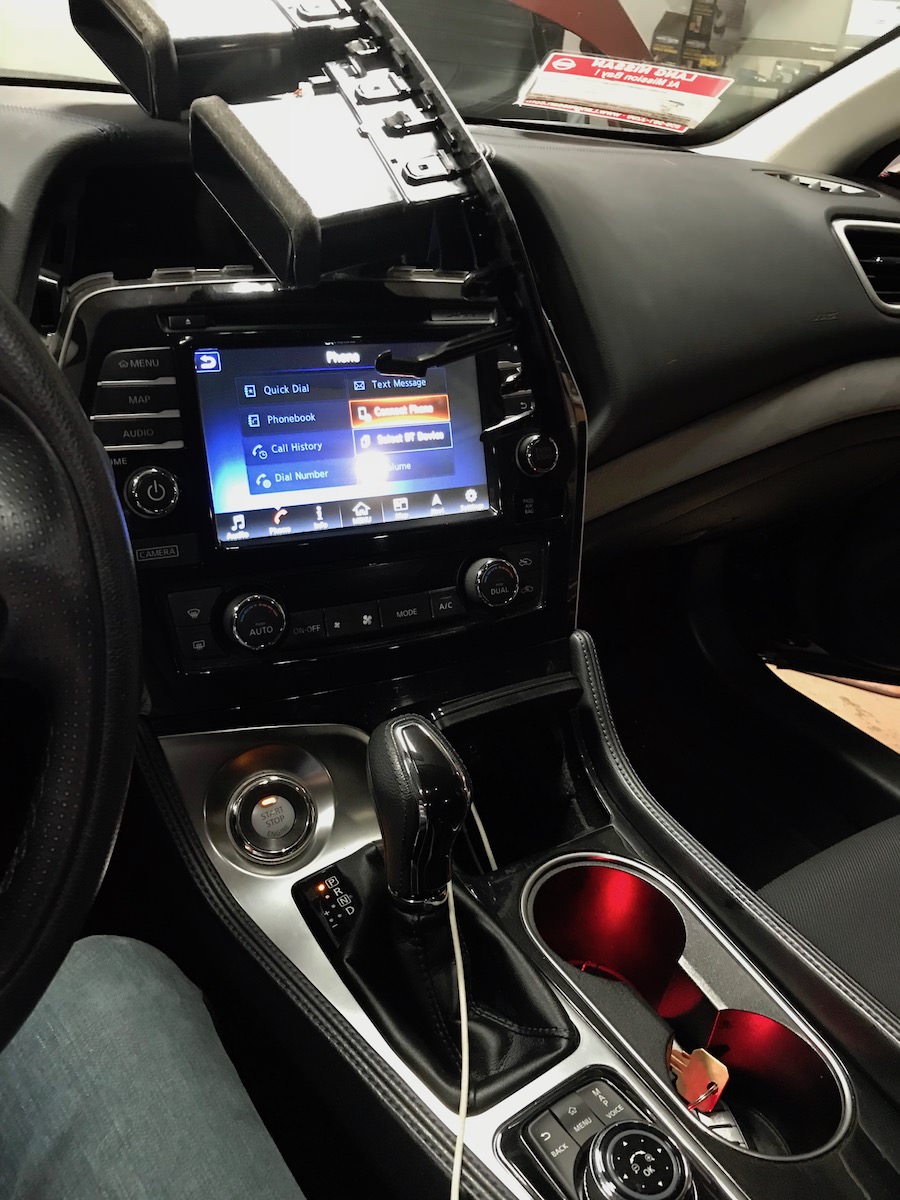
Start by removing the shifter by pushing the boot down and removing the retaining clip on the handle. Slide the handle up and then remove the boot. Then gently pry up the console. Once loose then remove all the connectors and set aside. As a note i wasn't able to remove all the wires but i did get enough off to manage to swing it into the drivers seat. Once the console is put to the side remove the two screws holding the radio in that are under the air control.
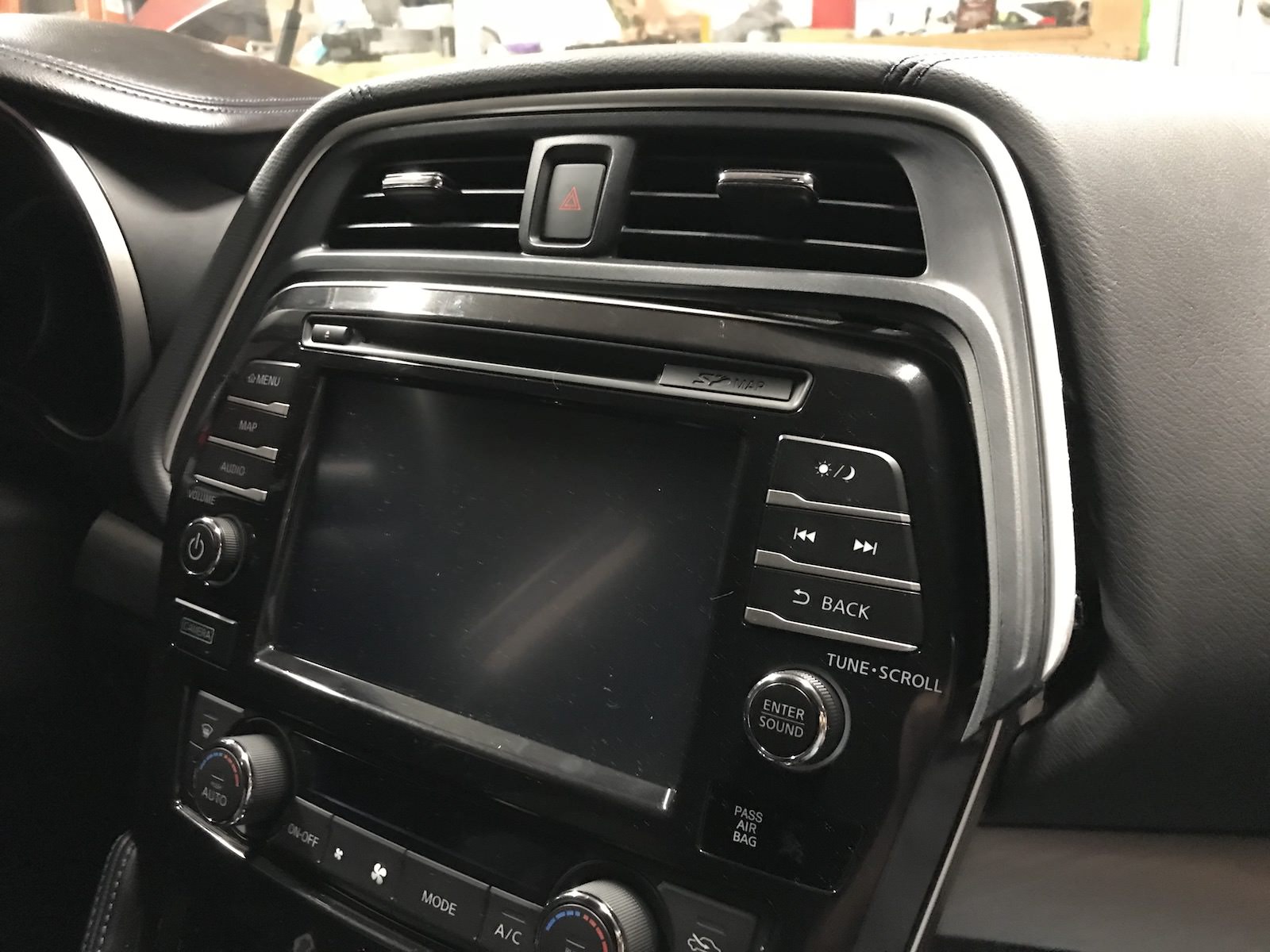
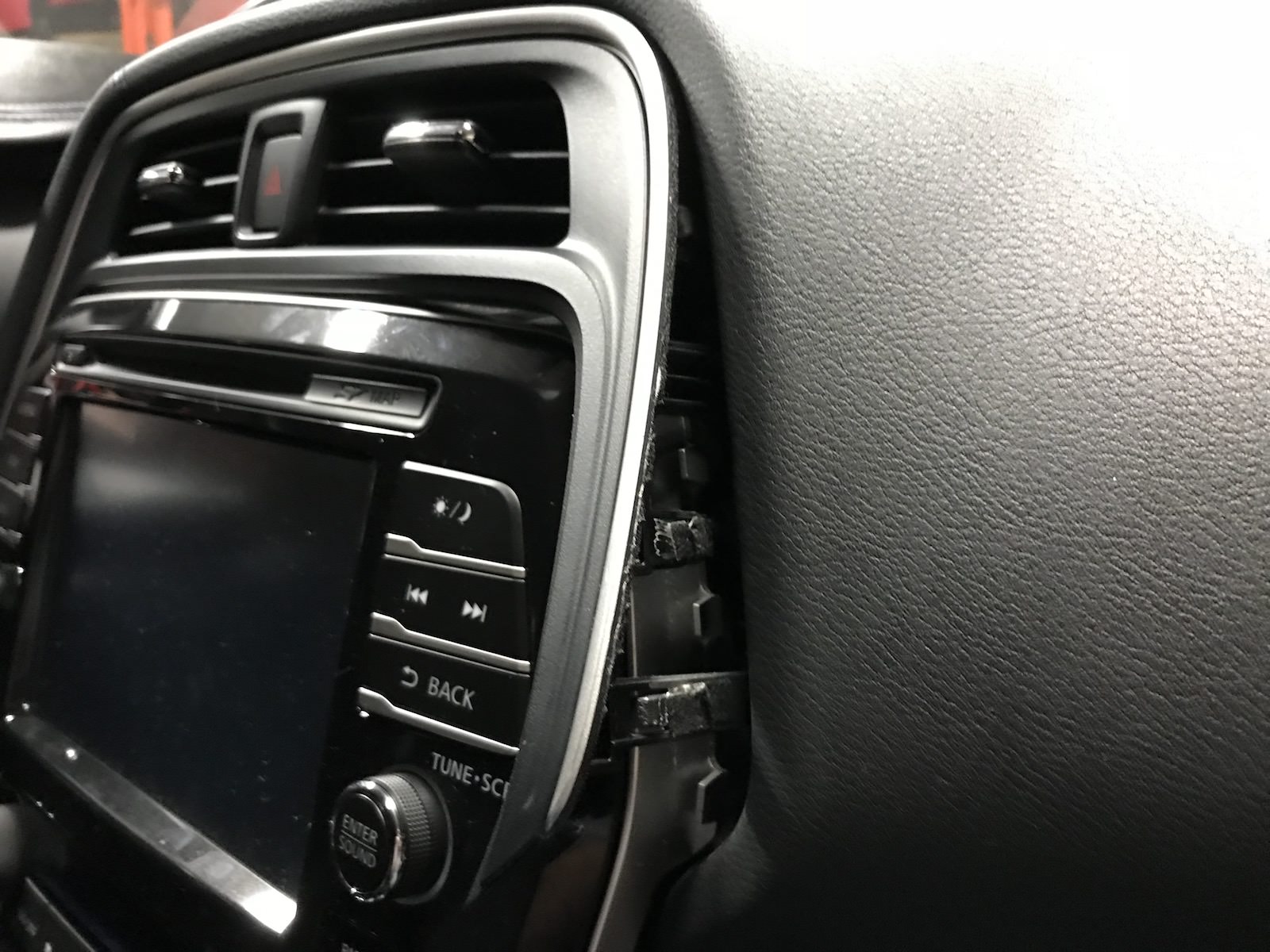
Next slowly start prying up the upper air vents using the plastic tool. The vents are probably the hardest thing to remove and takes a lot of work with the plastic tool. Start by sticking the plastic shim between the soft dash material and the outter edge.
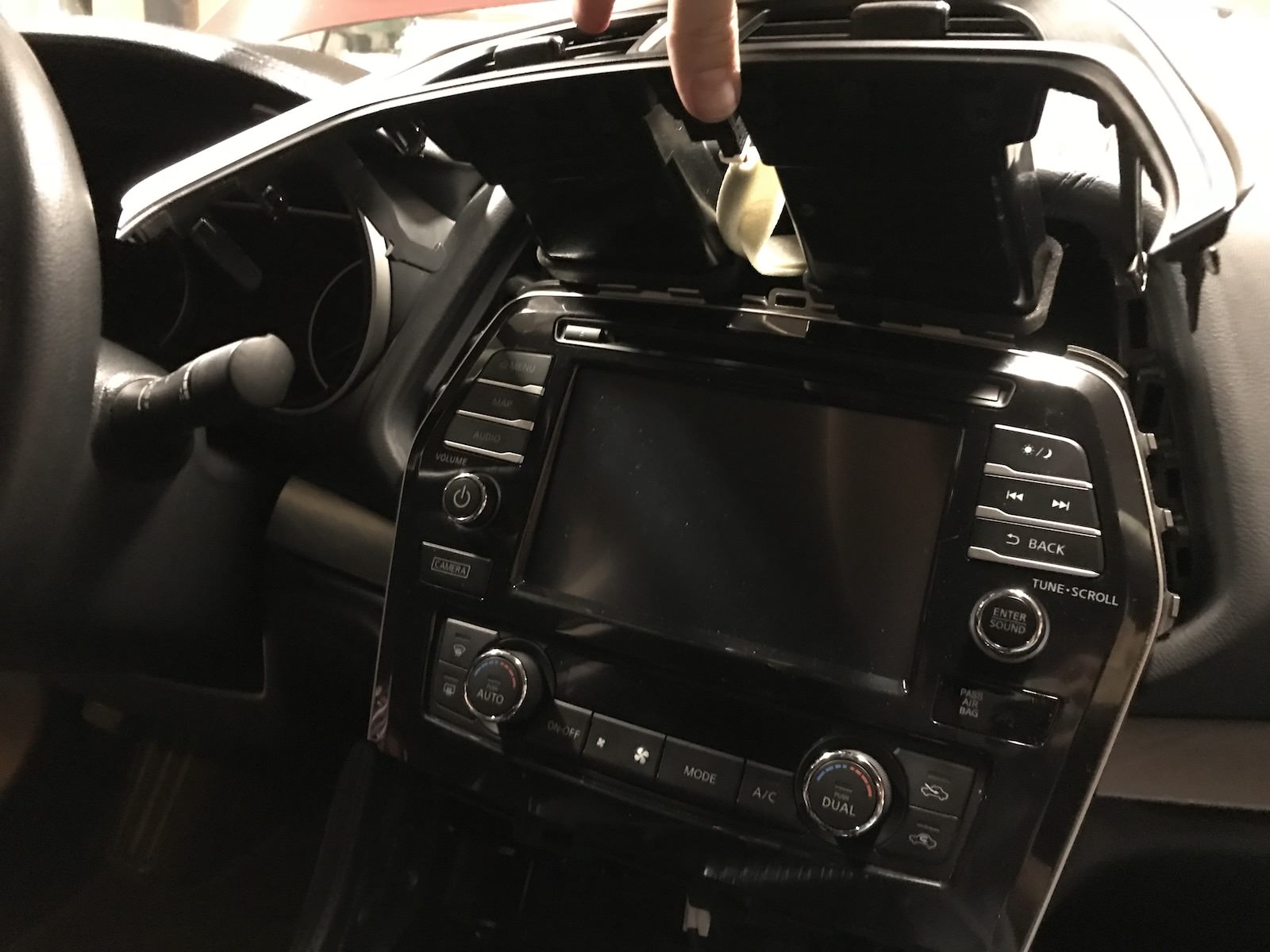
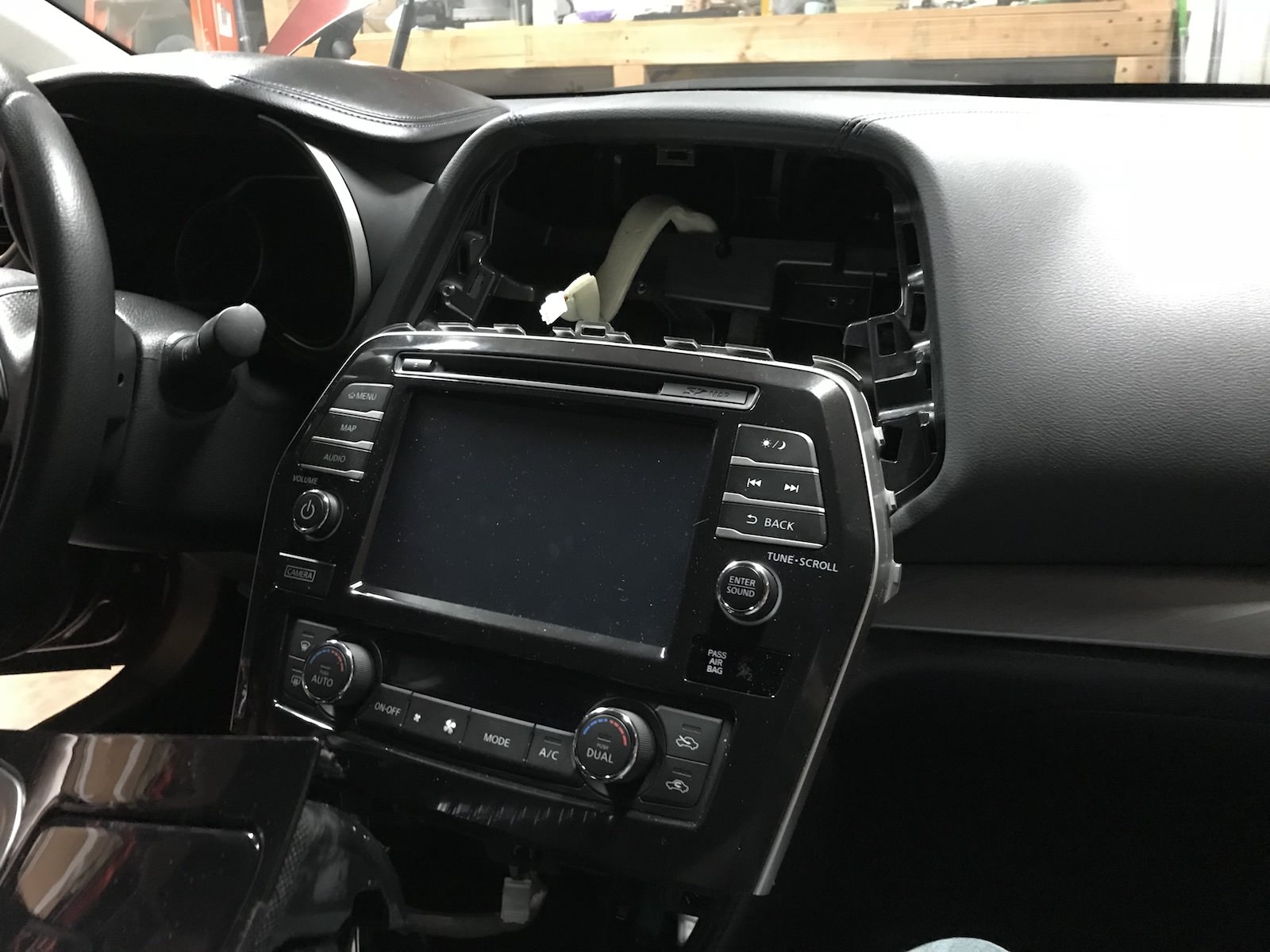
Remove the vent and set aside. Then remove the screws from the top of the unit and gently pry the unit straight outward from the dash. Work slowly and don't pull too hard.
Disconnect all the cables and gently remove the clip holding one of the wires in place.
Be sure not to rip your hands up! That **** is sharp.
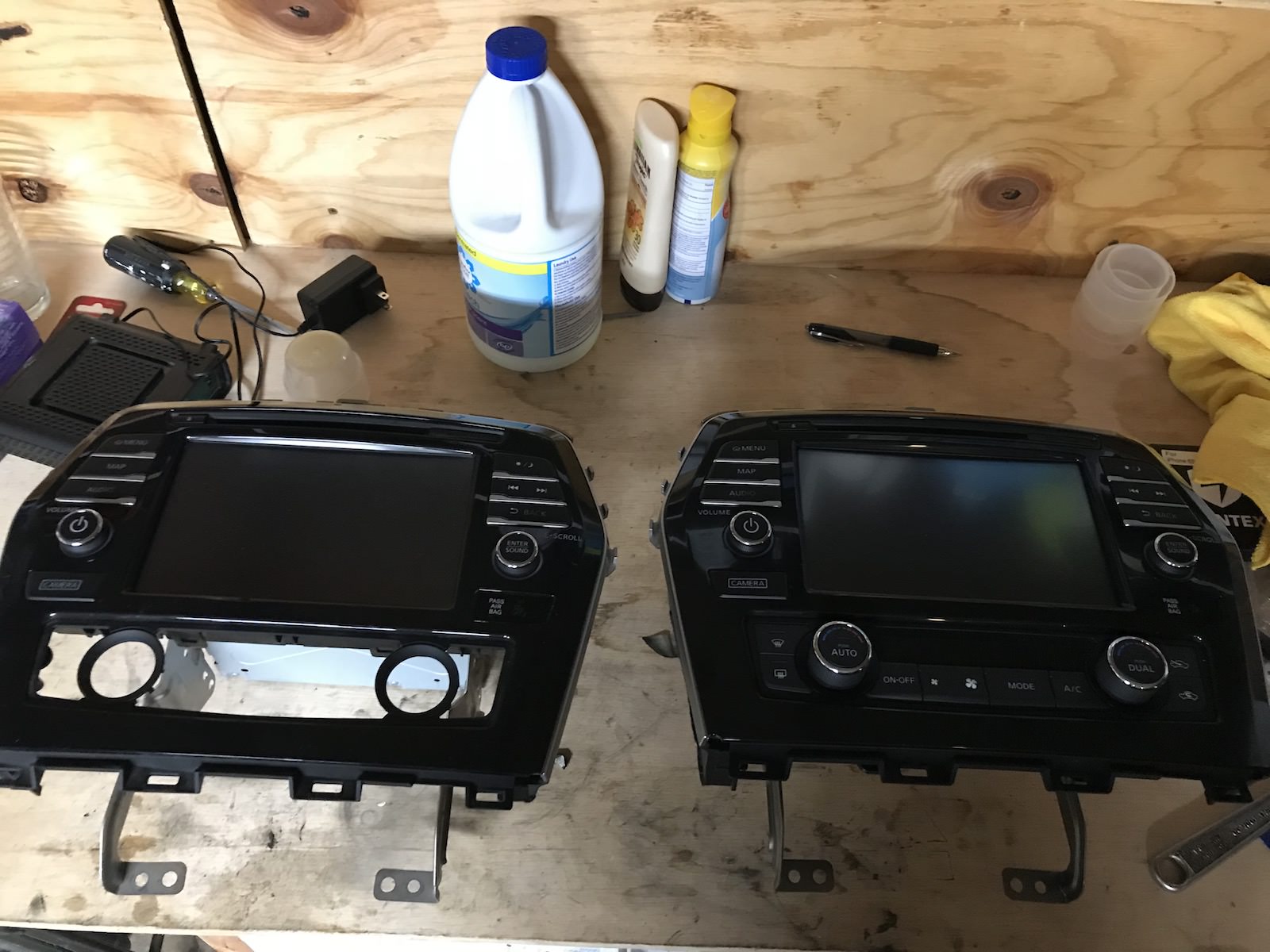
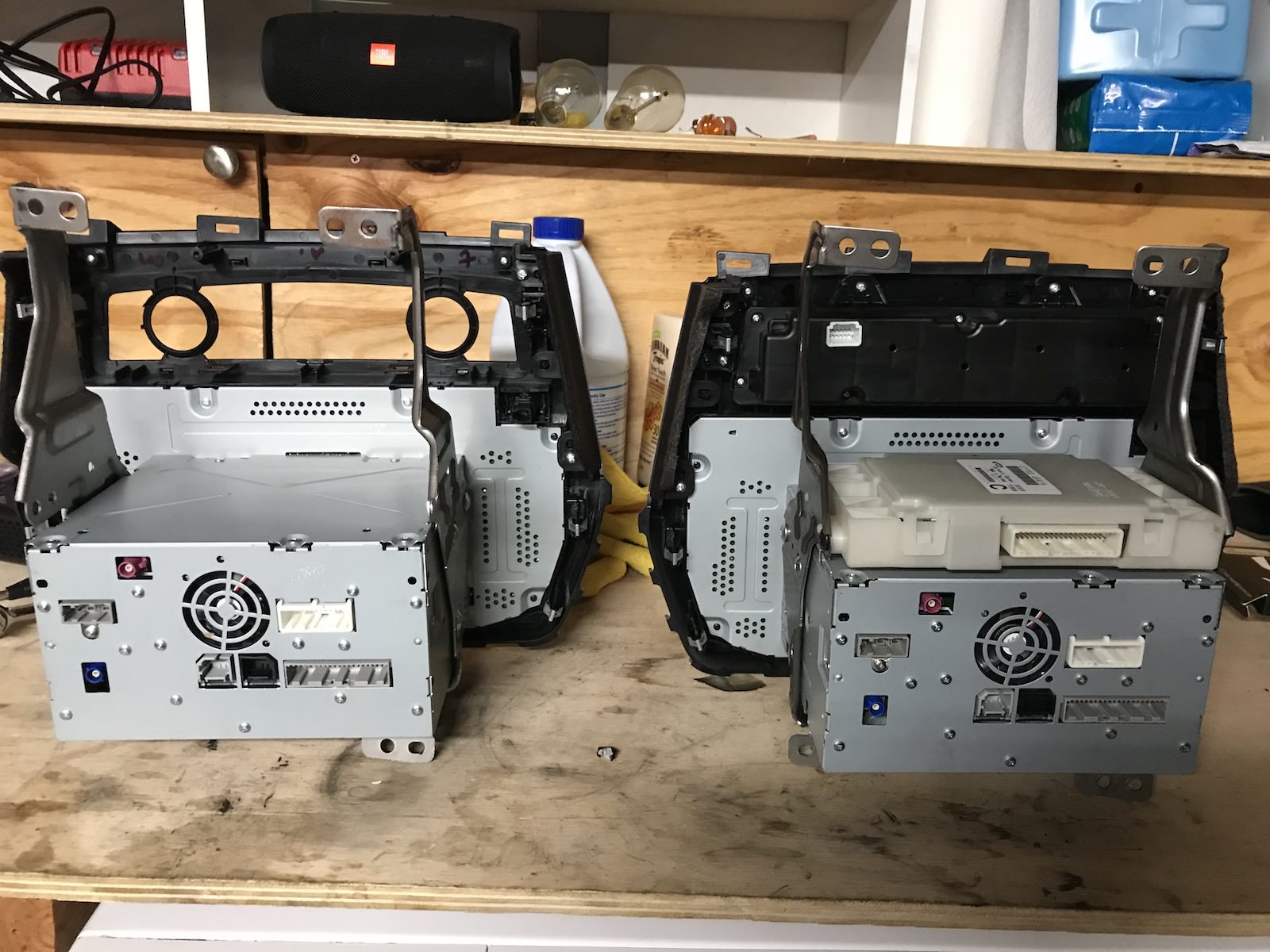
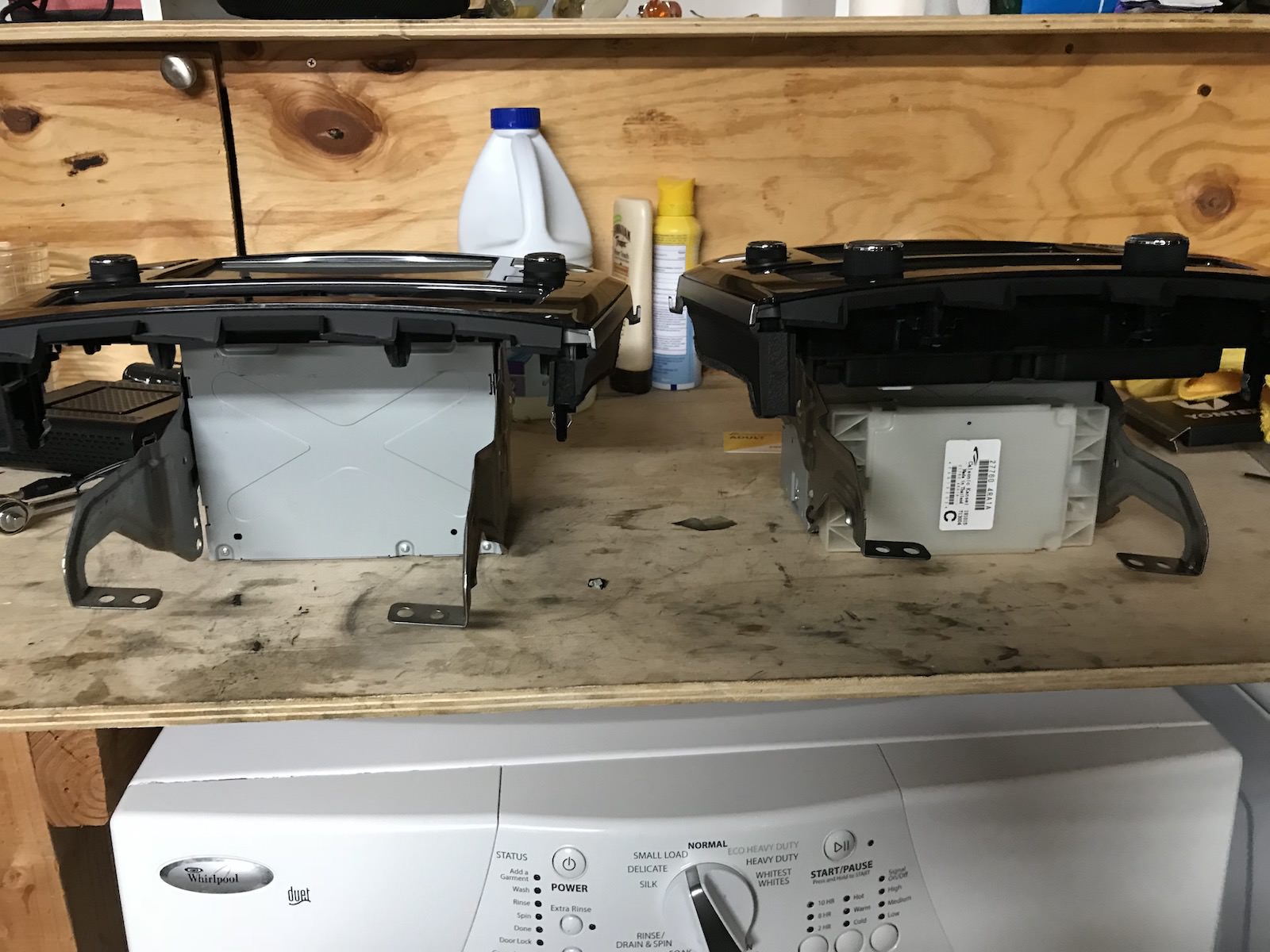
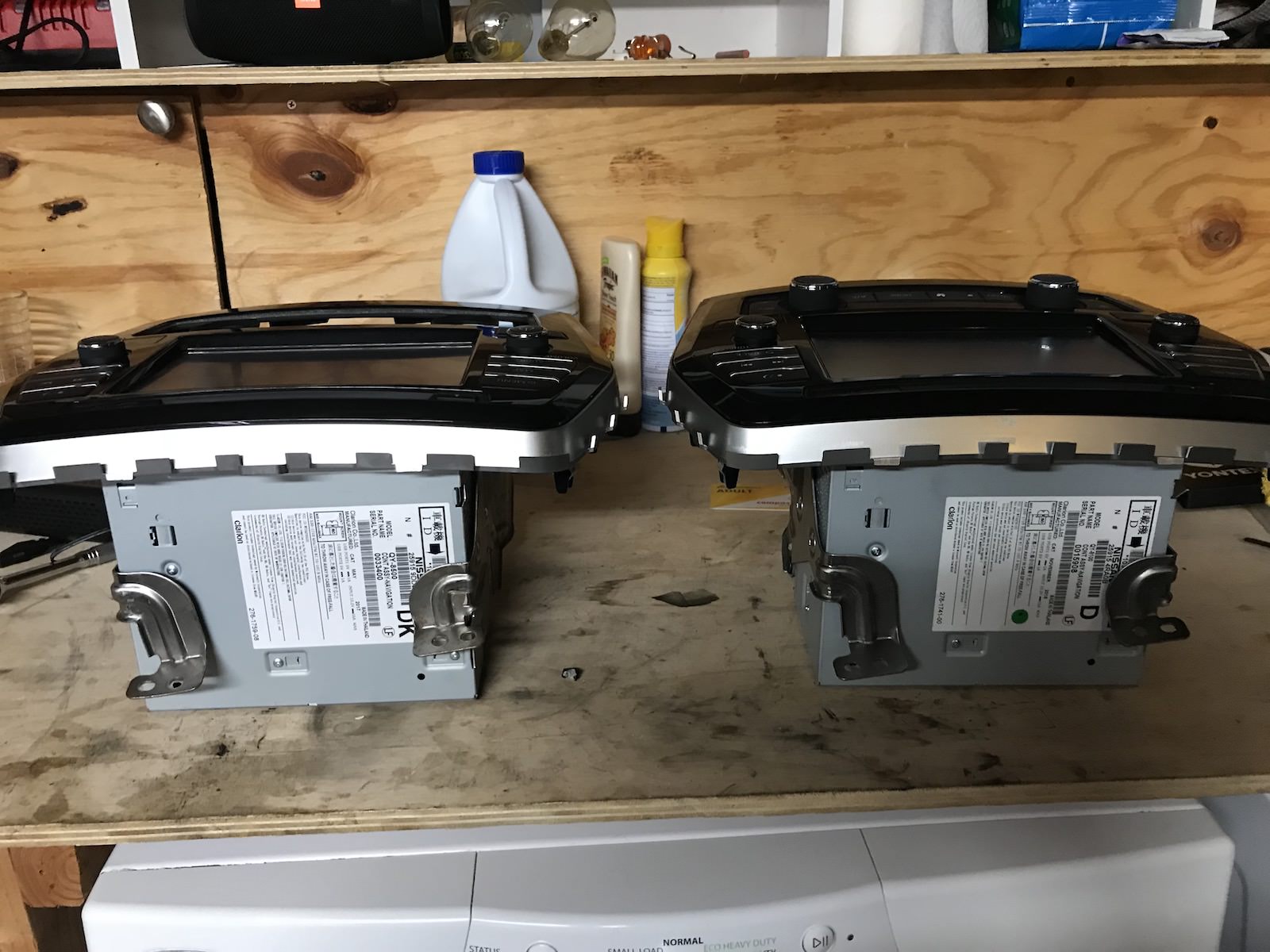
With the unit removed you are in the home stretch. Here are the two units side by side.
Interesting to note that the units are damn near identical. I would say that they have to have nearly the exact same hardware on the inside.
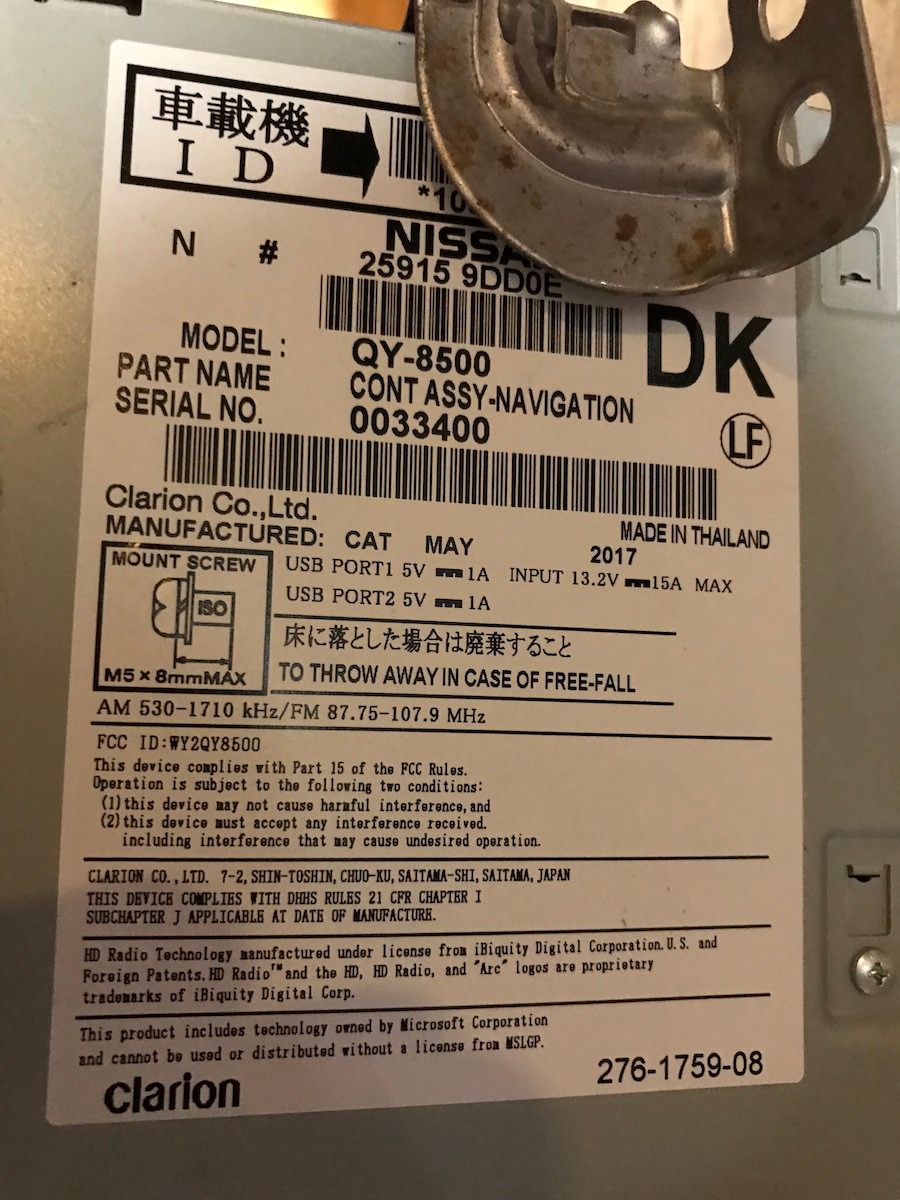
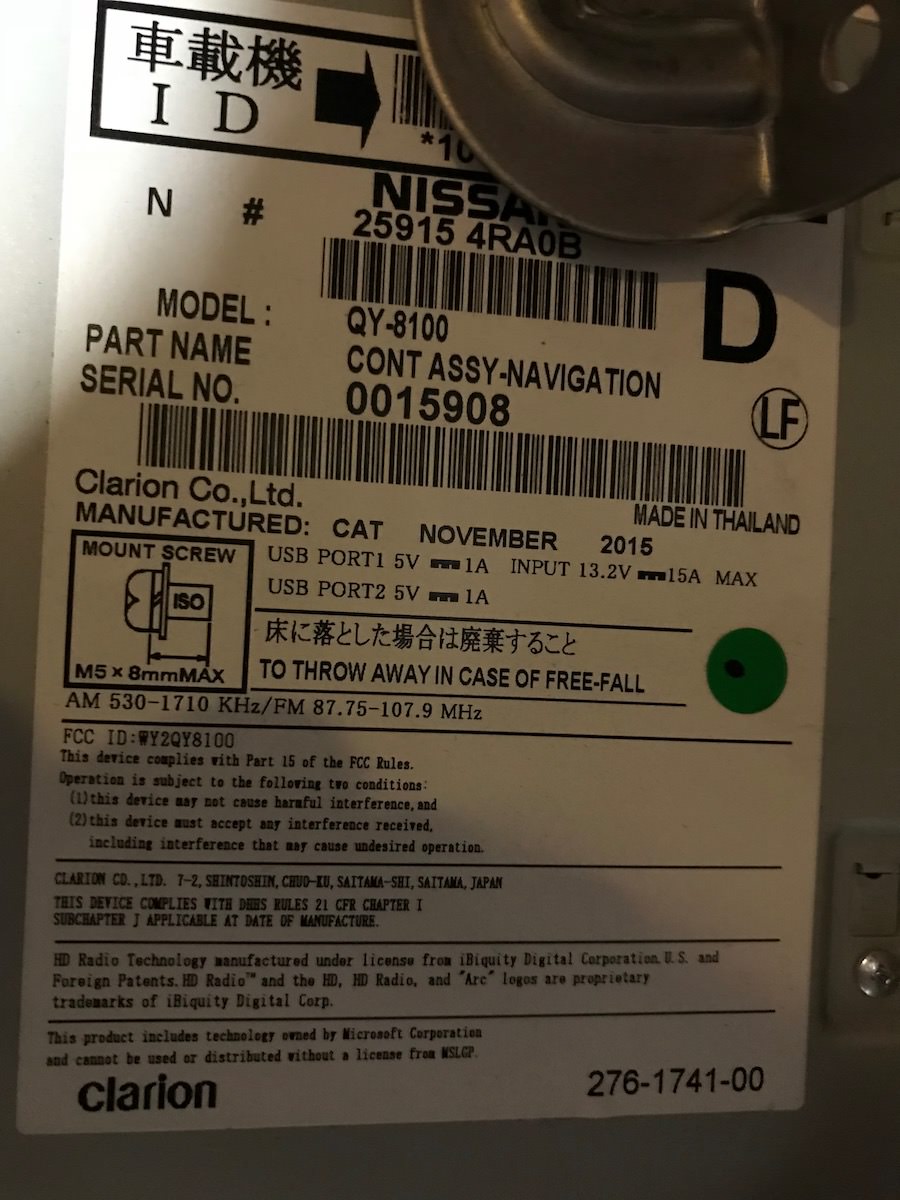
Here's the decal on the older unit:
When done gawking at how retarded this is that it isn't just a firmware update unscrew the AC controls and then use the pry tool to release the two clips holding it in place. Then use the star tool to remove the white box of unknown mysteries and transfer them over to the new head unit.
I just bought a unit off EBAY Part Number: 25915-9DD1E to replace my current 2016 Bose Nav. It's shipping today, and I'll let you know how my swap
goes for my 2016 SL
I own a 2017 Maxima SL w/ BOSE. I'm looking to swap my head unit with a 2018 to take advantage of Android Auto. I'm confused regarding the part number. I need a 2018 unit w/BOSE. What would that part number be? I actually found one thru a salvage (but the guy wouldn't give me the part number for me to research). Regardless, any help would be greatly appreciated!
I've replaced my 2017 Maxima headunit with a 2018 headunit since I have an Android phone now. Apple CarPlay worked well on the 2017 but I definitely like Android Auto better.
Having said that, I have a 2017 model for sale and it's in great shape with the sd card and everything
I've replaced my 2017 Maxima headunit with a 2018 headunit since I have an Android phone now. Apple CarPlay worked well on the 2017 but I definitely like Android Auto better.
Having said that, I have a 2017 model for sale and it's in great shape with the sd card and everything
What is the part number off your 2018 headunit? And it it with Bose?
What is the part number off your 2018 headunit? And it it with Bose?
The number off my 2018 unit is 25915-9DE0A. I don't have the Bose system. The one I have for sale is a 2017 model that has Apple CarPlay but no Android Auto so that will work out great if you only need Apple CarPlay and don't have the Bose system.
The number off my 2018 unit is 25915-9DE0A. I don't have the Bose system. The one I have for sale is a 2017 model that has Apple CarPlay but no Android Auto so that will work out great if you only need Apple CarPlay and don't have the Bose system.
Thanks for you reply @HoustonRocket! I own a 2017 Maxima SL with Bose so I have Apple CarPlay. I'm an Android guy so I'm looking for a 2018 unit with Bose so that I can have Android Auto. Do you know what the 2018 unit with Bose part number would be? Thanks again!
Thanks for you reply @HoustonRocket! I own a 2017 Maxima SL with Bose so I have Apple CarPlay. I'm an Android guy so I'm looking for a 2018 unit with Bose so that I can have Android Auto. Do you know what the 2018 unit with Bose part number would be? Thanks again!
Yup - based on what I've found on here and the official Nissan site the part you need is - 25915-9DE1A. That's the 2018 Bose model for sure. Just keep in mind there aren't a whole lot of them out there. I had to keep looking pretty much every day on car-part.com and then when I found one it was in a Florida salvage yard. They sold it to me for $110 and then around $35 shipping. I'm sure they had it marked as only the amplifier or something because it's going for a lot more than that at other salvage yards.
Before that, I found a guy that could get me one on ebay but he said that it would be close to $700 and that the price would eventually go down as there just aren't that many out there right now.
Yup - based on what I've found on here and the official Nissan site the part you need is - 25915-9DE1A. That's the 2018 Bose model for sure. Just keep in mind there aren't a whole lot of them out there. I had to keep looking pretty much every day on car-part.com and then when I found one it was in a Florida salvage yard. They sold it to me for $110 and then around $35 shipping. I'm sure they had it marked as only the amplifier or something because it's going for a lot more than that at other salvage yards.
Before that, I found a guy that could get me one on ebay but he said that it would be close to $700 and that the price would eventually go down as there just aren't that many out there right now.
Thank you so much! Yeah, I found a unit thru carpart.com (so I thought) for $400 delivered. But the guy wouldn't confirm the part number so I didn't pull the trigger. Definitely hard to find those units. Thanks again @HoustonRocket!
I've been following this thread because I would love to get Carplay in my 2016 Nissan Rogue but searching high and low, it seems that only as of the 2018 Rogue is Carplay enabled and it's not compatible with previous generations.
However, I did find a website that states the some of Nissan's vehicles are using the Open Source Software http://oss.bosch-cm.com/nissan.html
Perhaps this can help someone smarter than me figure out how to enable Carplay for those who don't have any options.
I went to the dealership and asked about this. I asked about updating the 2016 Maximas with AppleCarplay, the guy simply responds "Well, i can get you into a 2018" laughs and walks away. I kid you not.
So I just tried this swap today in my ‘16 SV. Got the correct model number radio but am having some issues. The radio itself works fine as well as CarPlay. However the IT commander, steering wheel controls and the AC controls do not work at all. Tried resetting everything back to factory settings, still no luck.
I've been following this thread because I would love to get Carplay in my 2016 Nissan Rogue but searching high and low, it seems that only as of the 2018 Rogue is Carplay enabled and it's not compatible with previous generations.
However, I did find a website that states the some of Nissan's vehicles are using the Open Source Software http://oss.bosch-cm.com/nissan.html
Perhaps this can help someone smarter than me figure out how to enable Carplay for those who don't have any options.
Dude everyone uses open source software, under the GNU license.
Has nothing to do with CarPlay.
Hi everyone. Had to sign up for this forum in an effort to help a friend out. She recently bought a 2016 SL, and we got to talking about the lack of Android Auto. I know this is a Car Play thread, but bear with me.
I've been reading every thread I could find on this forum, and others, about the different radio models and years. Obviously in order to get Android Auto we'll need to source a 2018 receiver. My question is this - in the pictures that show the back of the units it was alluded to that the third / brown plug was what differentiated a Bose unit from a standard. However, I saw it posted elsewhere that the brown / third plug is actually for the Around View system, which would make sense. Has anyone tried using a "non-Bose" unit with just the two plugs with a "Bose" unit that has 3?
As a shot in the dark, I think it would work. The head unit processes the audio, but hands it off to the Bose amp after that. I think it would be the same unit with just different speakers / amps (unless you have the Around View system.)
Just food for thought and throwing it out there to those of you who've been in these cars for a while. If it can be done, the junkyards are chock full of the S & SV radios, and it would make this conversion a lot easier. Again, I don't own the car, I'm just trying to help out a non-tech oriented friend.
***EDIT*** Also, has anyone tried using a unit from a Murano and then swapping face plates?
Thanks.
Last edited by BadSenorRon; Jun 28, 2019 at 02:52 PM.
Hey everyone, new owner of a 2016 SV and loving it!! This thread was really helpful in my decision on a 2016 vs. 2017. Fell in love with the 2016 I drove with only 23K miles on it so I pulled the trigger! I already swapped out the stereo for a nice used 2017 model found on eBay in awesome shape and everything works amazing!! I even upgraded my iPhone to iOS 13 beta to make use of the new Carplay, which is so much better btw. If you haven't seen it in action do a quick YouTube search.
I did have a few questions I was hoping someone could answer though. My Maxima came with a free XM trial that wasn't activated. I can't get it to activate on the new 2017 stereo since the radio ID isn't a match. I suppose I could call XM and ask them? How does the vehicle treat the radio swap out? Does this radio or the SD card have info pertaining to the old vehicle it was removed from? Also my maps version on this one says 16-17YEAR program version 106. When visiting the Nissan website to upgrade it says current version is 11, not sure what year that correlates to. The 2016 I purchased had 2013-14 maps on it and I was told they would pay to bring it up to current thru the Nissan dealer. But I'm worried the dealer is just going to toss on something from a 2016 even though I've swapped out to a 2017. May not even bother though since I could technically just use Google Maps thru CarPlay. Thx!
Hey everyone, new owner of a 2016 SV and loving it!! This thread was really helpful in my decision on a 2016 vs. 2017. Fell in love with the 2016 I drove with only 23K miles on it so I pulled the trigger! I already swapped out the stereo for a nice used 2017 model found on eBay in awesome shape and everything works amazing!! I even upgraded my iPhone to iOS 13 beta to make use of the new Carplay, which is so much better btw. If you haven't seen it in action do a quick YouTube search.
I did have a few questions I was hoping someone could answer though. My Maxima came with a free XM trial that wasn't activated. I can't get it to activate on the new 2017 stereo since the radio ID isn't a match. I suppose I could call XM and ask them? How does the vehicle treat the radio swap out? Does this radio or the SD card have info pertaining to the old vehicle it was removed from? Also my maps version on this one says 16-17YEAR program version 106. When visiting the Nissan website to upgrade it says current version is 11, not sure what year that correlates to. The 2016 I purchased had 2013-14 maps on it and I was told they would pay to bring it up to current thru the Nissan dealer. But I'm worried the dealer is just going to toss on something from a 2016 even though I've swapped out to a 2017. May not even bother though since I could technically just use Google Maps thru CarPlay. Thx!
Hello, from the factory it’s linked to vehicle’s VIN. But radio itself has its own serial. You need to look in the setting for the serial and then provide it to XM. I’m pretty sure they can give you a trial for a few month if you know how to ask.
Hello, from the factory it’s linked to vehicle’s VIN. But radio itself has its own serial. You need to look in the setting for the serial and then provide it to XM. I’m pretty sure they can give you a trial for a few month if you know how to ask.
Cool, thx. I'm guessing in order to get the new radio linked to the vehicle it would require Nissan to put in a new SD card that matched?
Yup - based on what I've found on here and the official Nissan site the part you need is - 25915-9DE1A. That's the 2018 Bose model for sure. Just keep in mind there aren't a whole lot of them out there. I had to keep looking pretty much every day on car-part.com and then when I found one it was in a Florida salvage yard. They sold it to me for $110 and then around $35 shipping. I'm sure they had it marked as only the amplifier or something because it's going for a lot more than that at other salvage yards.
Before that, I found a guy that could get me one on ebay but he said that it would be close to $700 and that the price would eventually go down as there just aren't that many out there right now.
I am getting a new Head Unit in my wife’s 2016 platinum. The part number they are using is the same as for a 2017. So it will have CarPlay. But they say they will move my SD card over. Does the SD card affect CarPlay? Or is it just for Maps?
Bought a unit on eBay ending in 9DD1C (manufactured Sept 2016) and installed it myself in a 2016 SR w/Bose today. Trust me, if I can do this then anyone can. The most difficult part for me was disassembling the dash to get the radio out. Was scared as **** that I was going to break something but it all worked out. Had to move the climate control over to the new unit but that was just a few screws, and everything else plugged right into place. Took less than an hour to install.
Yes, it should turn on. Unplug all the connections and make sure they are pushed in. Also make sure the two white connectors are inserted into the correct slot. They are very similar and could be easily plugged into the wrong plug.
In case anyone is wondering what happens if you reverse these two connectors.... it will cause a Chassis Control System Malfunction and your car will freak the hell out. lol The fan was running full speed, everything was beeping, the Start button wasn't responding, then the engine fired up and I couldn't shut it down. I finally had to pull the fuel pump fuse to kill it. I spent a good part of my day battling this before I came across this post and figured out what the problem was. Thank you Dw3, you are my hero! Swapped the connectors and all is well. Whew!
Thanks Jrod. All you guys amaze me with your willingness to tear into the dash an swap things out. Thanks for sharing your hard earned success with the rest of us. Now what I am wondering if the 2019 Bose system can be backward compatible with the 2016-2018s. since they are made by different mfrs.
So our 2016 got a $5,000 new head unit yesterday. It was an out of warranty concession that Nissan gave me because of a intermittent loss of audio. The new Unit is the same Part Number as one that would go into a 2017 (I double checked) 25195-4RA1B. The new unit came with its own SD Card and that is what was used.
Still no CarPlay!!! I have no idea why. This part number should have gave our '16 Carplay
It came with '14-'15 maps..... why would a new $5,000 install not have the newest Maps
Lastly it did NOT fix the original problem
Can anyone explain to me we the CarPlay is not there? Do the techs "tell" the Head Unit what year its going in? is there some final settings or firmware the tech gives it during install?
I take it back on 11/4 so the original tech who miss diagnosed it can start over again. Meanwhile I am right back were I started, Old Maps, no carplay and a radio that cuts out every 2 minutes or so.
So our 2016 got a $5,000 new head unit yesterday. It was an out of warranty concession that Nissan gave me because of a intermittent loss of audio. The new Unit is the same Part Number as one that would go into a 2017 (I double checked) 25195-4RA1B. The new unit came with its own SD Card and that is what was used.
Still no CarPlay!!! I have no idea why. This part number should have gave our '16 Carplay
It came with '14-'15 maps..... why would a new $5,000 install not have the newest Maps
Lastly it did NOT fix the original problem
Can anyone explain to me we the CarPlay is not there? Do the techs "tell" the Head Unit what year its going in? is there some final settings or firmware the tech gives it during install?
I take it back on 11/4 so the original tech who miss diagnosed it can start over again. Meanwhile I am right back were I started, Old Maps, no carplay and a radio that cuts out every 2 minutes or so.
Hate to tell you this but that is not a 2017+ head unit. That’s the exact same model number that I just pulled out of my 2016 SL. It does not have Car Play. Also whoever told you it cost $5000 is full of it. Tell them I’ll take $300 for mine and they can keep the $4700 profit. lol
Hate to tell you this but that is not a 2017+ head unit. That’s the exact same model number that I just pulled out of my 2016 SL. It does not have Car Play. Also whoever told you it cost $5000 is full of it. Tell them I’ll take $300 for mine and they can keep the $4700 profit. lol
Damn it! really?!
I checked on line and it said the "B" was for a 2017 and superseded the "A" which was originally for 2016. If you look up the one that ends in B it said it is for a 2017 Platinum, SR and SL so it should have CarPlay.
The "warranty cost" is $4,900 for that part number the "customer" cost is $3,900. I didn't pay any of that as it was done under warranty.
Well I haven't actually looked up the cost of a new one, but that would be some serious depreciation if that is true. They are only going for around $300-$400 used
From what i can tell looking at it the faceplate is definitely removable, though it will take a bit more unscrewing / using clips to get it undone.
I just completed my installation of the DD0E version that i got off car-parts.com for $275 shipped! All i did was look up the "navigation system" and start calling people until someone read off the part number i needed. Mine came all the way from New York to San Diego!
First impressions? CarPlay is slick as hell but the way it integrates into the regular system is clunky as hell. Particularly flipping between FM and CarPlay is frustrating.
Anyways here are my instructions! It took about 1 hour to do going quite slowly and double checking my work agains't the shop manual. I not new to cars or car electronics so maybe it might take a novice a bit longer. If you don't want to read it here check out the Imgur album: https://imgur.com/a/xjEItJj
First off get the following tools to help you on your quest. The two most important tools are the plastic pry tool and the start driver.
Here is the deck i purchased
Start by removing the shifter by pushing the boot down and removing the retaining clip on the handle. Slide the handle up and then remove the boot. Then gently pry up the console. Once loose then remove all the connectors and set aside. As a note i wasn't able to remove all the wires but i did get enough off to manage to swing it into the drivers seat. Once the console is put to the side remove the two screws holding the radio in that are under the air control.
Next slowly start prying up the upper air vents using the plastic tool. The vents are probably the hardest thing to remove and takes a lot of work with the plastic tool. Start by sticking the plastic shim between the soft dash material and the outter edge.
Remove the vent and set aside. Then remove the screws from the top of the unit and gently pry the unit straight outward from the dash. Work slowly and don't pull too hard.
Disconnect all the cables and gently remove the clip holding one of the wires in place.
Be sure not to rip your hands up! That **** is sharp.
With the unit removed you are in the home stretch. Here are the two units side by side.
Interesting to note that the units are damn near identical. I would say that they have to have nearly the exact same hardware on the inside.
Here's the decal on the older unit:
When done gawking at how retarded this is that it isn't just a firmware update unscrew the AC controls and then use the pry tool to release the two clips holding it in place. Then use the star tool to remove the white box of unknown mysteries and transfer them over to the new head unit.
Then just re-install!
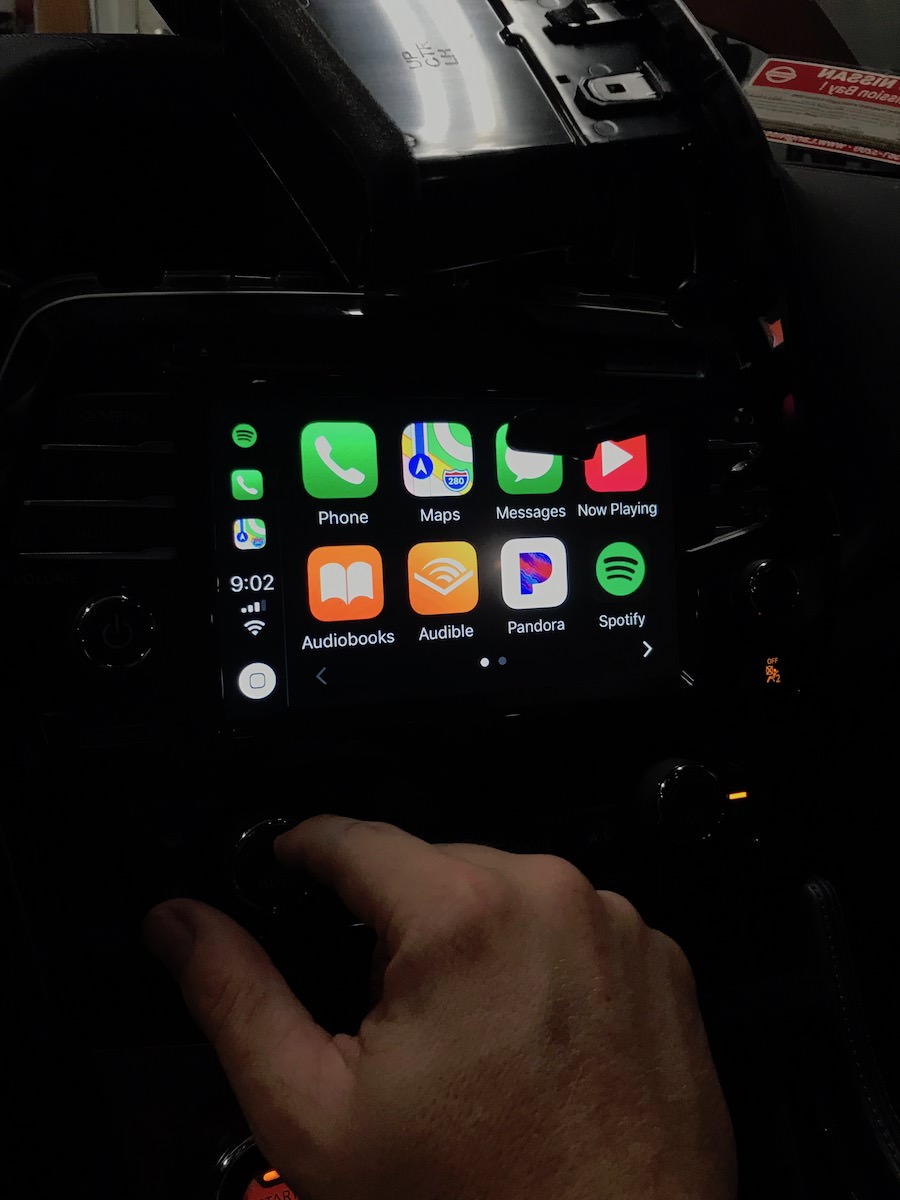
Success, CarPlay!
Did you transfer the white box from the old nav unit to the new one?
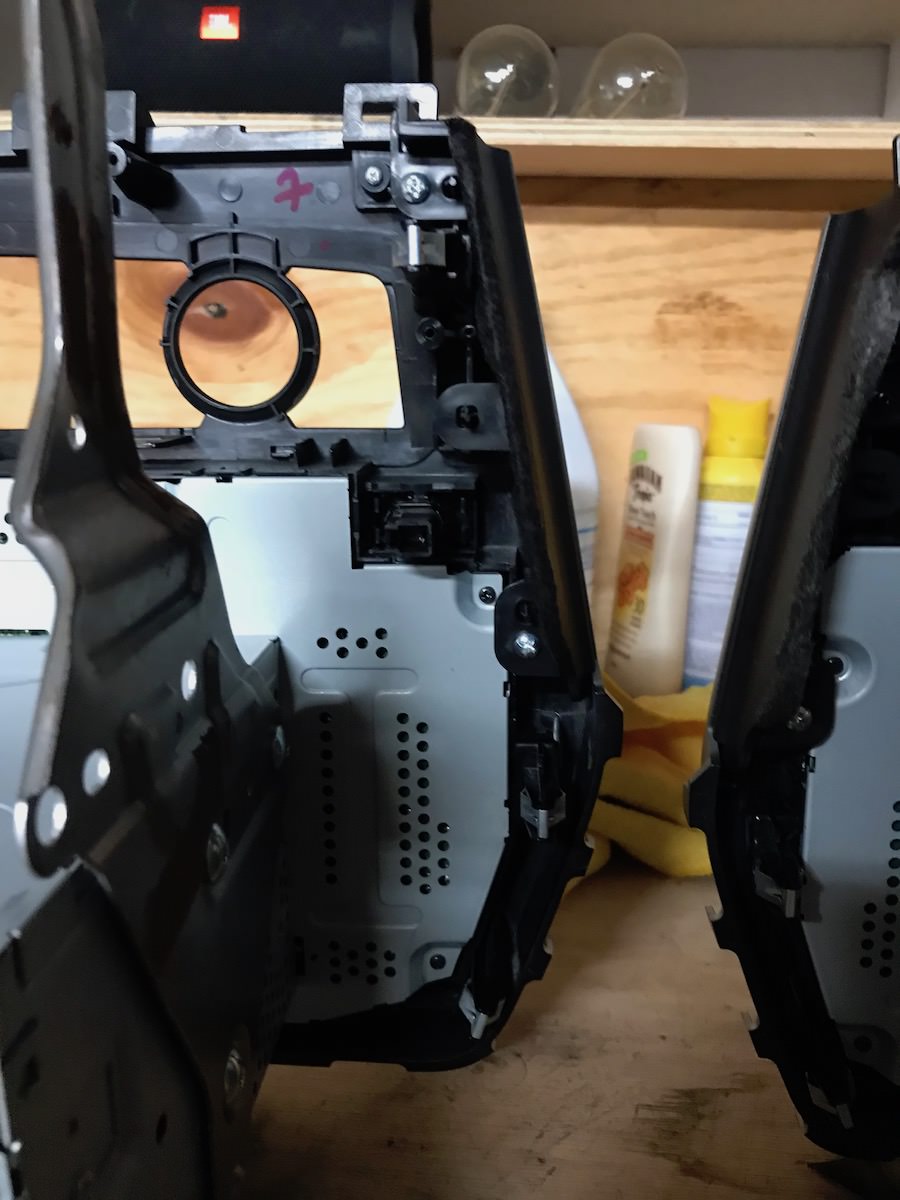
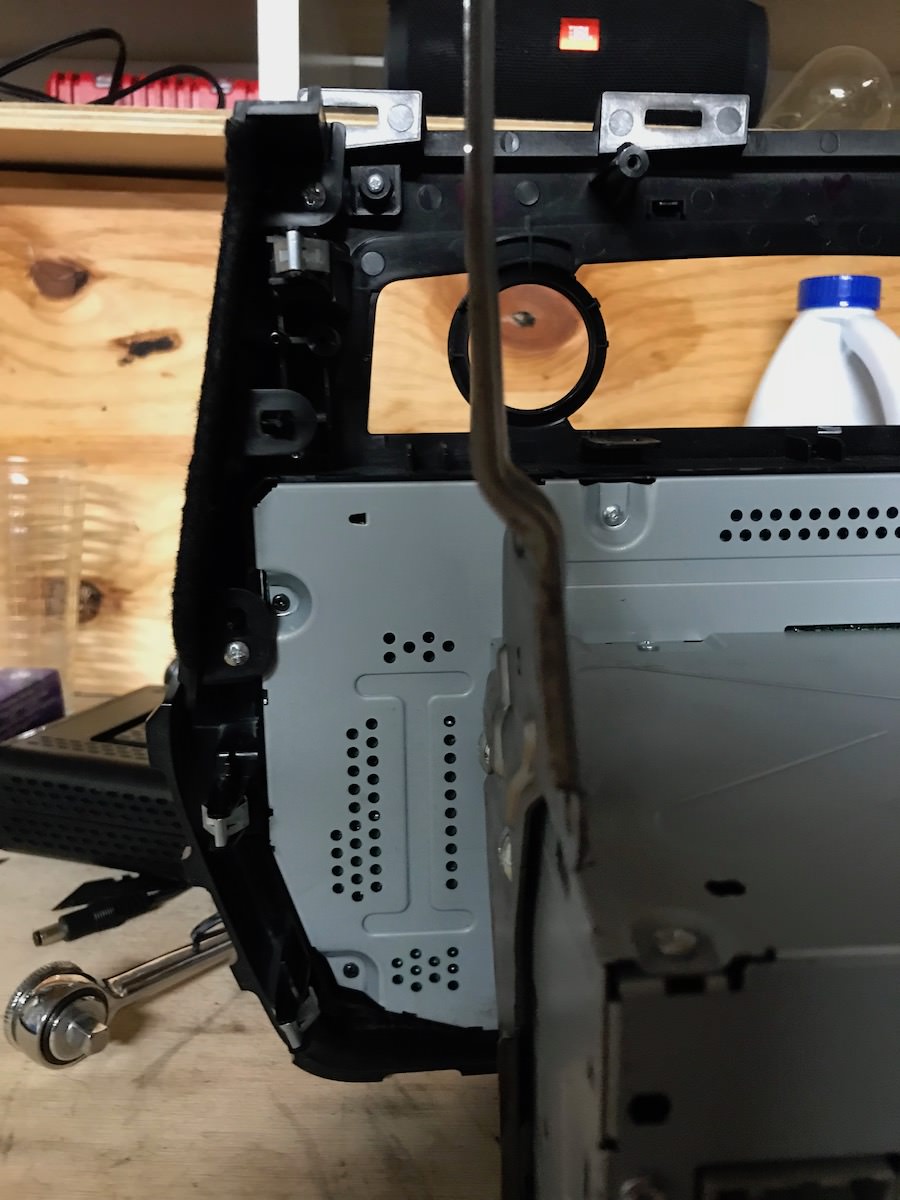
Thanks to kilowhisky's guide, I replaced my 2017 head unit with a 2018 to get android auto. While the 2018 head unit from ebay was in ok shape, my faceplate was in better condition. Turns out a faceplate swap is a relatively quick job, and the head unit breaks down into the magic box and the faceplate/display/switchgear easily. Disassembly:
Remove the side trim pieces and climate controls (yellow, climate controls not pictured). Climate controls removal is needed for reassembly.
Remove the two shiny screws below the magic box and four black screws around the sides and top (red).
Use a spudger to release the clips around the outside of the metal backing while applying gentle pressure to tilt the magic box (blue).
Reach between the magic box and faceplate and flip the tab holding the ribbon cable up to release.
Marvel at how exactly the same they are, swap, and reassemble.
The ribbon cable is too stiff to manipulate with tweezers, and the metal backing is too large for pliars. Plus the exposed PCB is a little too fragile for most tools. The easiest way I figured out was to look at the faceplate and magic box from the bottom and maneuver the box to seat the ribbon cable. The cable is stiff enough to completely seat with a little wiggling.
Reach in and flip the tab down to lock the cable in place. Give it a gentle tug to make sure it has seated properly.
Seat the magic box on the faceplate and reassemble.
I can upload some pictures if requested.
EDIT: Sorry for the poor quality.
Last edited by SomeoneElse; Jan 20, 2020 at 05:06 PM.
Reason: Added pictures
Thanks to kilowhisky's guide, I replaced my 2017 head unit with a 2018 to get android auto. While the 2018 head unit from ebay was in ok shape, my faceplate was in better condition. Turns out a faceplate swap is a relatively quick job, and the head unit breaks down into the magic box and the faceplate/display/switchgear easily. Disassembly:
Remove the side trim pieces and climate controls. Climate controls removal is needed for reassembly.
Remove the two shiny screws below the magic box and four black screws around the sides and top.
Use a spudger to release the clips around the outside of the metal backing while applying gentle pressure to tilt the magic box.
Reach between the magic box and faceplate and flip the tab holding the ribbon cable up to release.
Marvel at how exactly the same they are, swap, and reassemble.
The ribbon cable is too stiff to manipulate with tweezers, and the metal backing is too large for pliars. Plus the exposed PCB is a little too fragile for most tools. The easiest way I figured out was to look at the faceplate and magic box from the bottom and maneuver the box to seat the ribbon cable. The cable is stiff enough to completely seat with a little wiggling.
Reach in and flip the tab down to lock the cable in place. Give it a gentle tug to make sure it has seated properly.
Seat the magic box on the faceplate and reassemble.
I can upload some pictures if requested.
Pictures please and how much for your old CarPlay if you a Bose radio
The number off my 2018 unit is 25915-9DE0A. I don't have the Bose system. The one I have for sale is a 2017 model that has Apple CarPlay but no Android Auto so that will work out great if you only need Apple CarPlay and don't have the Bose system.
I can get one locally but I have to pay for it before I know if it’s right
I have a 2016 and swaped my radio with a 2017 radio unit to get carplay but after finishing everythin, the camera does not work, cam someone please help me ? Whats the camera cable and what could have happened here ? I plugged everything just the way it was i think
is there like a paper where it says where each cable goes connected into the radio ?